How to configure a Bump → Bump → Solve automation with a 3-day interval in Zendesk?
Hi Zendesk Community,
I am working on a Zendesk Helpdesk demo instance and trying to configure a Bump → Bump → Solve automation workflow.
The requirement is:
-
Send the first reminder (Bump 1) after 3 days of no requester response.
-
Send the second reminder (Bump 2) after another 3 days.
-
Automatically solve the ticket after another 3 days.
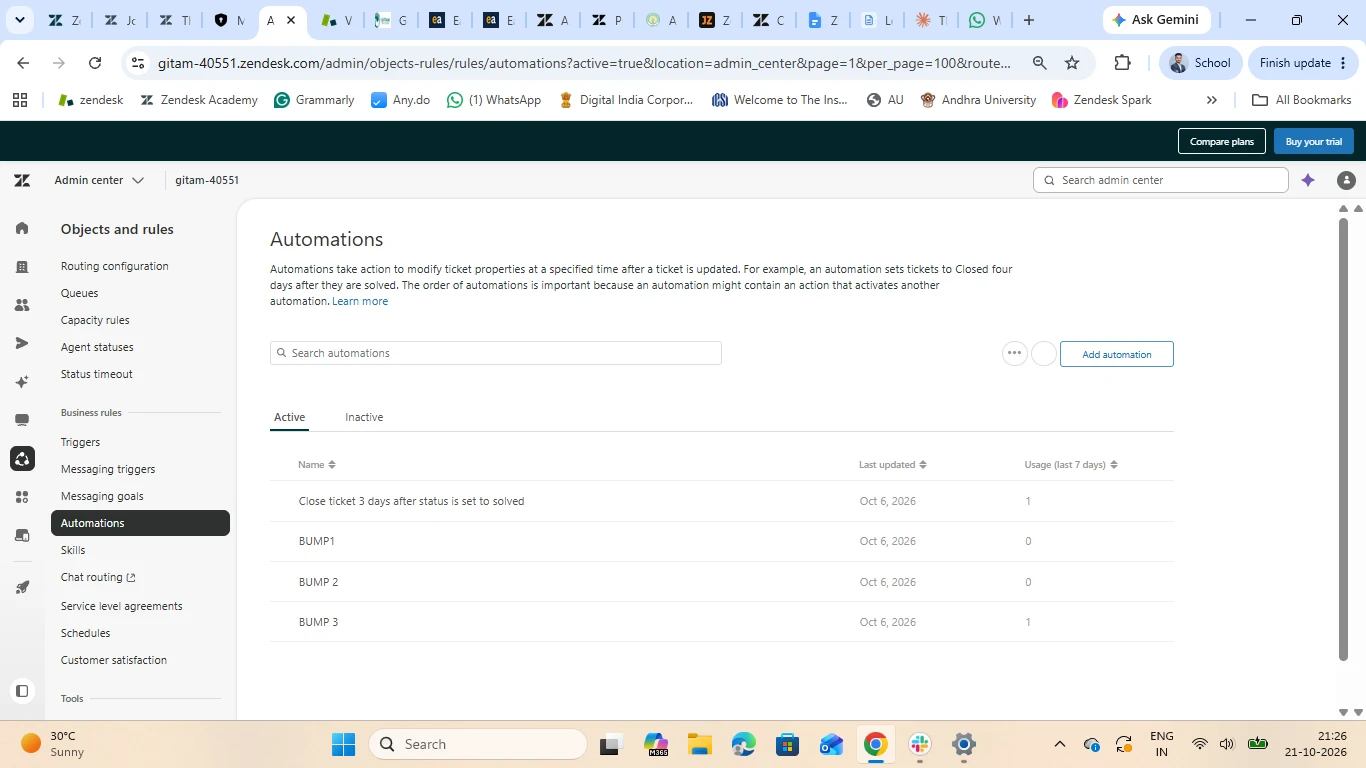
I have configured the following automations:
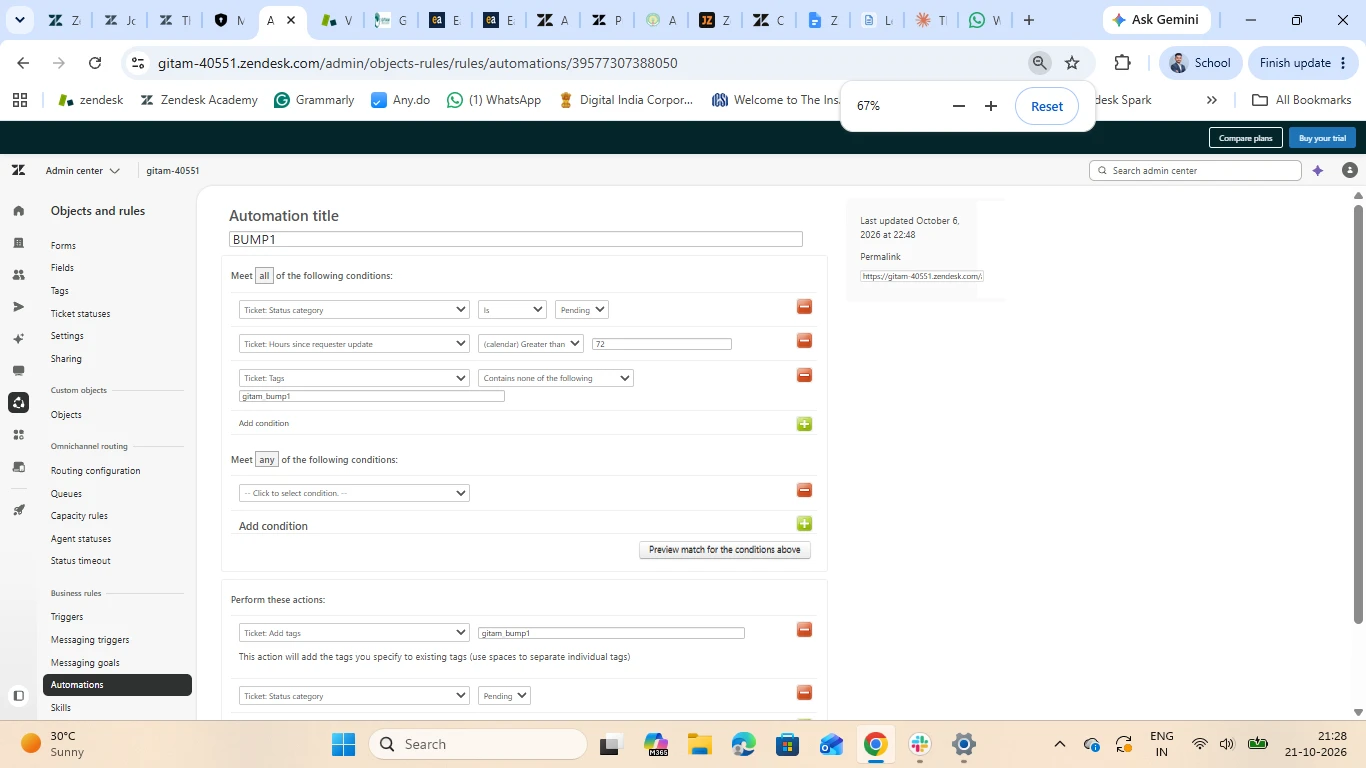
BUMP 1
-
Ticket Status Category: Is Pending
-
Hours Since Requester Update: Greater than 72
-
Ticket Tags: Contains none of the following –
gitam_bump1 -
Actions: Add tag
gitam_bump1and set status to Pending.
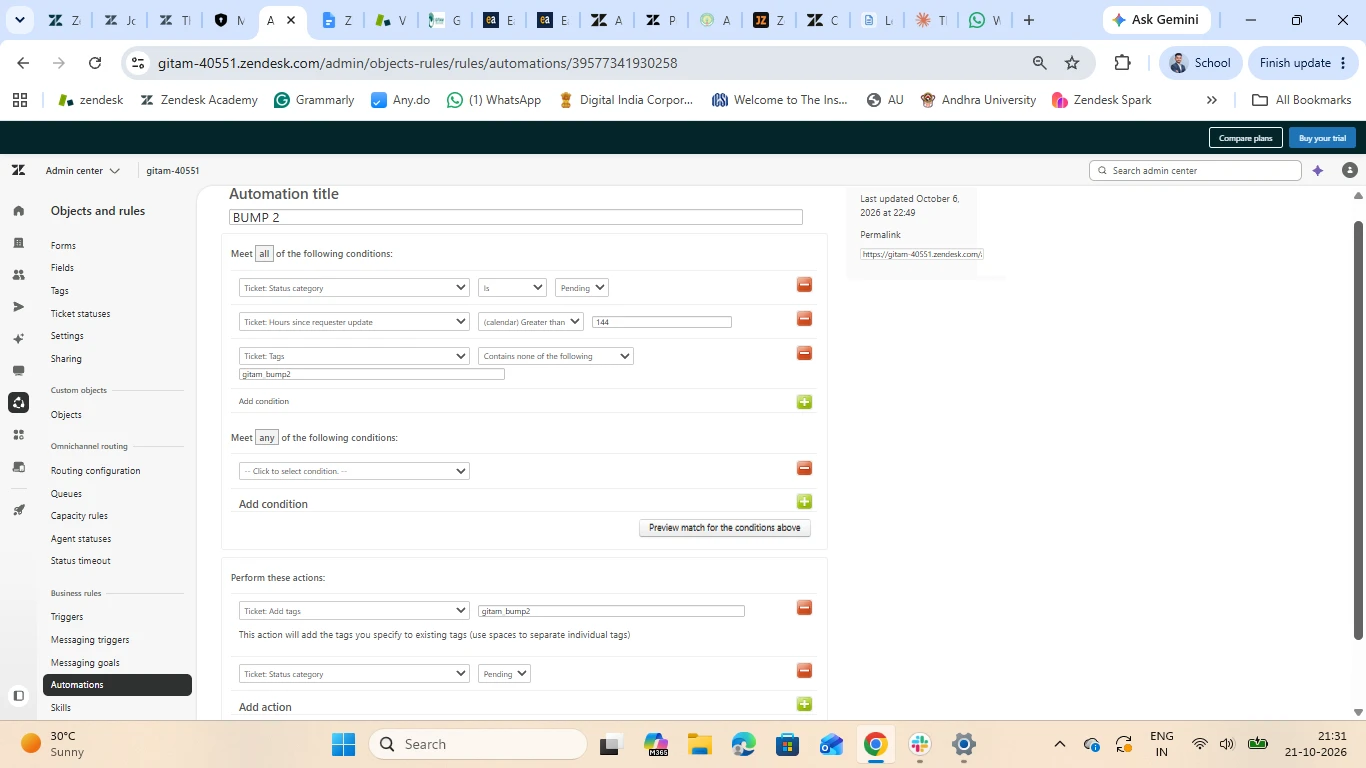
BUMP 2
-
Ticket Status Category: Is Pending
-
Hours Since Requester Update: Greater than 144
-
Ticket Tags: Contains none of the following –
gitam_bump2 -
Actions: Add tag
gitam_bump2and set status to Pending.
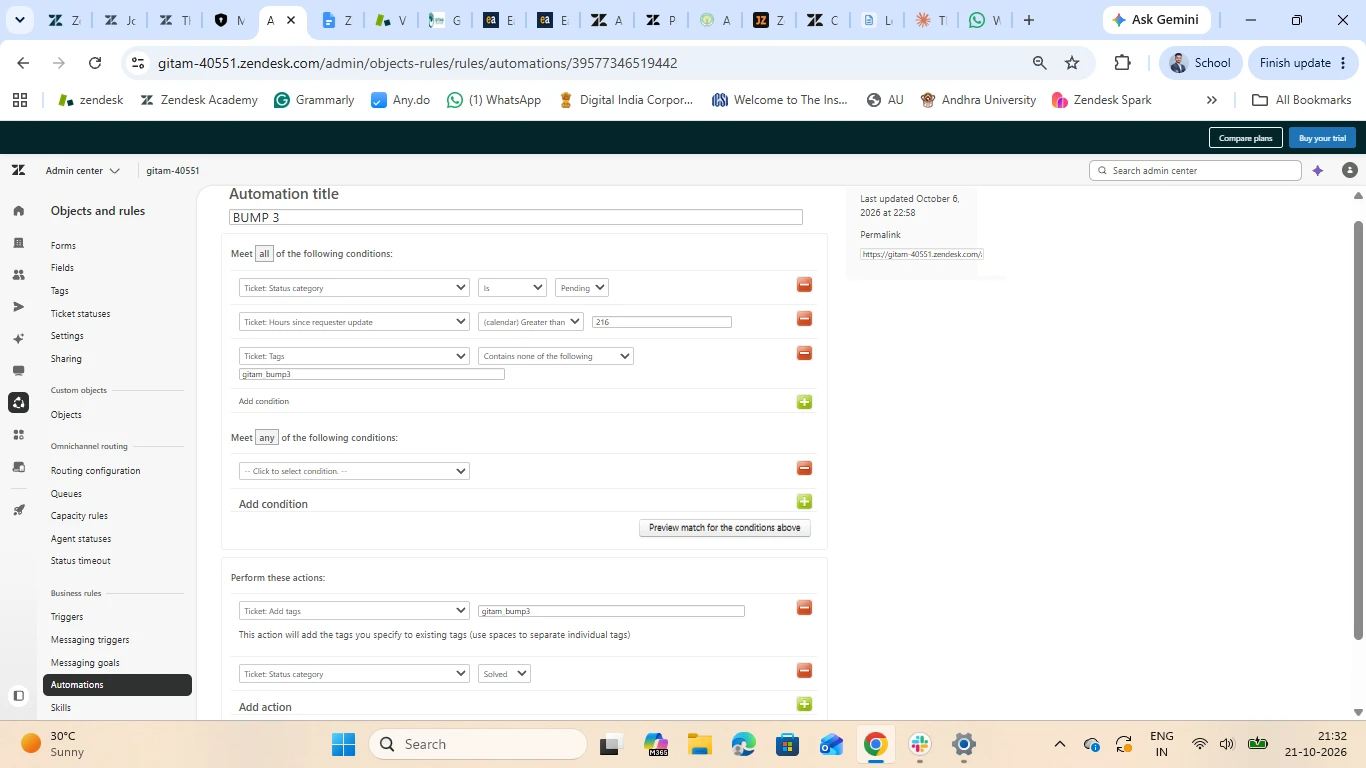
BUMP 3
-
Ticket Status Category: Is Pending
-
Hours Since Requester Update: Greater than 216
-
Ticket Tags: Contains none of the following –
gitam_bump3 -
Actions: Add tag
gitam_bump3and set status to Solved.
I have attached screenshots of my current configurations.
However, my director reviewed this setup and informed me that the configuration is incorrect.
Could someone please help me understand:
-
Is using 72, 144, and 216 hours since requester update the correct approach for a 3-day interval between each bump?
-
Should I use the "Hours since update" condition instead?
-
Do I need to add a public comment action to actually send the bump notification to the requester?
-
Is there a better way to configure this workflow using Zendesk automations, triggers, or another feature?
-
How can I ensure that each bump happens only once and that the ticket is solved after the third interval?
I would appreciate guidance on the correct conditions and actions for each automation.
Thank you!