Ability to print ticket without internal note/comment | The place for Zendesk users to come together and share
Skip to main content
Accepted

Ability to print ticket without internal note/comment

Related products:Support
  • November 19, 2014
  • 52 replies
  • 9 views

Hi,

It would be nice to be able to print ticket without showing internal note / internal comment.


Thanks

52 replies

+1 This feature would be great for us because we often times save the ticket as a PDF and have to upload it to another system. That particular system is accessable to all employees and the comments do not need to be seen by all. 


  • November 19, 2014

I agree this feature would be really good it would even be better if you could export it to an editable format.


  • December 5, 2014

+1 to the idea and all comments.

It would be nice to be able to print to PDF if needing to send to a client, and obviously not show the internal private comments.


Dave49
  • September 8, 2015

Another +1. I'm actually very surprised to see that this is not already an option and seems like a huge oversight.


Heather13
  • September 8, 2015

+1 and +100 to display the ticket without internal comments when sharing my screen with an end user!


  • November 6, 2015

+1 It's currently impossible to save/print off a ticket for another member of the business without all the internal notes attached so therefore means it cannot be passed to the customer.


Heather13
  • November 6, 2015

needed this again.... any possibility?


  • January 26, 2016

+1


The ability to hide internal notes would be useful for us


  • March 4, 2016

We really need the option of include internal comments when printing tickets!


  • April 21, 2016

+1 I need this feature too. Only realized after printing to PDF and sending to a client that internal notes was present! (Luckily nothing the client should not be able to see)


  • June 20, 2016

+1 again ... this feature is definitely needed. 


  • October 13, 2016

+1 this feature is absolutely needed. 


  • Employee
  • October 18, 2016

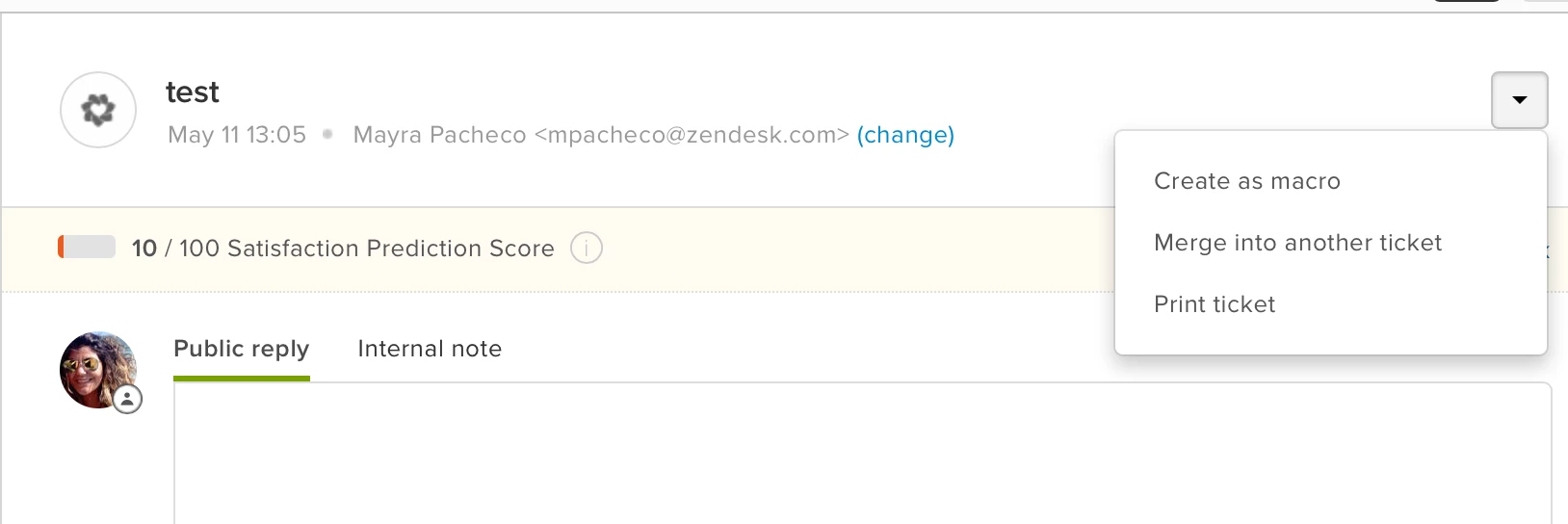
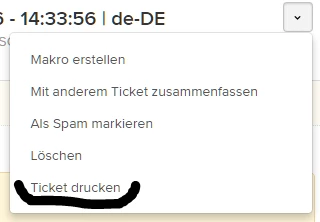
Are using the browser's native print option or the print option that appears in a ticket?

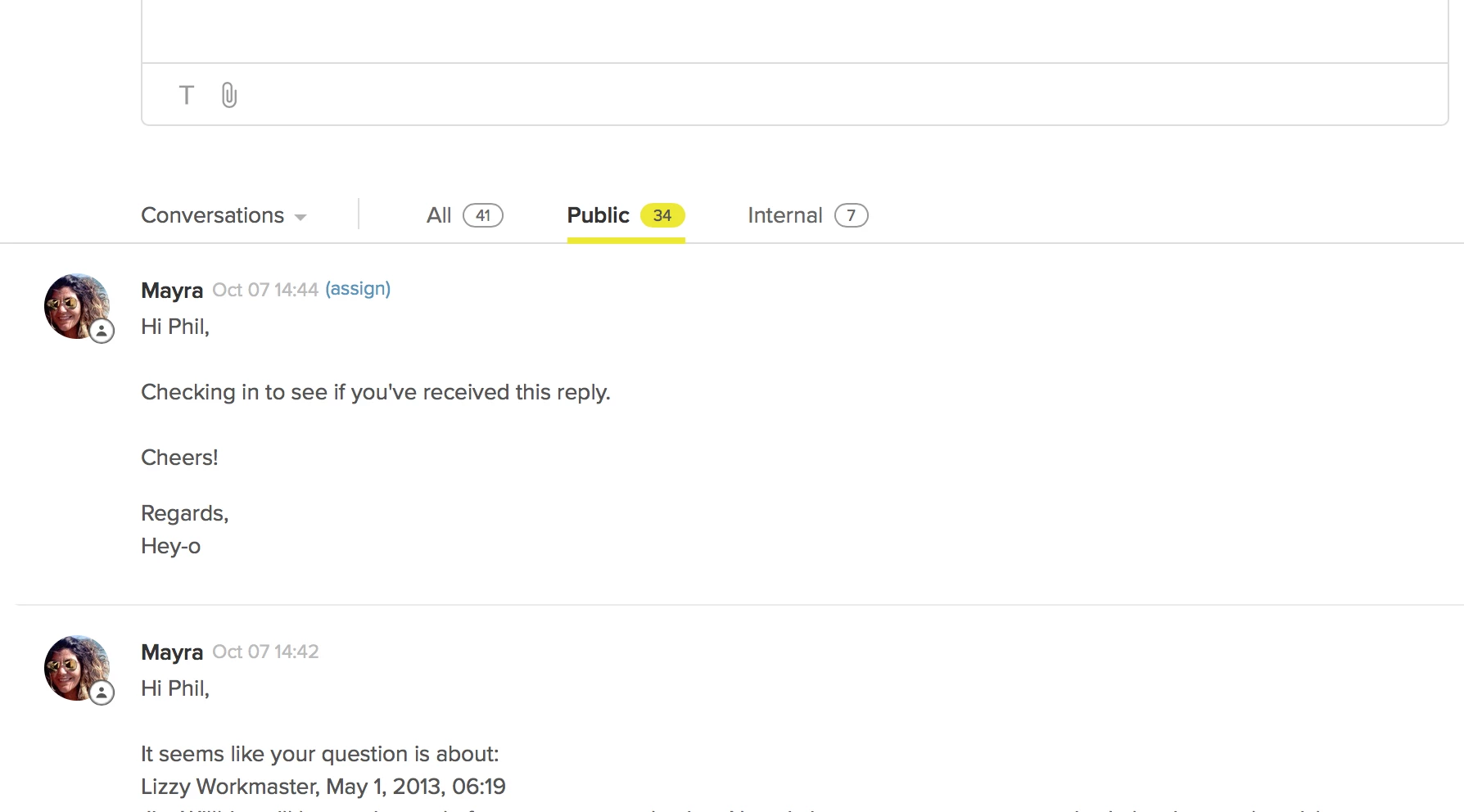
If you use the browser print option, you can filter your comment stream by public only and then print the ticket without any internal comments.


Can you let me know if there's anything missing for you in this scenario? I'd love to consolidate the two versions so that you can have this functionality with our print option as well, but don't want to remove any useful information you get from the current print implementation.


  • October 19, 2016

Hello Mayra - 

Thanks the quick work-around ... it's still not ideal because printing from the browser has formatting issues. But still -  thanks for the hack!


  • October 20, 2016

We typically use the Print ticket feature. Having the new comment stream filters interact with this would be great!


  • February 24, 2017

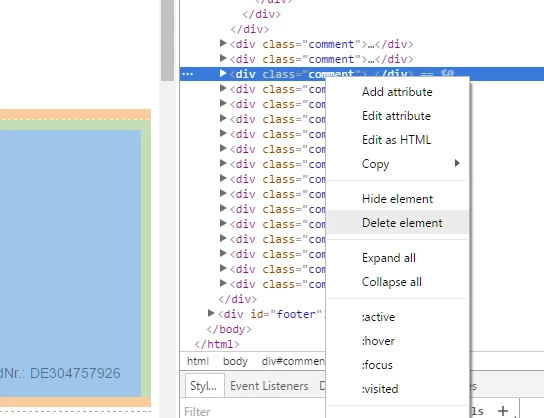
I have an easy workaround. A lil bit of work is to do, but it is very simple.

First open the printview.


Then close the printer dialog and open in your broswer the developer tools.
I use chrome and for me it is "inspect element"

Now you can easily remove the unwanted internal notices and print :-)

My co-worker importet it into an Editor and removed it all by hand. This takes to much of time and my workaround is much faster ;-)


Greetings


  • October 16, 2017

I'm using Markus' workaround, but native support for this would be great! I can't expect my agent's to edit the DOM before printing ;)


  • November 21, 2017

This request has been around since 2014 and still not actioned? I'm really surprised. 

Especially in a B2B space it's often useful to provide a public-facing view of tickets back to managers as part of broader planning. 


Sean13
  • January 14, 2018

Agreed...We need to see Zendesk step up and add this feature.


  • February 14, 2018

+1 We really need this feature


Negócios
  • May 5, 2018


Olá, Amigos!

Consegui uma ótima opção seguindo a ideia do @Markus Badberg: https://chrome.google.com/webstore/detail/click-to-remove-element/jcgpghgjhhahcefnfpbncdmhhddedhnk

Extensão do Google Chrome: "Click to Remove Extension". Basta clicar e remover a divisão que contém a observação interna do Protocolo após clicarem em "Imprimir Ticket". Segue abaixo:

Dessa forma fica fácil do operador mesmo remover não dependo da Equipe Técnica para fazer este trabalho.

Abraços Brasileiros. :-)


  • June 12, 2018

+1 for this request. 

Seems like a very simple thing to incorporate. And one obviously needed. Pointless to have Internal/External comments if you are unable to filter that when printing as well.

Thank you


  • January 11, 2019

Is there any follow-up on adding this feature?

I work for a government agency and most of our tickets are subject to FOIA requests. Currently we need to redact all of the internal comments that are on the printed ticket and this is a huge time sink for us. 


  • March 12, 2019

Also would like this feature. 


  • Author
  • August 18, 2019

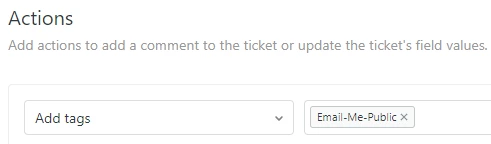
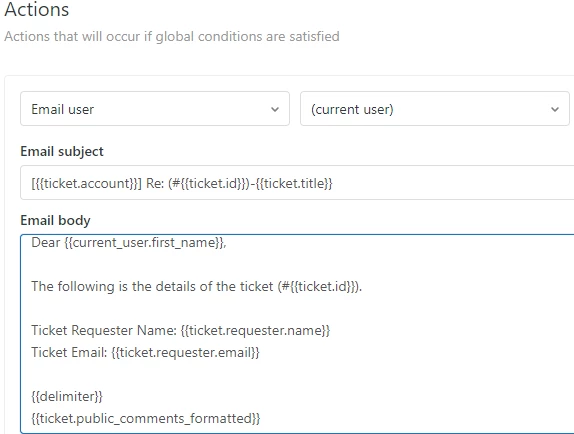
I managed to create a workaround for this by using Macro, Triggers and email:

1. Create a new macro to add tag (e.g. Email-Me-Public / Email-Me-Private)


2. Create a new trigger that will check the above macro and send an email to the current user (with or without private comments)

Note:

- use {{ticket.public_comments_formatted}} to show public comments only

- use {{ticket.comments_formatted}} to show private comments


3. Once you receive the email, print it.