Using SLAs with different timezones, contracts and business hours | The place for Zendesk users to come together and share
Skip to main content
Mark15
January 16, 2017

Using SLAs with different timezones, contracts and business hours

  • January 16, 2017
  • 9 replies
  • 133 views

This year we implemented the SLAs feature to help manage the increasing ticket load, however this is complicated by differing timezones, contracts and business hours.

We only use the first reply time metric, but this is decided by a combination of:

  1. Contract (gold, silver, bronze, custom)
  2. Priority (urgent, high, normal, low)
  3. Timezone (if appropriate dependent on contract)

To achieve this, we needed to use a combination of:

SLAs

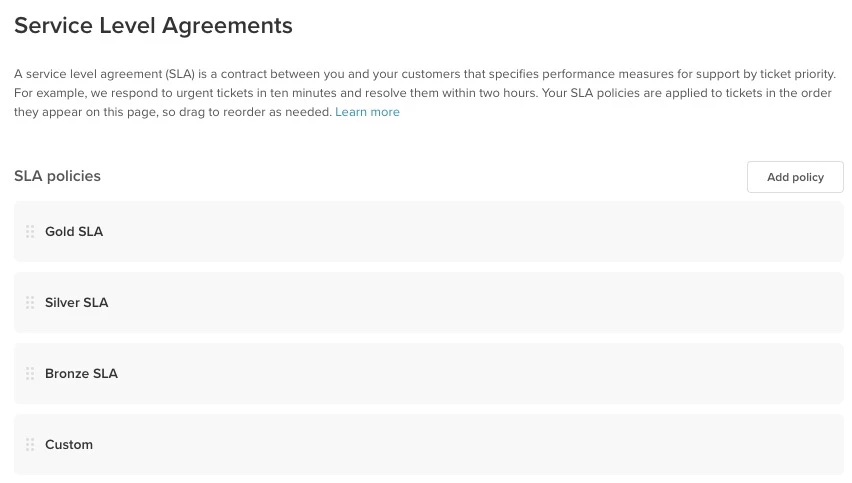
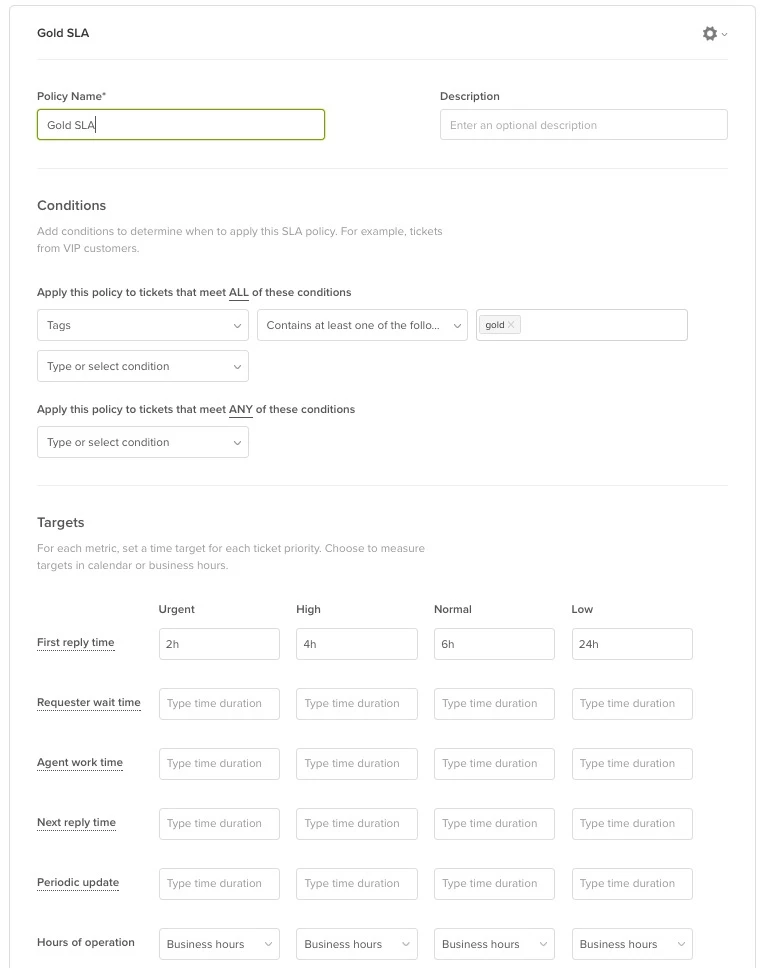
We use 4 of these - one for each contract - gold, silver, bronze, custom. We then utilize the "First time reply" target and the "Business hours" option, setting the appropriate values for urgent, high, normal and low.
Schedules

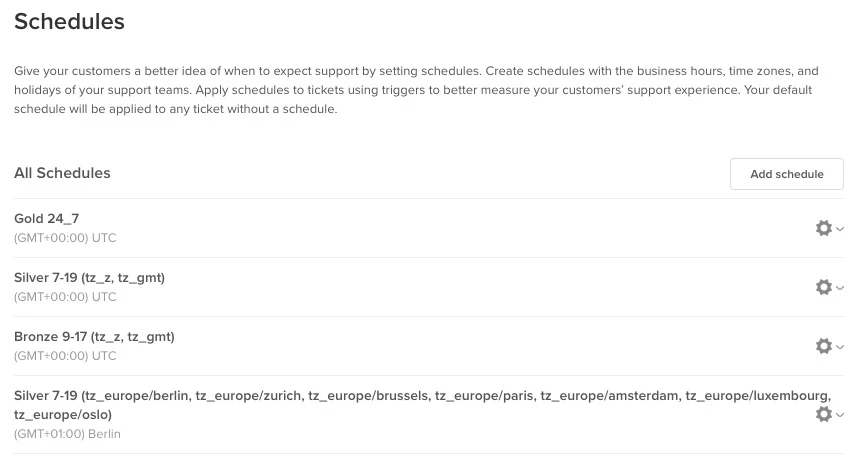
These were used to factor in different timezones. One for each different combination of contract and timezone, e.g. bronze (tz_gmt). Then the working hours (e.g. 0900-1700) were adjusted to match the contract and timezone.
Triggers

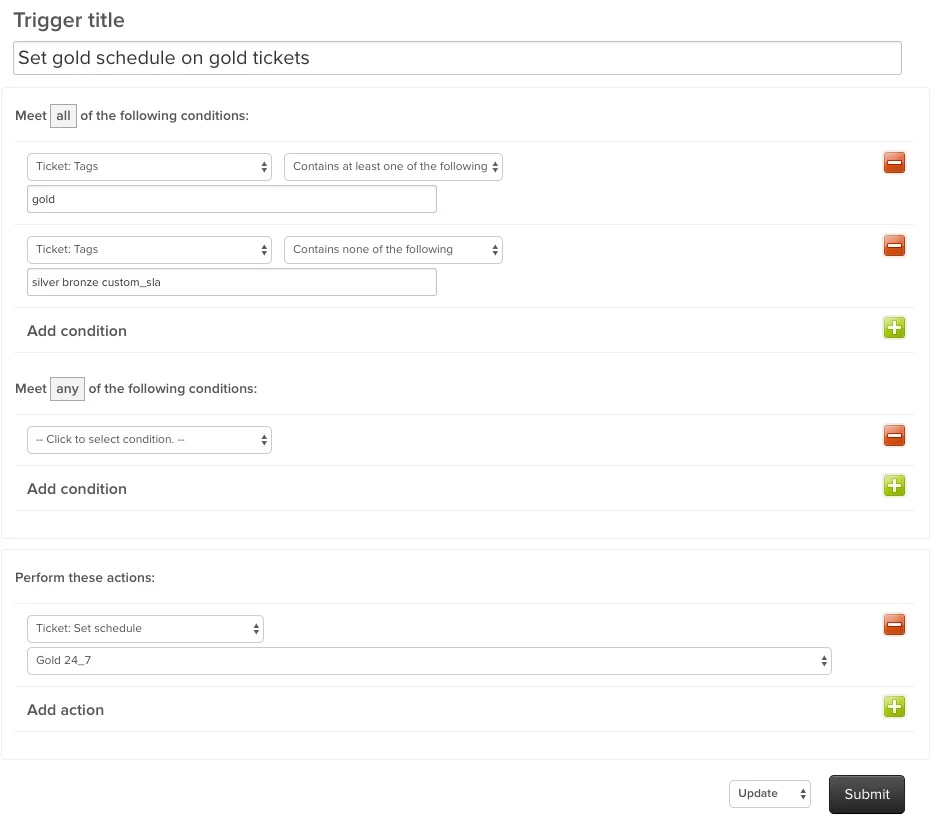
These were needed to apply the combination of SLA and Schedule onto every new ticket - one for each contract/timezone. We used the appropriate contract tag to set the relevant schedule.

Now our "Unassigned Queue" is managed by the "Next SLA breach" so we never miss an SLA regardless of Contract, Priority or Timezone.


9 replies

Jennifer Rowe
Product Manager
January 17, 2017

Great tip! Thanks, Mark.

June 16, 2019

Hi Mark,

Thanks for sharing! Question for you: How do you differentiate, when a silver ticket comes in, which of the 2 schedules to apply? I know you use tags for that but what steps (I would assume a trigger) do you apply automatically to the new tickets (that fall into the silver category) coming in to assign the silver tag?

Hope my question was not very confusing!

Julian

Mark15
Mark15Author
June 17, 2019

@Julian Lasser

Hi. In our case we have a frontend UI & backend which is synced with Zendesk; it uses REST to create the tickets in Zendesk. We store all our customer contracts in the backend (including their level of contract cover), so when it creates a ticket, it knows what level (e.g. silver) is required and so it adds the contract tag.

A more simple method, if you're only managing customers in Zendesk, would be to add the tag at the Organization level... and therefore every ticket raised under that Organization would receive that tag, which you could then use a trigger to pull in the Schedule/SLA.

June 24, 2019

@Mark

Thanks again for your time.

Brett Bowser
Community Manager
July 3, 2019

Thanks for taking the time to share this with everyone Mark :) This is fantastic!

May 19, 2021

Thanks Mark for your wonderful tip. If you can help me with this..I am in the head office sending data to my other branches but one of my branches office didn't receive anything on the required time because they are in another region/place with a different time zone ..How do I solve this problem?.

Employee
May 28, 2021

Hello @Potts Tee,

I would have to take this into a ticket to see what is going on.

I will reach out to you in a ticket soon.

mayra.araujo
April 2, 2024

I have a question regarding SLAs & Business Hours:


In order to have different messages being sent by our chatbot out of business hours on Messaging, we had to create 2 schedules: one is 24h Mon-Fri (so the bot can have the first time condition applied, meaning that weekends we are out), and then our regular 7 am - 8 pm schedule. However, what is happening now is that our tickets page is showing this first schedule, and tickets received after business hours are counting the 24-hour schedule and SLA breached. Any way to turn this around?

Paolo14
Employee
April 3, 2024
Hi Mayra,
 
Make sure that the tickets would match the conditions of the SLA policy so that the correct SLA will be applied. More information here. If confirmed that all conditions were correct and still having issues, we would need more information and sample tickets where the issue occurs. I highly recommend reaching our to our Support Team for further checking. 
 
Best,
Paolo | Technical Support Engineer | Zendesk