
How to calculate Custom Field Changes time? | The place for Zendesk users to come together and share
Skip to main content
Question

How to calculate Custom Field Changes time?

  • September 19, 2022
  • 2 replies
  • 1 view

Rivanyst

I'm trying to recreate a Metric that calculates the Changes time from the ticket was created


IF ([Changes - Field name] ="Customer Profile" AND [Changes - New value] != "0" )
THEN VALUE(Field changes time (min))  
ENDIF

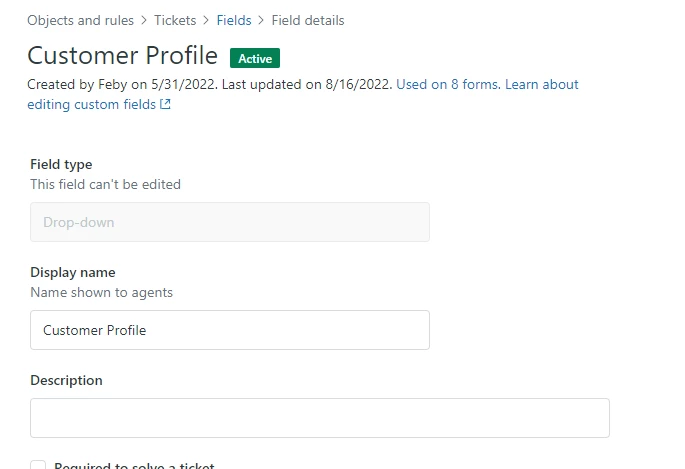
this is my custom field
2 replies

CJ95
  • September 19, 2022

I just built something JUST like this! I think you need to do it in two steps. 

step 1:  Create a timestamp attribute for when the field changed. 

Step 2: create a new date_diff metric to compare the custom attribute to ticket created. 

we're going to do this guide here, basically, but instead of internal comment, it will be changes to that field. 

The first formula would be a standard attribute: 

Title: "Customer Profile - Timestamp"
IF ([Changes - Field name] ="Customer Profile" AND [Changes - New value] != "0" )
AND DATE_FIRST_FIX([Update - Timestamp],[Changes - Field name],Changes - New value],=[Update - Timestamp])
THEN
[update timestamp]
ENDIF

Then, you would need to make a top level metric to diff it against ticket created: 
DATE_DIFF([Customer Profile - Timestamp], [Ticket Created - Timestamp], "nb_of_hrs")

Then you'd need to customize how it displays; 

  1. Edit the metric you just created, set it's default aggregator to AVG, display format to Custom, and set Decimal points to 1 and Suffix to hrs


    And that should get you an output of how long it took for that field to get a value, in hours, since ticket creation! 

Rivanyst
  • Author
  • September 20, 2022

@cj95, thank you for your insight
Is it possible to just use this part to catch any changes in that field?
IF([Changes - Field name]="Customer Profile" )