
SUM issue | The place for Zendesk users to come together and share
Skip to main content
Jasper12
May 24, 2021
Question

SUM issue

  • May 24, 2021
  • 4 replies
  • 27 views

Hi! I'm using a simple calculation which returns a 1 if true, and a 0 if false. Calculation is correct when using Ticket-ID as a row. When I remove this row to get a single calculation, the results aren't as expected. So, the below image is correct. 
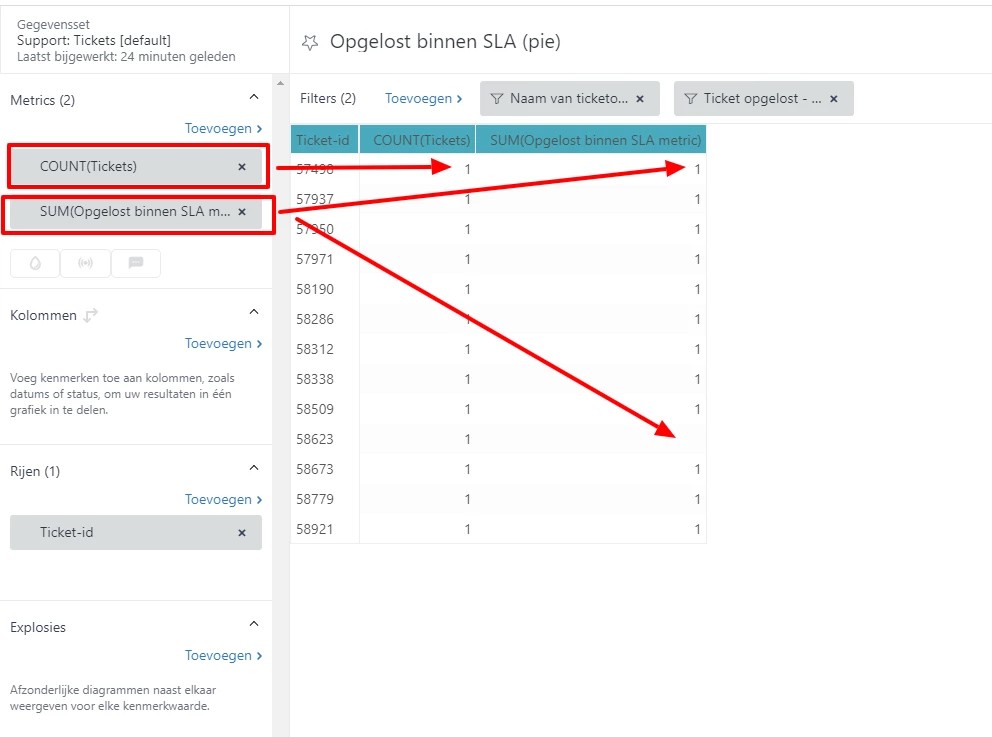
But, when I want to aggregate to one single row, I expect the second column to show 12 (I'm doing a SUM on that one), but in stead it shows 1.
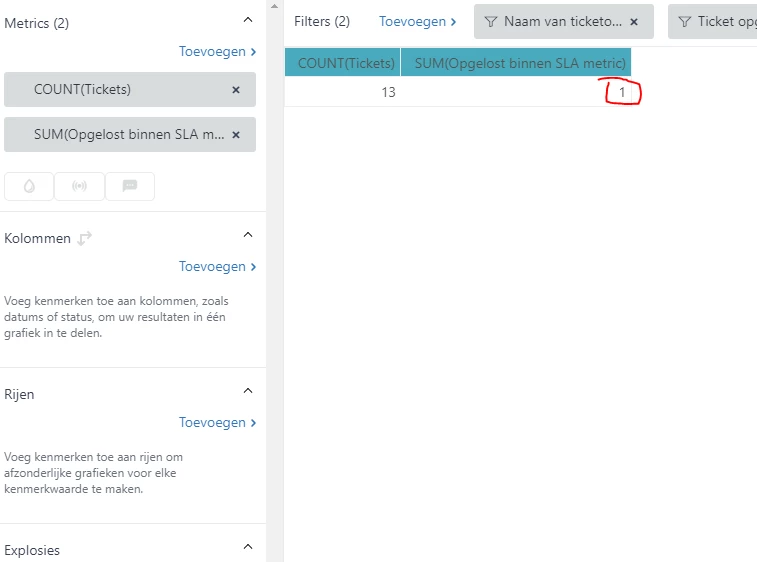
 

What am i'm missing here? I've did some testing with "compute separately" but that doesn't solve this.. 


    4 replies

    Andrei12
    May 24, 2021

    Hi Jasper Visser (Embrace)

    Could you show what formula do you use for this metric? 

    Jasper12
    Jasper12Author
    May 24, 2021

    Andrei, 

    Yes, sure. It consists of 3 parts. What you see in te above example is this one  

    IF (SUM(Opgelost binnen SLA) = 1) THEN 1 ELSE NULL ENDIF

    Where "Opgelost binnen SLA" is calculated by a switch:

    SWITCH ([Ticketprioriteit]) {
    CASE "Urgent": IF (SUM(Netto oplostijd binnen werktijden) < 4) THEN
    1
    ELSE
    0
    ENDIF
    CASE "High": IF (SUM(Netto oplostijd binnen werktijden) < 12) THEN
    1
    ELSE
    0
    ENDIF
    CASE "Normal": IF (SUM(Netto oplostijd binnen werktijden) < 40) THEN
    1
    ELSE
    0
    ENDIF
    CASE "Low": IF (SUM(Netto oplostijd binnen werktijden) < 160) THEN
    1
    ELSE
    0
    ENDIF
    }

    This switch uses another custom metric "Netto oplostijd binnen werktijden" which is a calculation of default metrics: 

    SUM(Full resolution time - Business hours (hrs)) -
    SUM(Agent wait time - Business hours (hrs)) -
    SUM(On-hold time - Business hours (hrs)) -
    SUM(First reply time - Business hours (hrs))


    Jasper12
    Jasper12Author
    May 25, 2021

    i've managed to solve this by keeping the Ticket-ID as a Row. Then i've added totals via Result Manipulation. This gives a correct calculation. This calculation is then used in a pie-chart. 

    Andrei12
    May 25, 2021

    Great to know @Jasper V., 

    I usually build testing reports to find the initial metric where it doesn't calculate properly. Have not even started on my end to check this - and you solved it already. :)