Is it possible to mark ticket as solved with the Requests API and ticket status equal to "New"? | The place for Zendesk users to come together and share
Skip to main content
Question

Is it possible to mark ticket as solved with the Requests API and ticket status equal to "New"?

  • June 22, 2020
  • 6 replies
  • 2 views

Hello all! 

I'm writing a custom Zendesk <-> Slack integration App.

Actually, it's almost complete and now in the testing stage, and it looks like the test helped us to find something interesting. Again :)

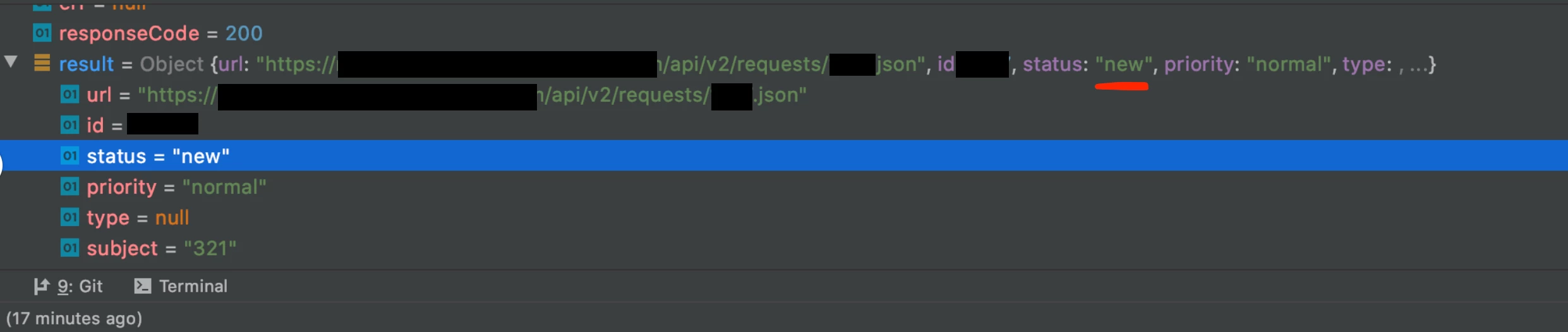
When I'm trying to mark a fresh new ticket (the one in the "New" status) as solved using /api/v2/requests/{id}.json from the Requests API I'm getting back my http 200 code from Zendesk, but the ticket status in payload returned stays unchanged ("New"). And for sure, ticket status stays unchanged in the Support agent web interface, so does system-wide.

So here I am, with two questions:

1. Is that what Zendesk Support supposed to do? I have failed to find any mentions of this.

2. If yes, is there an option to allow requesters to mark as resolved tickets, which still in the "New" status?

Best regards, Alexander.

P.S. screenshot attached is an example of such a reply from Zendesk.
6 replies

  • Author
  • June 22, 2020


  • Author
  • June 22, 2020

And yes, /api/v2/requests/{id}.json from the Requests API working completely fine when I'm trying to update (mark as resolved) tickets in any other statuses (except closed and solved, ofc).


Elissa
  • Employee
  • July 13, 2020

Hello @Alexander Kormilin


I did some testing in my test account with the same endpoint and found that the New tickets did not switch to Solved (same behavior you're seeing) in cases when there was not an Assignee.

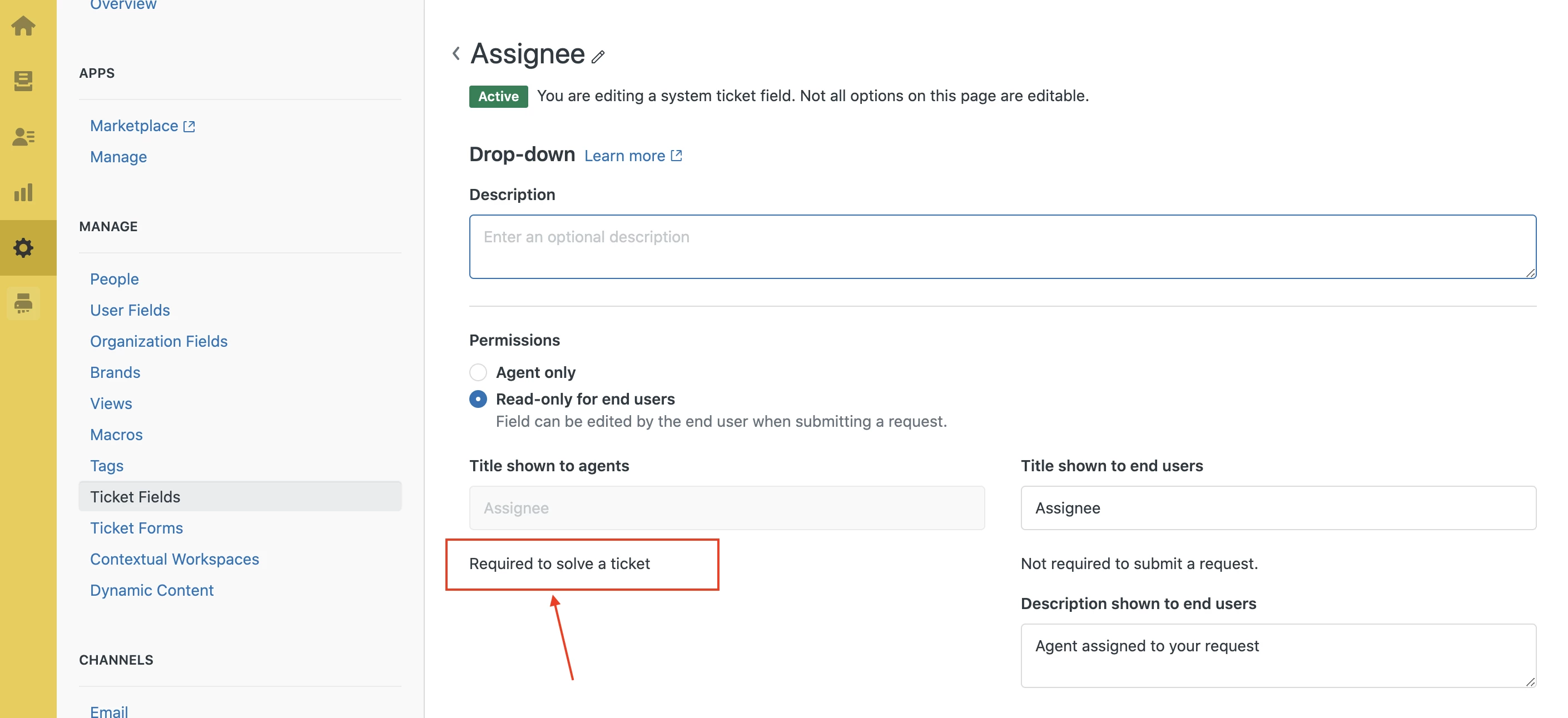
My account has the field Assignee required for a ticket to solve. Can you check and see that you don't have any required fields like that interfering?

Let me know!


Damian14
  • February 4, 2021

Hi Elissa,

sorry for off topic. Elissa you mentioned that your account has the field Assignee required for a ticket to solve. Currently we're trying to create tickets via API, without assignee, assigned to a specific group via group_id, status solved. We get an error that Assignee is required. Where can I find this option?

Best Regards,

Damian


Brett Bowser
  • Community Manager
  • February 4, 2021

Hey Damian,

The only relevant setting that you can toggle on or off is the Auto-assign tickets upon solve option which can be found under Admin>Settings>Tickets. If you're trying to solve the ticket immediately once it's created via the API you'll need to have an assignee selected.

Let me know if you have any other questions!


Elissa
  • Employee
  • February 4, 2021

Hi 396676330033

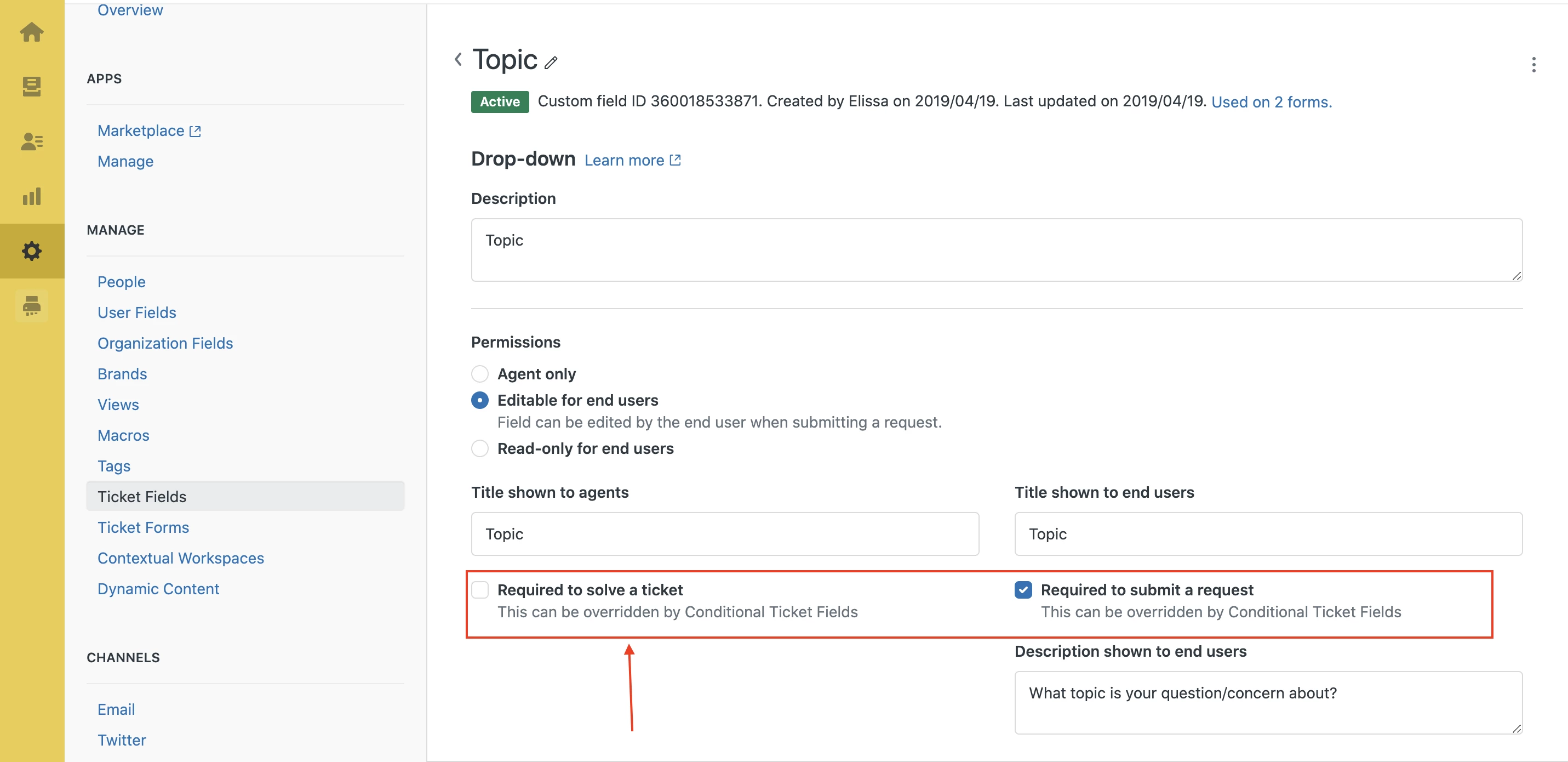
To elaborate a bit on Brett's answer: If you're working with custom ticket fields you do have the option to edit that setting and decide whether the field is required to solve the ticket. Unfortunately for the "Assignee" field, that setting is uneditable and it will always be required to solve a ticket. 
You can find the setting if you go to Admin>Manage>Ticket Fields and select a field. See the screenshots below for more detail.


I hope that makes a bit more sense! I definitely see why this makes API based ticket management difficult but hopefully it helps in the long run with keeping your tickets organized and reportable!