Issue where LLM keeps trying to do something you told it not to | The place for Zendesk users to come together and share
Skip to main content
Feedback submitted

Issue where LLM keeps trying to do something you told it not to

Related products:Platform
  • June 13, 2025
  • 6 replies
  • 2 views

Zach16

I'm working on an app that lets the agents pick one or more comments from a ticket and split it off to a new support ticket. Use case is when customers mention a new issue on a ticket about something else.


I've gotten it to work, but then ran into a wall because I tried to fix one thing, and the LLM kept trying to fix something I had told it was resolved. I downloaded the Json file.

6 replies

Amie11
  • Newcomer
  • July 1, 2025

I too have recently run into this issue and it's quite annoying as it add extra time to it by trying to redo things it's already done etc. 


Emily31
  • Product Manager
  • July 1, 2025
Hey Zach and Amie,
 
Thank you for taking the time to provide us with your feedback. This has been logged for our PM team to review. For others who may be interested in this feature request, please add your support by upvoting this post and/or adding your use case to the comments below. Thank you again!

Vancouver
  • Contributor
  • July 3, 2025

I also encountered this issue where I told the bot the current Version is not working as intended and it's doing X instead of Y and it responded with “Okay I will change it to do X, instead of Y".

There should be an option to “Stop” the AI from generating a response in case we notice it did not understand us properly.

Maybe instead of immediately generating an answer it should ask follow-up questions initially? 


Amie11
  • Newcomer
  • July 9, 2025

hey @emily31 


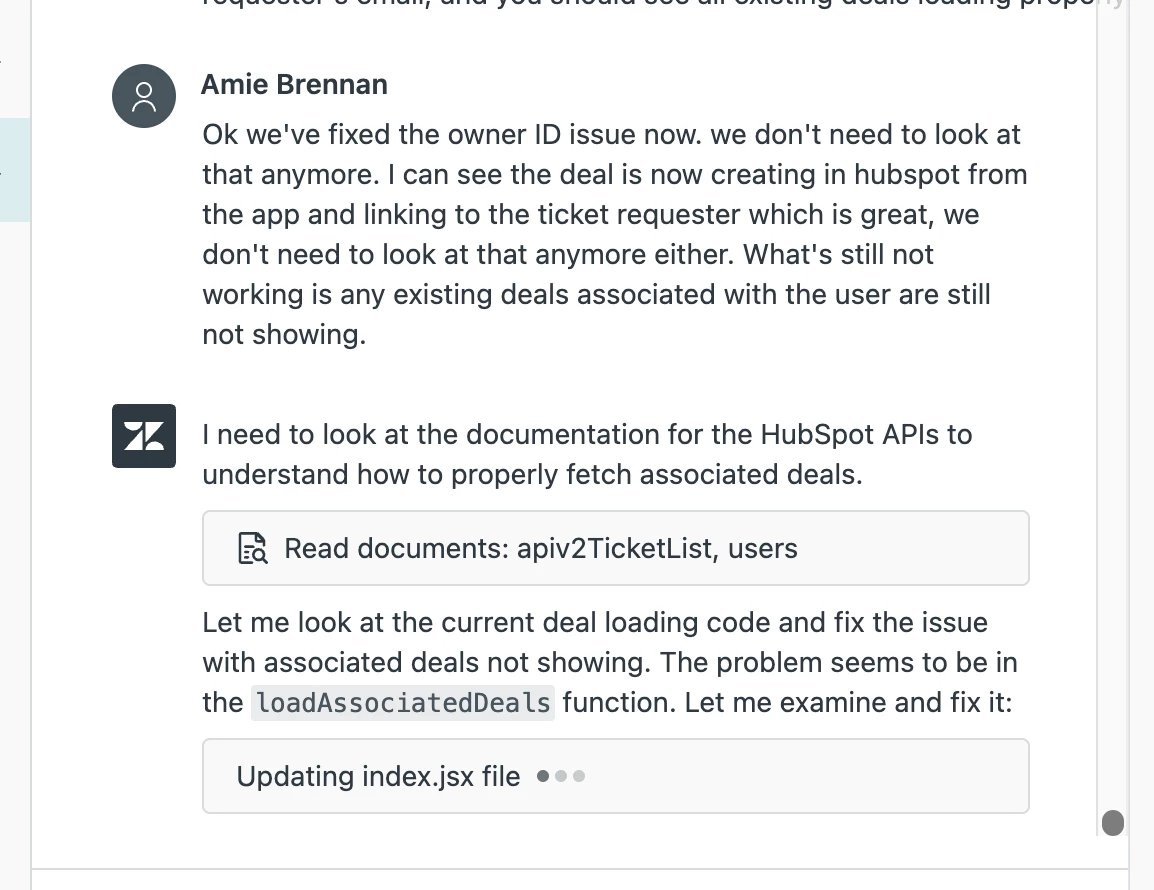
Something else further more to this which I've just noticed tonight is, if i tell the buidler that we've fixed my previous issue and then tell it to look at a new issue, it will just start from the new issue in it's next response and not repeat something it's already done. 


Here's my example of where it works, and the builder doesn't repeat the previous steps it's already done. 


  • Employee
  • July 16, 2025

Hi all (@zach16  @amie11  @vancouver  @emily31), thanks for reaching out. Sorry for late response here, we received this feedback from several other folks. This was a bug caused by missing context to our AI model, we have now fixed this. 

Can you folks this again, and do let us know if this still happens to any of your.


Amie11
  • Newcomer
  • July 17, 2025

hey @sarmad13 
 

I just did a new update to my app and no repeating. I've only done one but so far so good. The next issue that really needs resolving is that I get a network error everytime it attempts to update. I then have to wait a bit, refresh page or publish app, and refresh, and then the latest update appears. 


Its like it errors out, but still manages to proceess in the background.