
Hello Zendesk Community!
We have been cracking down on our reporting and increasing our efficiency wherever possible. One glaring issue we have been running into is our reopen rate. A staggering 25%+ of our tickets were being reopened. After further investigation we discovered that over 75% of those reopens were because we have super nice customers saying "thank you" to our agents! We appreciate the kind gesture, but it was screwing with our reporting numbers and causing extra work for our agents.
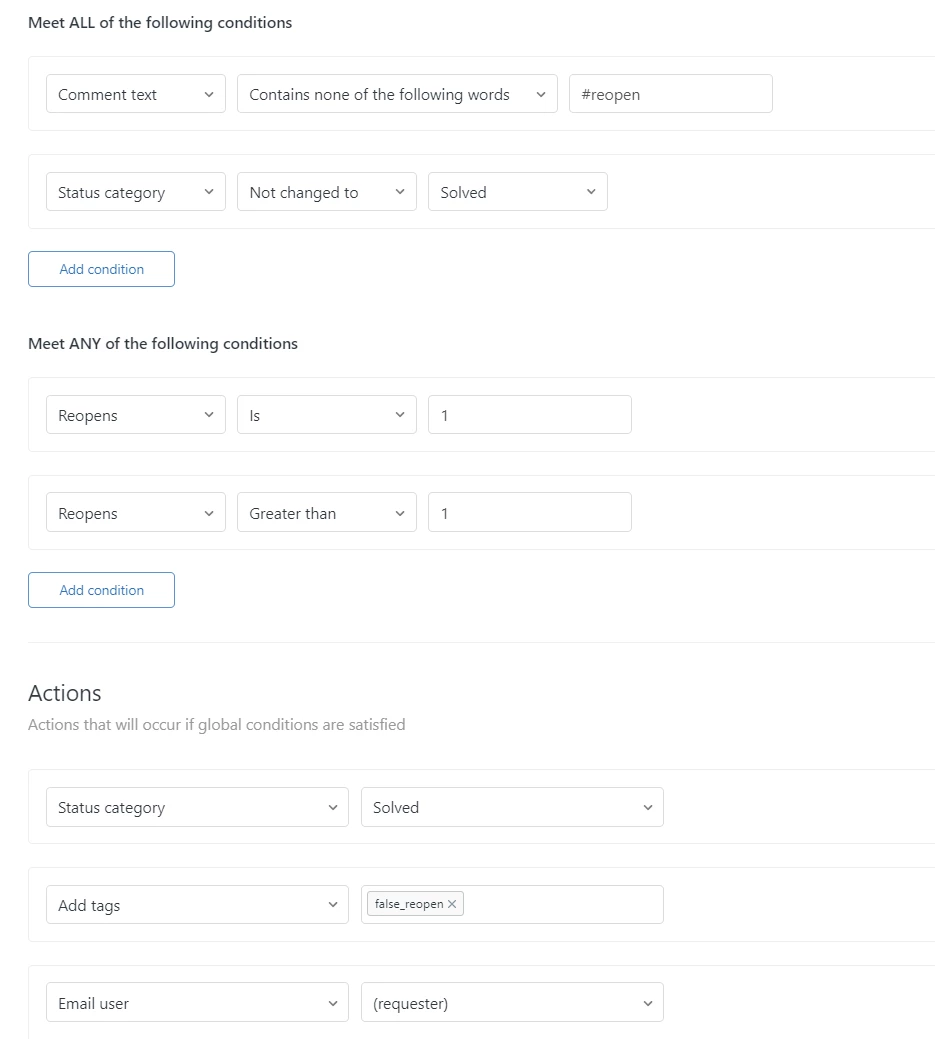
So! We devised a plan. Because we are already using hashtags in our processes to allow customer to escalate their tickets (EX: adding #escalate to their ticket sends an email to our managers or adding #helpnow bumps the ticket to Urgent status and sends emails to a bunch of people), it was not too far of leap for us to leverage a hashtag for reopening tickets. Now, our customers must include the hashtag "#reopen" in their reply to a ticket for the ticket to actually reopen. If the ticket does not contain this text, the ticket goes back to Solved status and the tag "false_reopen" is added to the ticket. Now, our agents do not need to mess with the ticket AND we can exclude these reopens from our reporting!
Below is our configuration for the trigger:
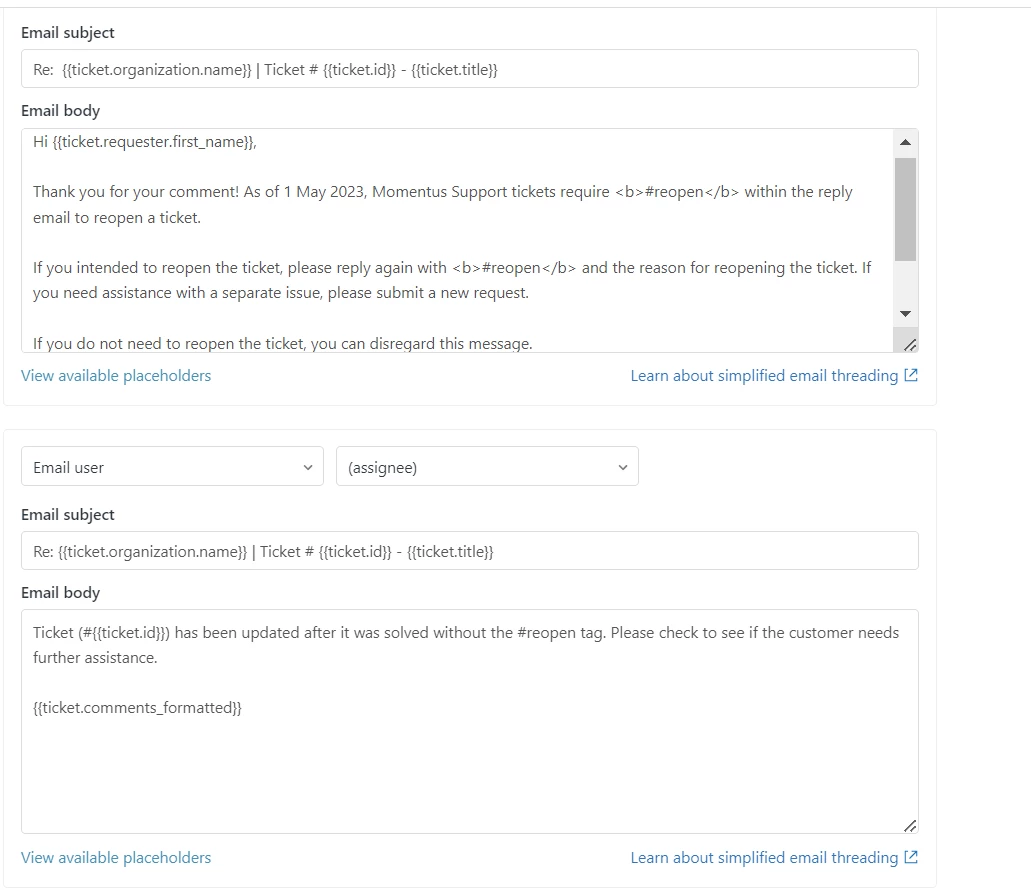
We also needed a way to remove the "false_reopen" tag if a user accidentally forgot the hashtag in their reply. Here was the remedy:
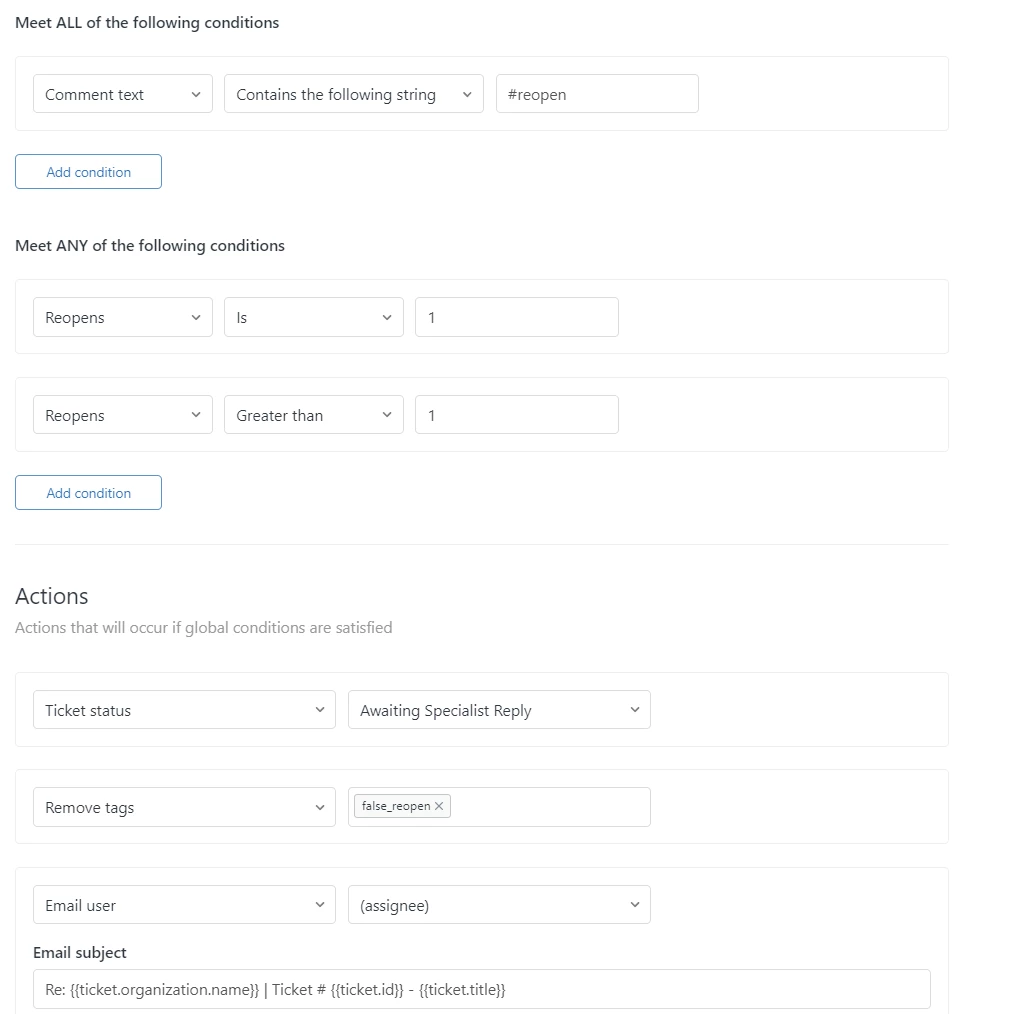
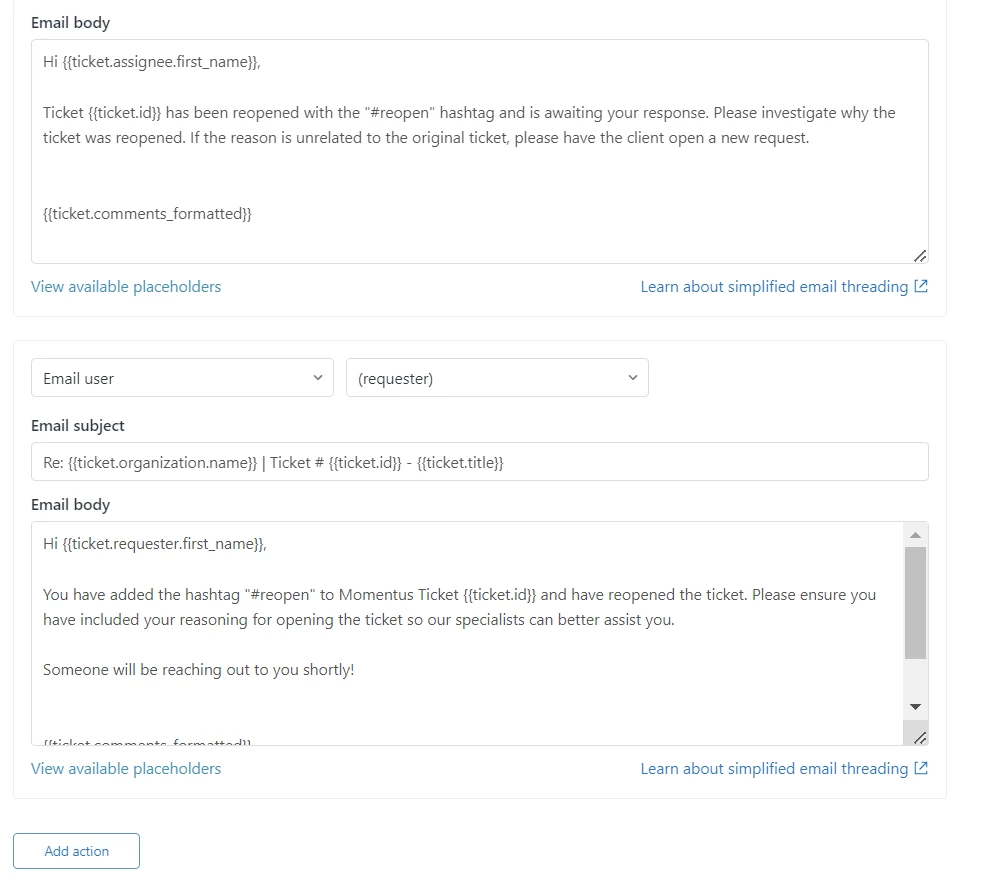
You will also want to add some guidance text to your auto response that goes out when tickets are solved. Something like "If you need to reopen this ticket, please include "#reopen" somewhere in the text. If you are experiencing a new issue, please submit a new request." This prevents "thank you" reopens and helps prevent customers trying to use the same ticket to solve multiple problems.
So there you have it! Two relatively straightforward triggers to save a lot of headache! We are very happy with how this process works and are looking forward to better KPI numbers as the months continue. Happy to answer any questions if you have them!
