

Please give a quick overview of your product feature request or feedback and note who in your organization is affected by this issue [ex. agents, admins, customers, etc.] (2-3 sentences)
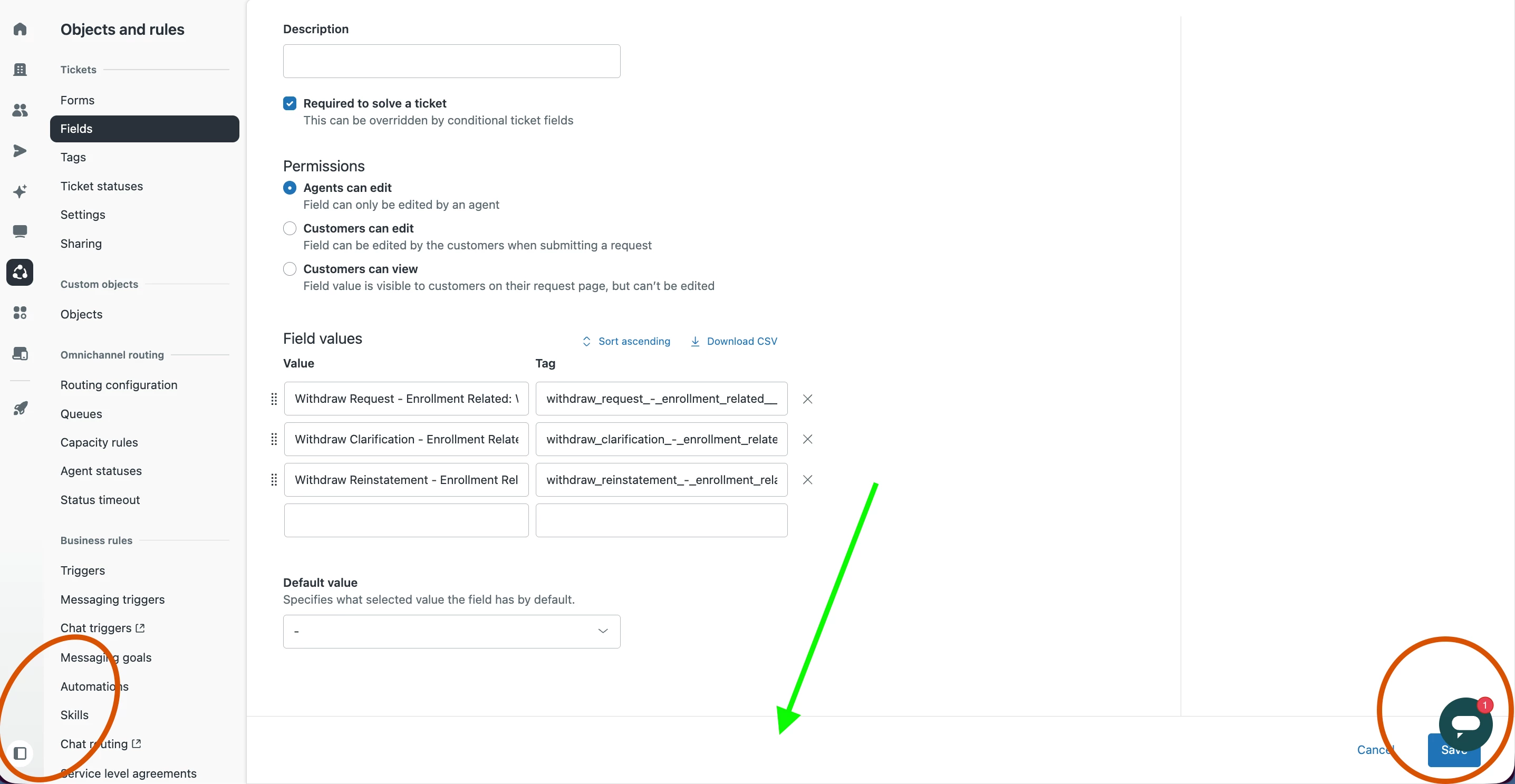
Agents & Admins are impacted by the Zendesk widget icon location limitation, as well as Customers impacted by the web widget location limitation in our company’s knowledge base. Left and Right alignment both block buttons/navigation (see red circles in screenshot below). I request a center-alignment option.
What problem do you see this solving? (1-2 sentences)
A center-aligned web widget location option won’t block other buttons and navigation links (see green arrow in the screenshot below).
When was the last time you were affected by this lack of functionality, or specific tool? What happened? How often does this problem occur and how does this impact your business? (3-4 sentences)
It occurs non-stop for my agents, and it has impacted me numerous times today when I jumped into tickets.
It forces scrolling to access lower navigation links; the lowest links are blocked--which is why I moved it to the right side. However, now it slows ticket submissions because we have to carefully select only the very top left of the Submit button. We are a small team, so as Owner/Admin, I often need to jump into tickets, functioning as an Agent, while also doing Admin work.
Are you currently using a workaround to solve this problem? (If yes, please explain) (1-2 sentences)
Scrolling, carefully selecting a specific place on the edge of the Submit button, and moving the widget back/forth from left to right if necessary.
What would be your ideal solution to this problem? How would it work or function? (1-2 sentences)
Provide a 3rd widget location that is middle/center aligned, and I would use that!