Help Center - improve 'was this article helpful' and allow user to leave reasons | The place for Zendesk users to come together and share
Skip to main content
Accepted

Help Center - improve 'was this article helpful' and allow user to leave reasons

Related products:Knowledge
  • December 6, 2016
  • 74 replies
  • 22 views

Show first post

74 replies

  • May 6, 2018

Just to help others, I believe there are two solutions:

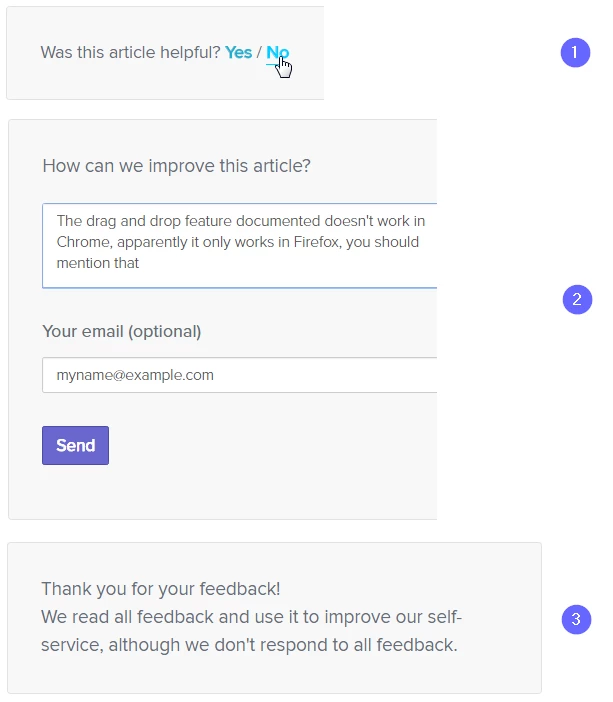
  1. The first one solution was actually another community post: Request feedback after negative article vote (summarized from original thread). It's not quite what Joel posted, but it's a good way approach without having to hack around in code too much.
  2. Alternatively, I decided to see if I could replicate what Joel originally posted and I think I was to accomplish it or at least something relatively close. It's my workaround based on his workaround in comments except that my workaround would allow for public comments IF you want.  

If you are interested in solution 2, a couple of notes to keep in mind:

  • I haven't done any live, rigorous testing beyond some commenting in a sandbox
  • This requires commenting to be enabled for an article (however there is a coding workaround if you don't want comments for any articles at all)
  • This assumes that anonymous commenting is not a possible but if it does eventually, I'm sure the code can be modified to accommodate to make sure these comments 

Given all that, the solution I came up with was just to utilize the built-in commenting system of Zendesk by inserting an additional input box after the voting feature that appears after you click the Not Helpful icon and leveraging the Moderate Content feature to call out these feedback comments.

At a high-level, here's the workflow:

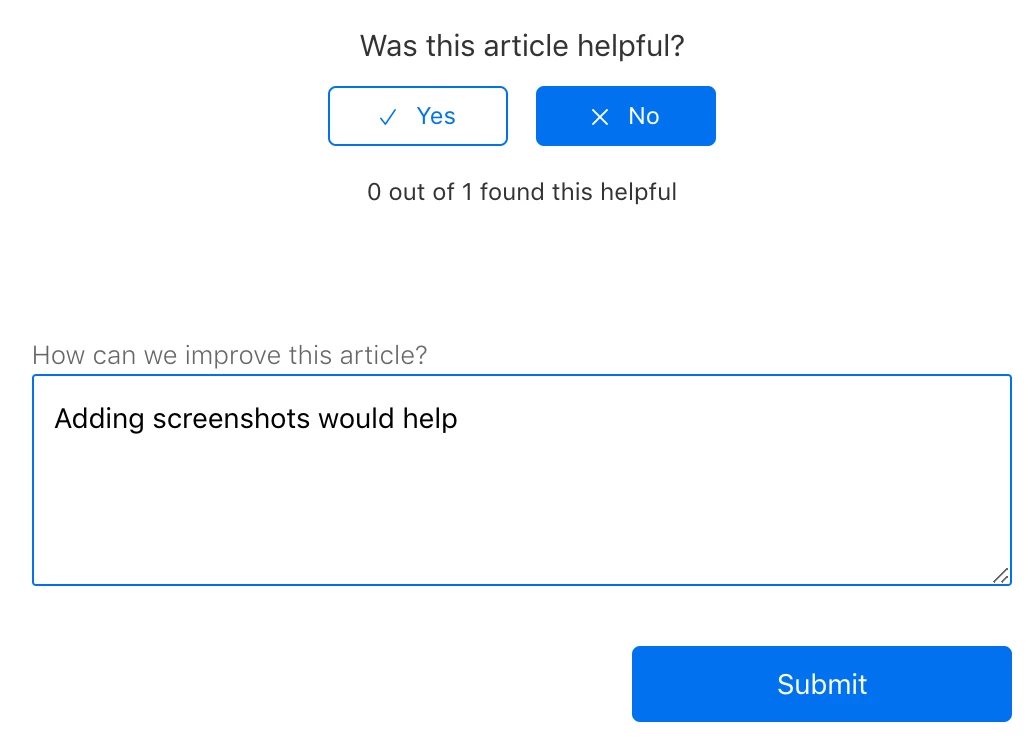
  1. Logged in user clicks on the thumbs down
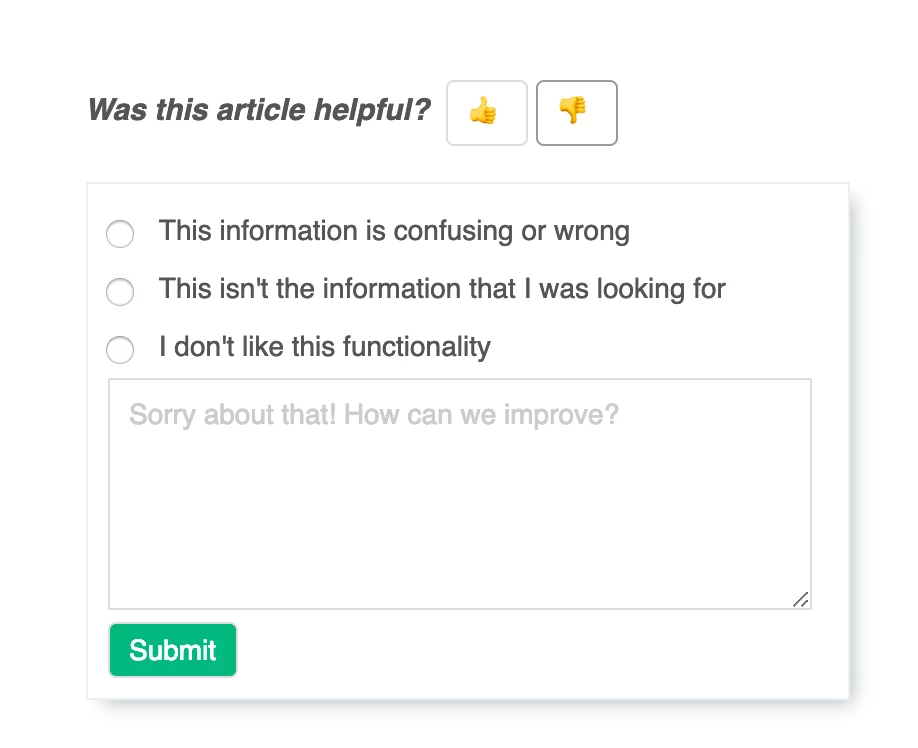
  2. Once they do, an input box appears below the thumbs that asks, "How can we improve this article?"
  3. User types comment and clicks Submit. NOTE: If you are testing this, make sure you are leaving a comment as an end-user. IF you are leaving it as a manager or higher, it will automatically approve the feedback as an article comment.


  4. In the backend we append some text to his comment before actually submitting
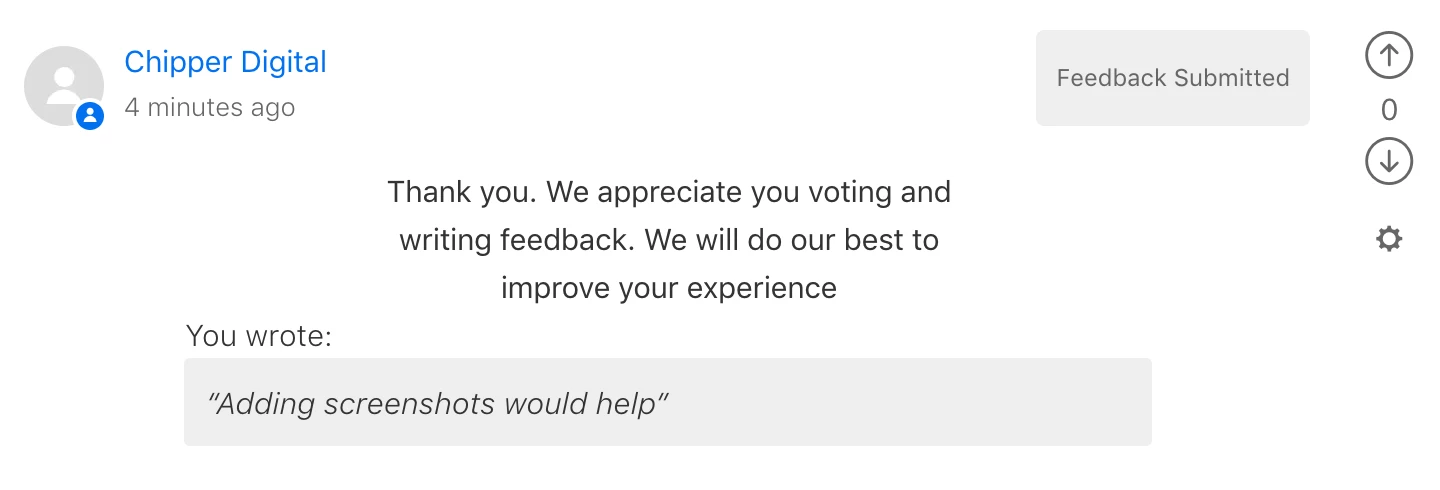
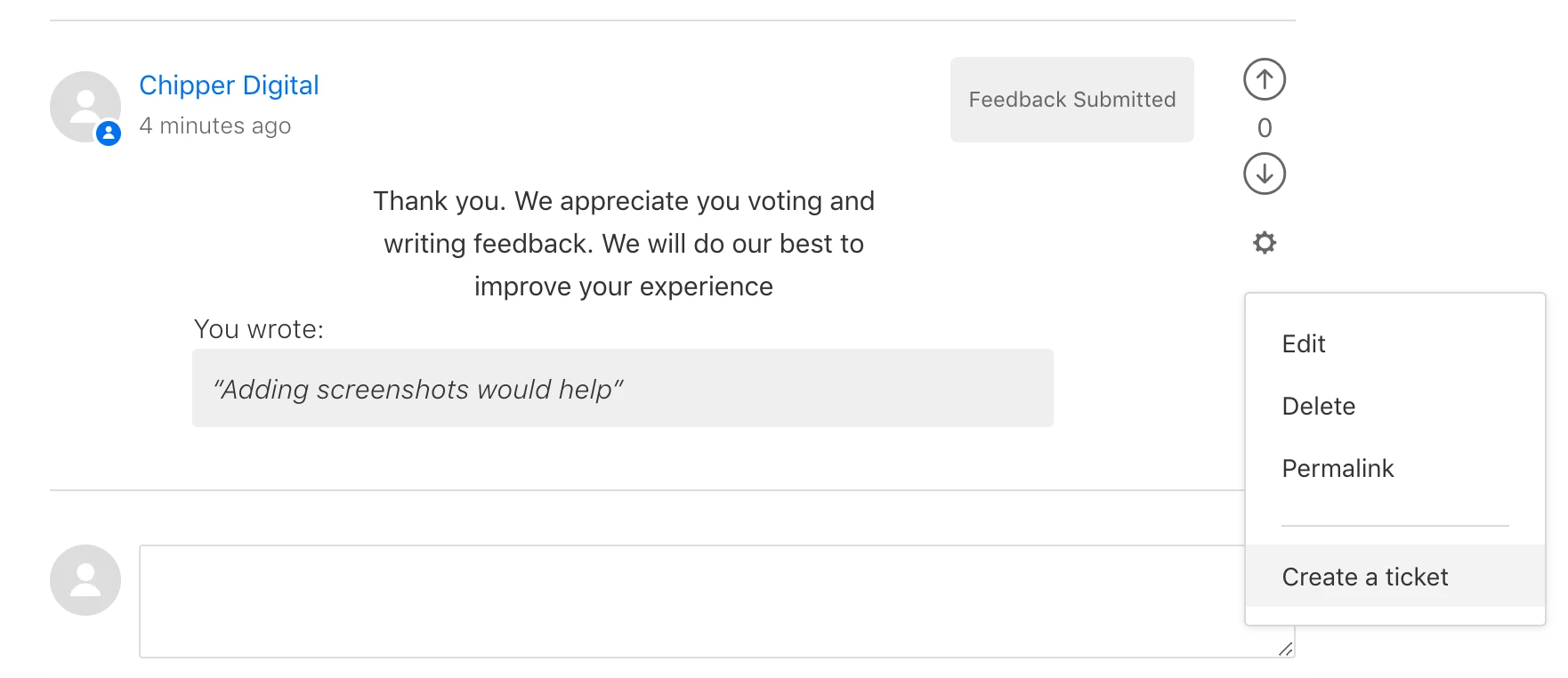
  5. User sees this as a comment to the article, but optionally, it will set to disappear after a few seconds.
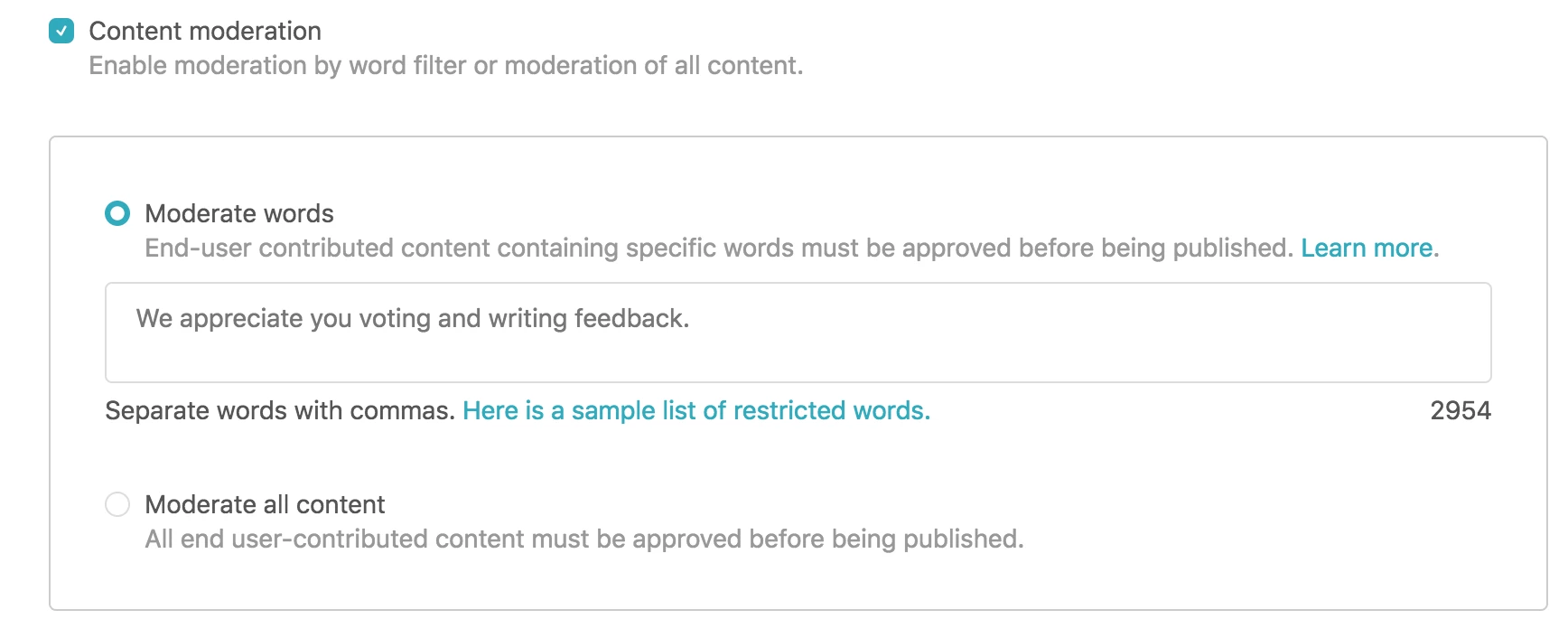
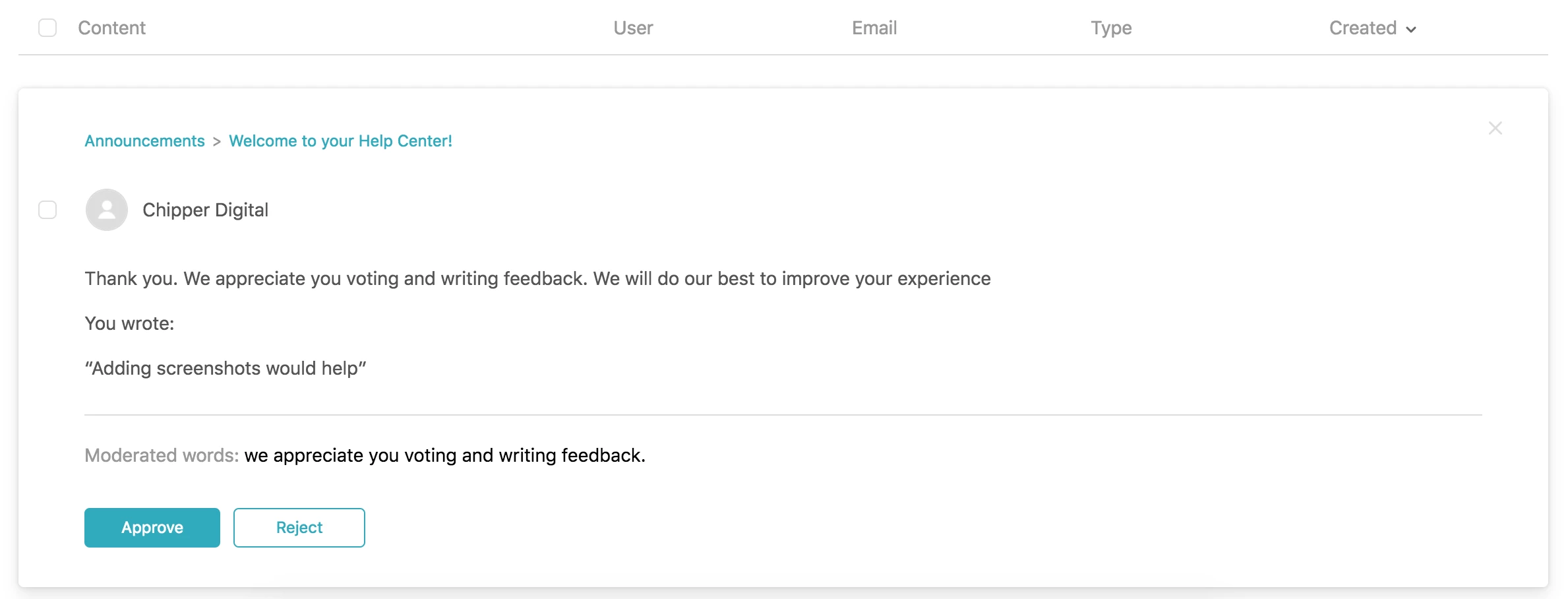
  6. Due to moderation settings, our filter recognizes the appended text as article feedback and pulls those comments for review. From what I found, you can enter a phrase so I just added the phrase, "we appreciate you voting and writing feedback", which is also part of the text I appended to the feedback.
  7. As an admin, you now can either: 1) approve the comment so it's now public 2) go to the actual article and convert the comment into a ticket or 3) note the feedback somewhere and delete the comment.


As I said before, this is just in my sandbox right now, so use the code below only after careful review. Also, happy to discuss what I did if anyone has questions. I probably added extraneous code that wasn't necessary, but some of it is in anticipation for anonymous commenting in the future and/or just being extra cautious.


Edit article_page.hbs (find "#with article" and edit the code accordingly) :

 {{#with article}}
<div class="article-votes">
<span class="article-votes-question">{{t 'was_this_article_helpful'}}</span>
<div class="article-votes-controls" role='radiogroup'>
{{vote 'up' role='radio' class='button article-vote article-vote-up'}}
{{vote 'down' role='radio' class='button article-vote article-vote-down'}}
</div>
<small class="article-votes-count">
{{vote 'label' class='article-vote-label'}}
</small>
</div>
{{/with}}


{{#form 'comment' class='comment-form' id='vote-feedback'}}
<div class="comment-container">
<p class="comment-callout" style="margin-top:0px;">How can we improve this article?</p>
{{textarea 'body' rows='4'}}
<div class="comment-form-controls" style="display: block;">
{{input type='submit' name='submit' id='submit-button'}}
</div>
<br>
</div>
{{/form}}
<script type="text/javascript">
//Add identifying text to comment for content moderation to catch
window.onload = function() {
document.getElementById("vote-feedback").onsubmit = function() {
var msgElement = document.getElementById("comment_body");
msgElement.value = '<p class="vote-comment-success">Thank you. We appreciate you voting and writing feedback. We will do our best to improve your experience</p><p class="vote-comment-subtitle">You wrote:</p><p class="vote-comment-quote">&ldquo;' + msgElement.value + '&rdquo;</p>';
return true;
};
};
</script>


Edit style.css ( I just appended to the end):

/*hide vote feedback box*/
#vote-feedback {
display: none;
width: 70%;
margin:auto;
}
/*style vote comment success message*/
.vote-comment-success {
text-align: center;
width: 50%;
margin: auto;
}
/*style vote comment success subtitle*/
.vote-comment-subtitle {
width: 75%;
font-weight:200;
margin: 0px auto;
}
/*style vote comment quoted message*/
.vote-comment-quote {
width: 75%;
margin: 0px auto 10px auto;
padding: 10px;
border-radius: 3px;
background: #eee;
font-weight: 100;
font-style: italic;
}


Edit script.js ( added within the within the document ready function):

 //Show feedback box when No vote button clicked AND article noted as not helpful
$('.article-vote-down').click(function() {
if ($(this).attr('aria-selected') == "false") {
$('#vote-feedback').slideDown('fast');
}
else {
$('#vote-feedback').slideUp('fast');
}
});
//Change pending approval tag to more tailored message based off of identifying text set on article page
$('.comment-body:contains("We appreciate you voting and writing feedback")').parents('.comment-info').find('.comment-pending').html('<p>Feedback Submitted</p>');
//Remove feedback submissions from anonymous users which unfortunately means they do not see a success message. I actually do not know if they even have the option to leave comments
if (HelpCenter.user.role=="anonymous"){
$(function() {
$(".comment").filter(function() {
return $('section:contains("We appreciate you voting and writing feedback")', this).hasClass('comment-body');
}).remove();
});
}
//OPTIONAL: Remove ANY feedback submissions from appearing in comment section for end users, but briefly show receive success notification for your submission based off of identifying text set on article page. As agents and managers, this also allows you to convert the feedback into a ticket on the article's page by clicking the gear icon next to the pending comment since these submissions are visible to you.
if (HelpCenter.user.role=="end_user"){
var userid = $('div#user-menu').find('a:contains("My profile")').attr('href');
console.log(userid, "User Profile URL");
var commentauth = $('.comment-meta').find('a').attr('href');
console.log(commentauth, "Author Profile URL");
if ( userid === commentauth ) {
$(function() {
$(".comment").filter(function() {
return $('section:contains("We appreciate you voting and writing feedback")', this).hasClass('comment-body');
}).delay(3000).slideUp(3000);
});
} else {
$("span.comment-pending").filter(function() {
$(this).closest('.comment').find('section:contains("We appreciate you voting and writing feedback")').remove();
});
}
}  

Has there been any update on this? From Zendesk?

Is this something you guys are building or perhaps found a way to add without having multiple forms and totally changing the JS?


  • June 21, 2018

We would love this feature as well! Has there been any progress on implementing the ability to add comments or feedback with an up or down vote for articles?


  • June 21, 2018

Hello all, we were able to accomplish this feature using the code provided above. Thank you very much Chipper!


  • June 22, 2018

Thanks, Yeny! I use that too for my site now so it's good to see it work for others. 


  • August 14, 2018

Would love to implement something similar, but provide the user with a selection of emoji to rate the content instead. Anybody ever tried this approach?


  • December 27, 2018

Hello all, is there a solution , to avoid the amount increasing , if the submited button isn't clicked. Because using this method , the vote sentence increse when the "no" button is clicked not when the submit button is clicked .

https://support.zendesk.com/hc/en-us/community/posts/245418027/comments/360001472548

Do you understand what i mean ?


  • Employee
  • December 27, 2018

Hi Benjamin!

Let me know if I understand you correctly: when a user clicks the "No/downvote" button, the vote count goes up, and when the "Yes/upvote" button is clicked nothing happens at all? Is that right?


  • December 28, 2018

Hi Jessie,


I'll try to explain it step by step.

on october 15TH, i used this method to add comment to negative votes.

https://support.zendesk.com/hc/en-us/community/posts/245418027/comments/360001472548

But they wanted then that only connected people could make negative vote and i managed it with handle bar.

So when we aren't connected we have the ake "No/downvote"when we hover the button no , a tooltip appears , saying that you must be connected to add a negative vote
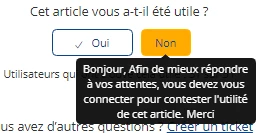
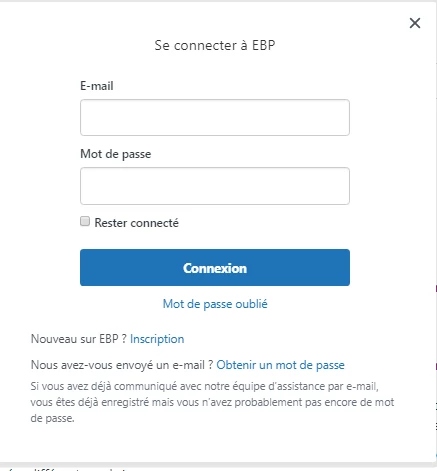
on NO button the login/sign in panel appears

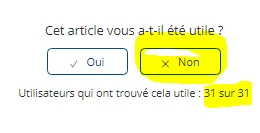
once/if already  connected you still have the "No/downvote" buttonwhen a user clicks the "No/downvote" button, the vote count goes up, and the comment form appears.
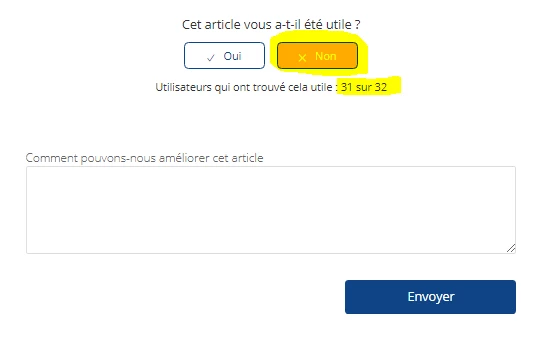
and the problem is that if the user leave the page or refresh it , the vote count still we the updated amount ( here 32) even if he hasn't submitted the form.
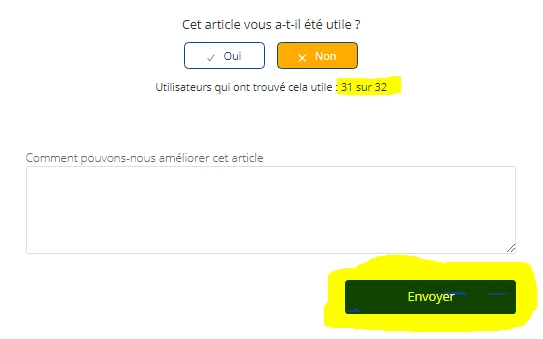
So the solution could be that the vote count goes up on the blue sbmit button not on the "No/downvote" button.


I don' t have problems with the "Yes/upvote" button


Do you now understand , I can had the script i used if necessary or give you an url of an article with the vote system, if you need.

Maybe you have a better solution?


  • Employee
  • December 28, 2018

Hi Benjamin!

Thanks for the detailed description. So what's happening is that if someone votes No, but opts not to leave a comment, the no vote is still being registered. You don't want that to happen. Is that right?

I'll see if any of our Community Moderators can shed some light on how to change that!


  • January 3, 2019

I would love to see this feature as well. I don't think you can pitch for knowledge centred support with Guide without supporting an option to see why some articles aren't working. Content cues and all that is great, but how do what users actually need to be changed?


Nicole17
  • Employee
  • January 7, 2019

Thanks for the feedback, Sorcha.


  • February 28, 2019

I removed the voting option from all our articles and set up a poll using Hotjar to get this feedback. It pops up when the user scrolls halfway down the page. I was able to add in some logic to request more details based on their responses. (https://help.grow.com/hc/en-us)

If this was built into Zendesk that would be great!


Nicole17
  • Employee
  • February 28, 2019

Thanks for sharing, Scott. We'll share your desire to see functionality like this built in to the product with the appropriate product managers.

In the meantime, would you consider writing a community tip with more detail about how to set this up? I think a lot of users would be interested in your workaround. We would be sure to feature your tip in our monthly roundup


  • February 28, 2019

We trialled the Hotjar approach too Scott - seems to be the only thing that offers this level of functionality right now. Afraid to say it but ZD seems very slow to innovate...


  • March 11, 2019

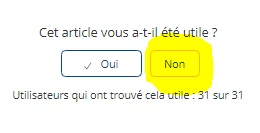
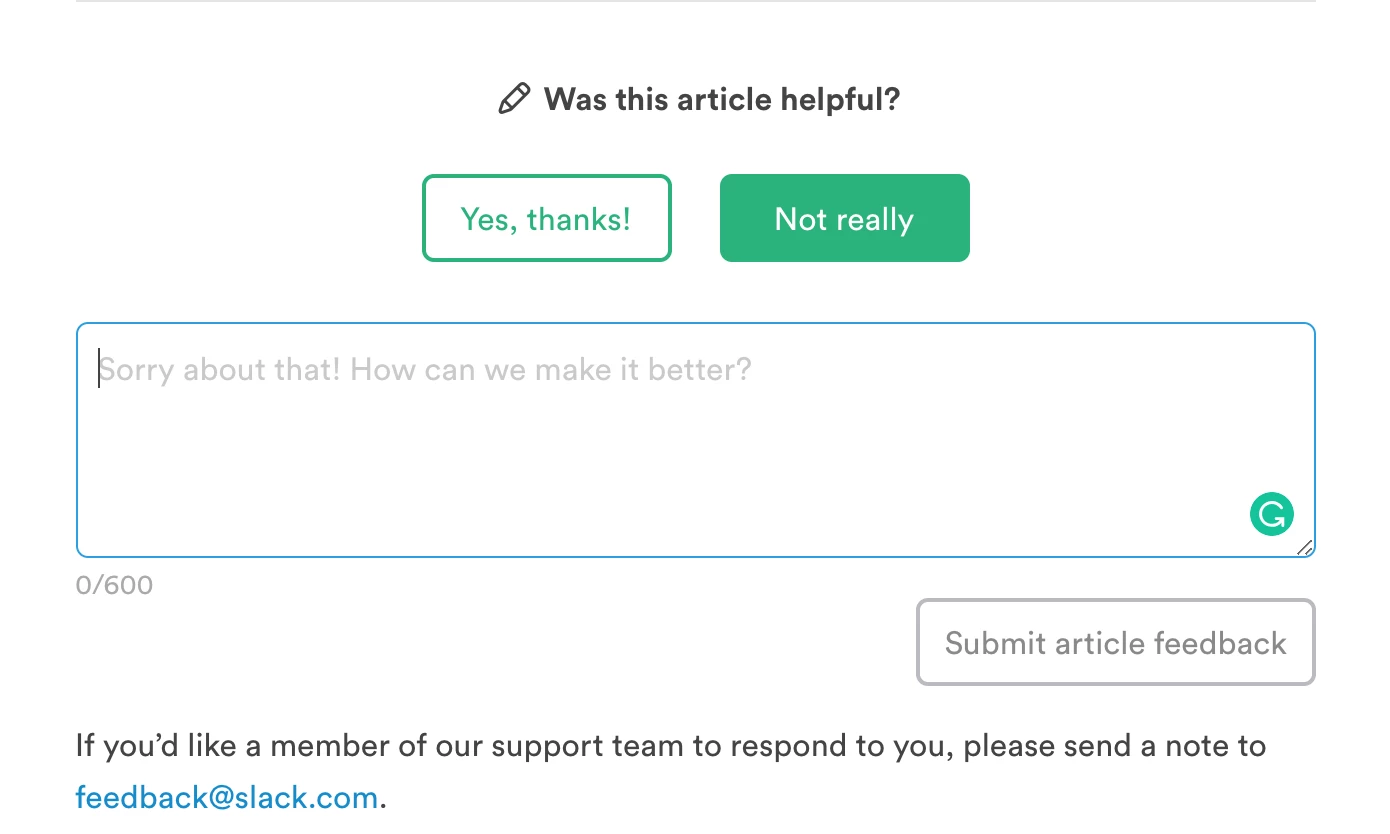
Other Zendesk users like Slack and Clio seem to have hacked/custom coded their own downvote feedback. Their implementation is simple, clean and too the point.

I suggest the Zendesk Product Team reach out to them and find a way to add the same functionality natively. It will bring so much delight for those of us that don't have the resources to custom code this on our own.


Source: Slack


Source: Clio


Nicole17
  • Employee
  • March 11, 2019

Hi Dennis -

Our product team is aware of how customers do these sorts of customizations; the platform was intentionally built such that any customer can customize and extend the platform in the way that best serves their needs. I don't know the details of those specific customers, but it's also possible that our Professional Services team built those customizations or has done one similar. These kinds of customizations can be performed by any customer on an enterprise plan today.


  • March 11, 2019

Thanks, Nicole!

Just wanted to share the same sentiment of others wanting to have this feature built into the product :)


Nicole17
  • Employee
  • March 11, 2019

Got it. :) 


  • June 18, 2019

I would love to see this built in as well.
It would be a great feature to add a ticket form to an article.


  • July 9, 2019

+1 Please build this into Guide without us having to adjust the code or go for a hack for workaround solutions.

It has been 3 years since the feature was first mooted but no update until now..


  • August 29, 2019

+100 from my end. We'd love this feature as well. There is no point in having upvote/downvote if you don't know the reason from the actual customer. It is like riding in the dark without directions. Zendesk should really provide a native solution for this basic requirement, and not expect all of us to have resources to spare. If someone come and say "you can use our API", I'm gonna be so pissed, because that's the only ever response Zendesk provide for everything.


  • November 15, 2019

+1 echoing others' sentiments around having this feature built into the product. 


  • November 15, 2019

This would be a super useful addition to the Guide.


Josh49
  • January 6, 2020

Thanks @Chipper Digital for this slick code. Very much appreciated!