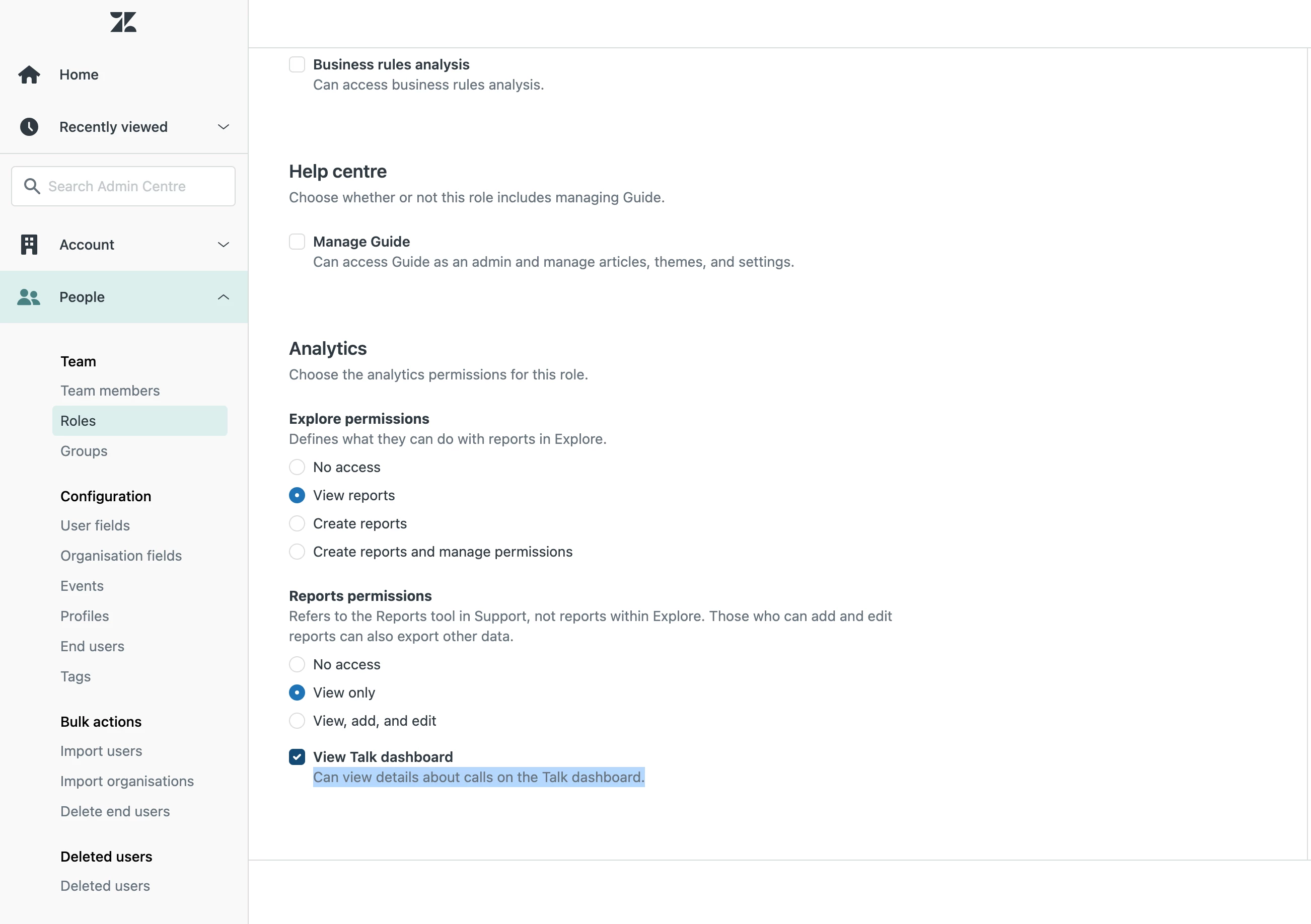
The Zendesk talk live dashboard can be accessed by anyone with the "agent" role via Support, Talk and Admin pages with no restrictions possible on a Professional Plan. the default setting is "read access" for agents instead of "no access".
The information as listed on Analyzing call activity with the Talk dashboard – Zendesk help is not correct ("To view the dashboard, your account must be a member of the Admin or Team lead Talk role in Admin Center." As also confirmed by Zendesk Support the agent role can indeed view the dashboard and while they cannot change other agent status, they can access all data including other agents performance information.
Access restriction for this dashboard are hidden behind a paywall (this can only be limited via custom roles only available via Enterprise plan) meaning agents on professional have full read access to call and line live and historic daily data as well as performance data of other agents via the Talk Live dashboard. The dashboard cannot be edited either to remove or hide data not supposed to shared with agents.
This is effectively a show stopper and we now need to stop our migration to Zendesk Talk.
The default setting for the dashboard for the agent role should be "no access"