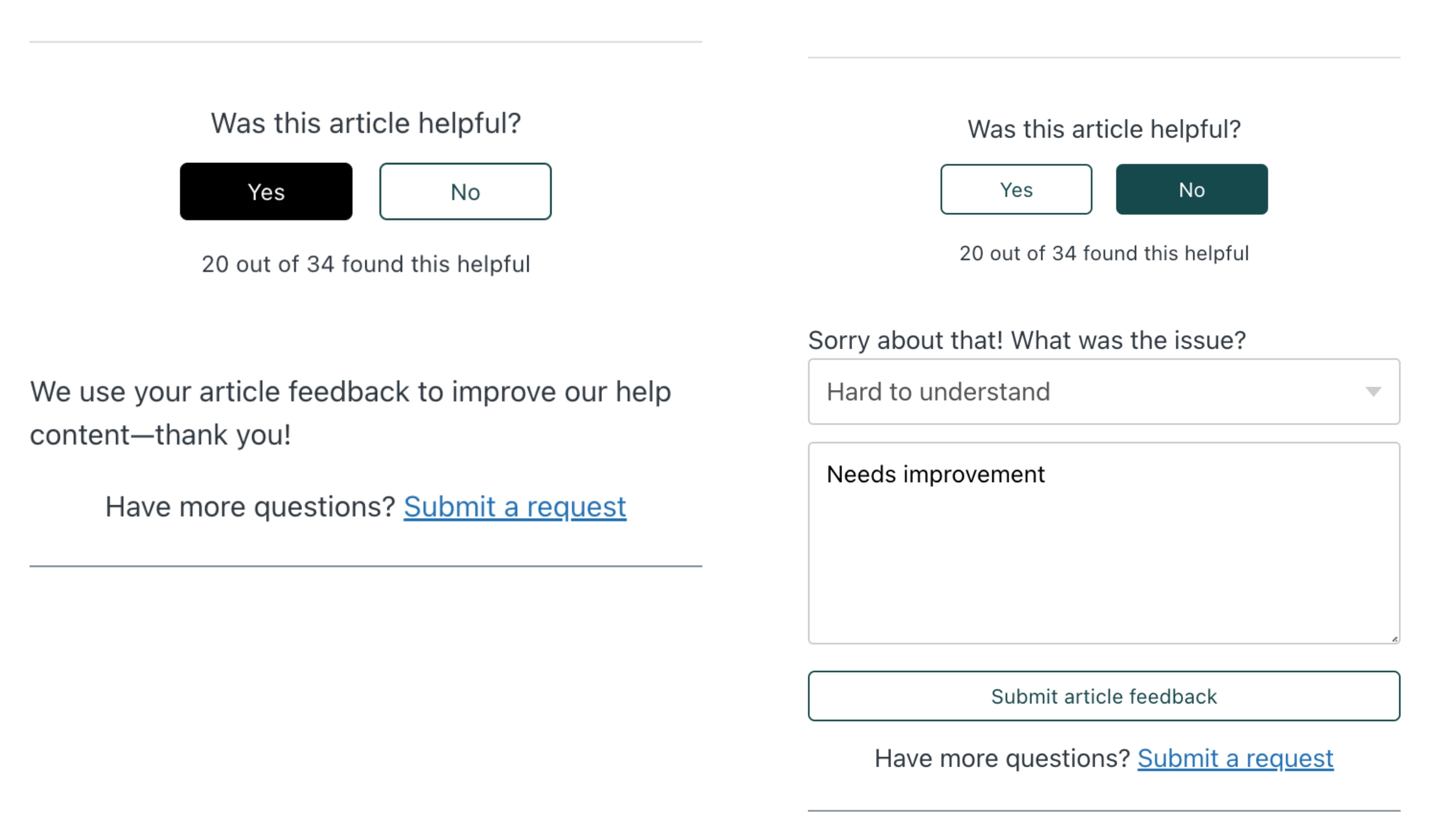
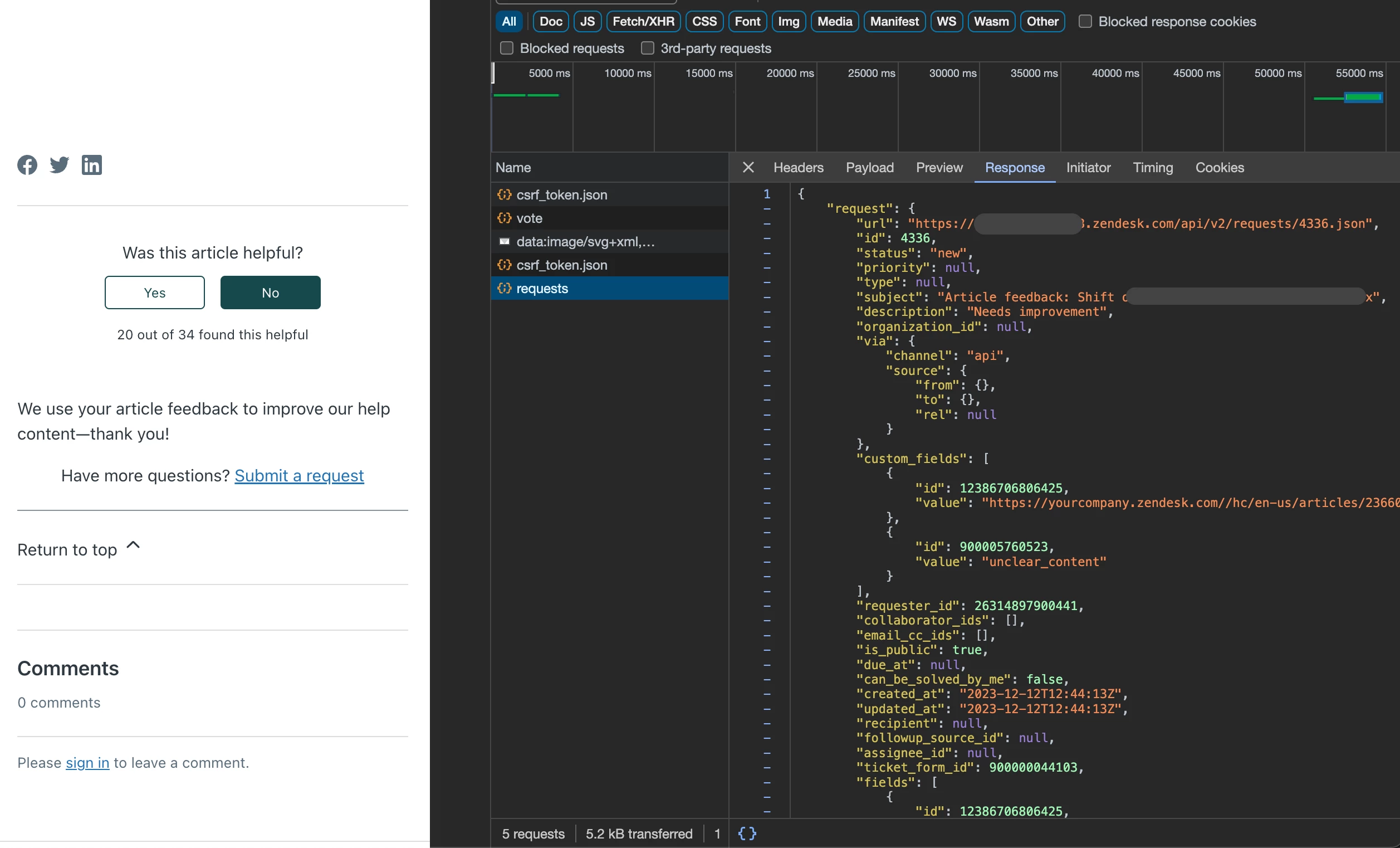
Guide Tip: New way to request feedback for article downvotes
Prerequisite:
* Admin access Support & Guide
* Default Copenhagen Theme
* Turn-on anonymous ticket submission
* Custom form
* Custom fields editable by end users
Steps:
1. Go to article_page.hbs
2. Paste html code (a) in line 162
3. Paste script code (b) at the bottom
4. Go to style.css (c) then add css code at the bottom
5. Publish the changes and test your new theme in Incognito mode
a. HTML - replace subdomain, change the options, values, and spiels as needed
{{!-- Article Feedback --}}
    <form class="request-form hide" id="article-vote-down-form">
        <label for="reason">Sorry about that! What was the issue?</label>
        <input type="hidden" value="Article feedback: {{article.title}}" class="hide" name="subject">
        <input type="hidden" value="https://subdomain.zendesk.com/{{help_center.url}}/articles/{{article.id}}" name="url">

        <select class="custom-form-field" id="reason" name="reason" required>
            <option value="" disabled selected>-- Please choose an option --</option>
            <option value="incorrect_information">Incorrect or missing information</option>
            <option value="unclear_content">Hard to understand</option>
            <option value="typos_broken_links">There are typos or broken links</option>
            <option value="resources_issue">Issues with images, GIFs, or videos</option>
            <option value="feature_feedback">I wish the feature worked a different way</option>
            <option value="general">Something else</option>
        </select>

        <textarea name="description" placeholder="Tell us more" required></textarea>
        <button type="submit" class="button feedback-button">Submit article feedback</button>
            </form>

<div id="feedback-success" class="hide">
    <p>We use your article feedback to improve our help content—thank you!</p>
</div>
b. JS - make sure to change ticket_form_ID and custom_fields: [
<script>
document.onreadystatechange = () => {
  if (document.readyState === "complete") {
    const voteButtonUp = document.querySelector(".article-vote-up");
    const voteButtonDown = document.querySelector(".article-vote-down");
    const successMessage = document.querySelector("#feedback-success");
    const voteDownForm = document.querySelector("#article-vote-down-form");

    function hideForm() {
      voteDownForm.classList.add("hide");
    }

    function showForm() {
      voteDownForm.classList.remove("hide");
    }

    hideForm();

    async function submitRequest(e) {
      const formData = new FormData(e.target);
      const form = Object.fromEntries(formData);
      const reason = form.reason || "";

      let body = {
        request: {
          subject: form.subject,
          comment: { body: form.description },
          custom_fields: [
            { id: 12386706806425, value: form.url }, //article URL, replace ID with your custom field
            { id: 900005760523, value: reason }, //feedback reason, replace ID with your custom field
          ],
          ticket_form_id: 900000044103, //your article feedback form, replace with your custom form ID
        },
      };

      let headers = new Headers();
      headers.append("Content-Type", "application/json");
      headers.append("Accept", "application/json");

      body.request.requester = { name: "Anonymous" }; //you can replace the name of the requester if need (e.g Help Center Feedback)

      await fetch("/hc/api/internal/csrf_token.json")
        .then((data) => data.json())
        .then((res) => {
          headers.append("X-CSRF-Token", res.current_session.csrf_token);
          headers.append("X-REQUESTED-WITH", "XMLHttpRequest");
        });

      await fetch("/api/v2/requests", {
        method: "POST",
        headers: headers,
        body: JSON.stringify(body),
      }).then((res) => {
        if (res.status == 201) {
          hideForm();
          successMessage.classList.remove("hide");
        } else {
          console.log("Error submitting request");
        }
      });
    }

    voteDownForm.addEventListener("submit", (e) => {
      e.preventDefault();
      submitRequest(e);
      return false;
    });

    if (voteButtonUp) {
      voteButtonUp.addEventListener("click", function (event) {
        event.preventDefault();
        successMessage.classList.remove("hide");
        hideForm();
      });
    }

    if (voteButtonDown) {
      voteButtonDown.addEventListener("click", function (event) {
        event.preventDefault();
        successMessage.classList.add("hide");
        showForm();
      });
    }
  }
};
</script>
c. CSS - no action needed, but you can design if needed
/***** Article Feedback *****/
.hide {
  display: none;
}

select.custom-form-field,
textarea {
    width: 100%;
    padding: 10px;
    margin-bottom: 10px;
    border: 1px solid #ccc;
    border-radius: 3px;
}
Snippets: