Help Center – Adding icons into your theme | The place for Zendesk users to come together and share
Skip to main content

Help Center – Adding icons into your theme

  • September 26, 2013
  • 112 replies
  • 38 views

Show first post
This topic has been closed for replies.

112 replies

ModeratorWes

Hi Merav - You can contact me here and we can discuss your design needs further as I'm sure alot of my code that you need I may already have documented.


  • September 12, 2017

I have 2 questions. First where can I find the html to change the placeholder for the search bar? I only see that it is being called back by {{search}}. My second question is that I want individual icons for my category page? I will provide the current section of the category page I would like to target to have those icons.

<div class="category-container">
<div class="category-content">
<header class="page-header">
<h1>{{category.name}}</h1>
{{#if category.description}}
<p class="page-header-description">{{category.description}}</p>
{{/if}}
</header>

<div class="section-tree">
{{#each sections}}
<section class="section">
<h3 class="section-tree-title">
<a href="{{url}}">{{name}}</a>
{{#if internal}}
<span class="icon-lock" title="{{t 'internal'}}"></span>
{{/if}}
</h3>
{{#if articles}}
<ul class="article-list">
{{#each articles}}
<li class="article-list-item{{#if promoted}} article-promoted{{/if}}">
{{#if promoted}}
<span data-title="{{t 'promoted'}}" class="icon-star"></span>
{{/if}}
<a href="{{url}}" class="article-list-link">{{title}}</a>
</li>
{{/each}}
</ul>
{{#if more_articles}}
<a href="{{url}}" class="see-all-articles">
{{t 'show_all_articles' count=article_count}}
</a>
{{/if}}
{{else}}
<i class="section-empty">
<a href="{{url}}">{{t 'empty'}}</a>
</i>
{{/if}}
</section>
{{else}}
<i class="category-empty">
<a href="{{category.url}}">{{t 'empty'}}</a>
</i>
{{/each}}
</div>
</div>
</div>

I understand if it is broken out as an ul > li I would be able to add the icons that way. Would I need to target these elements via JS?


ModeratorWes
  • Author
  • September 13, 2017

Hi @Erick and welcome to the community.  No need for JS anymore as you can see from the post that was back from 2015 before Zendesk introduced their curly bracket framework.

Question 1 - The search bar is being called by {{search}} which renders all the HTML.  You can change the way it looks by editing the CSS and by adding classes to the {{search}}.

Question 2 - To use icons you want to use the {{#is}} statement.  You can use is name or is id.  I prefer to use ID if you are doing multiple languages.  Below is just an example.

{{#is name 'FAQ'}}<img class="catimgs" src="{{asset '77_Essential_Icons_Book.png'}}" />{{/is}}
{{#is name 'General'}}<img class="catimgs" src="{{asset '77_Essential_Icons_Comment_Lines.png'}}" />{{/is}}

You can find information on the is statement from here.  I have several other post out with examples using images.


  • February 8, 2019

Hi @Wes 

Some of our articles include video tutorials.

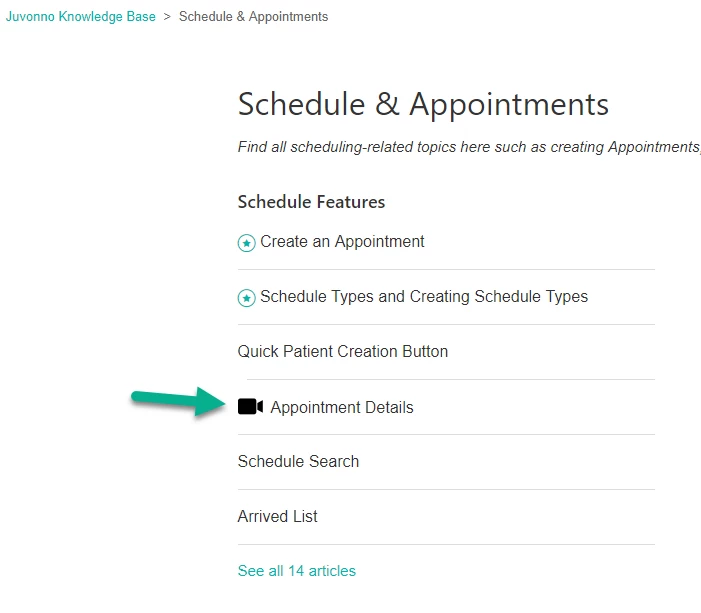
Is it possible to have the article list (in sections/categories) appear with an icon triggered only if the article contains a video?

i.e.


Another area of the theme that has a similar function is Promoted Articles, which have an icon appear next to the article in section lists as long as they are set as promoted.

Many thanks as always!


ModeratorWes

@Chris - This is possible, I don't know how much experience you have with the API but if you look at my Notification tip you will see it uses labels in order to show or not show the alert.  I would do this based off if a label existed for that article.  If a label contains "video" then show an icon next to the title.


ModeratorWes

@Chris - another solution you could try is with the curlybars.  I do remember doing a Help Center a while back where I used code similar to this.


  • February 8, 2019

@Wes Thanks for the quick reply!

I've looked through both pages and like the idea of a tag triggering the icon. 

Question is, how would I go about doing that?

I have an asset ready and adding the tag is no problem.

Thanks again Wes!


  • March 7, 2019

@Wes Thanks again for your help, but I've ended up replacing the promoted articles icon for the time being and checking off articles that involve video to trigger the icon.

Now, what would remain is how can I get the icon to appear on searchbar results and the search results page?

I understand it may involve this piece of code but I don't know where to insert it:

<li class="article-list-item{{#if promoted}} article-promoted{{/if}}">
{{#if promoted}}
<span data-title="{{t 'promoted'}}" class="icon-star"></span>
{{/if}}
<a href="{{url}}" class="article-list-link">{{title}}</a>
{{#if internal}}
<span class="icon-lock" title="{{t 'internal'}}"></span>
{{/if}}
</li>

Lastly, would it be possible to stop promoted articles to appear at the top of categories or sections? We are trying to keep the order manual (to match order within our software).

Thanks a bunch!


  • July 24, 2019

Add the material design icons from this awesome tool


  • August 2, 2019

Anyone managed to get this to work as per this question? https://support.zendesk.com/hc/en-us/community/posts/203458726/comments/360002248567

Trying to add icons in the Section.Category page, similar to promoted, based on the content or label, eg Label: Video.

Tried various options from this post and others but no luck. I either get errors that 'labels' or 'identifier' is not supported etc. Wanted to post the code I used but it is such a mess of various suggestions that I cannot make sense of it anymore.


Brett Bowser
  • Community Manager
  • August 9, 2019

Hey Jacques,

I see there haven't been any responses here so I did want to follow-up with some documentation that may be useful to you: 

Additionally, we do have a professional services team available that can assist with getting this set up on your account for an additional cost.

If this is something you're interested in, let me know and I can get you in touch with your account manager to discuss further.

Cheers!


  • August 14, 2019

Thanks Brett. This is a side project so on the back burner for now.
I'll go through all the docs you listed when I can allocate some time again (we have RnI Friday's after each sprint, so hopefully then :) )