Implementing a search results sidebar filter like Zendesk's | The place for Zendesk users to come together and share
Skip to main content
Solved

Implementing a search results sidebar filter like Zendesk's

  • November 24, 2016
  • 18 replies
  • 11 views

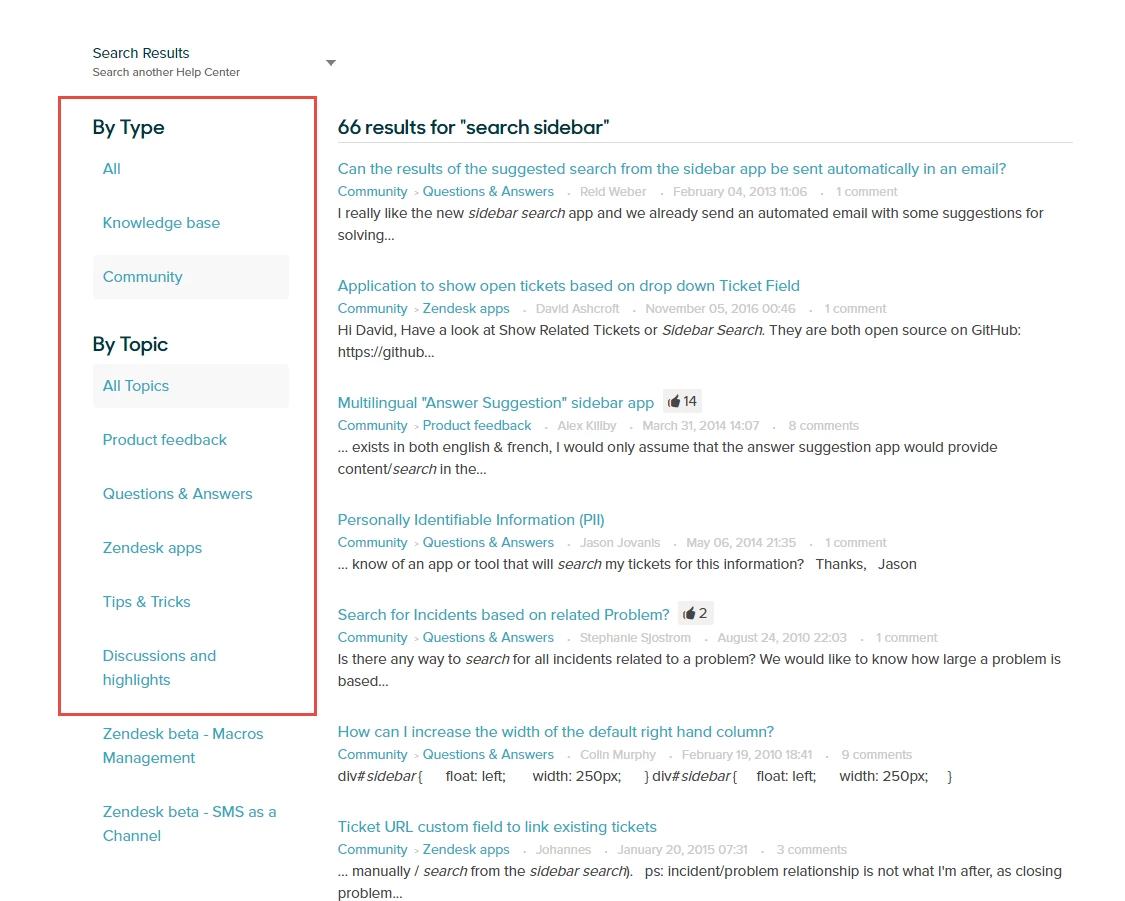
I was wondering if you can provide some direction/customize-able code to be able to implement a left hand search result filter like the on you utilize here in the Zendesk Help Center. It would be nice to provide our users with the ability to search within specific topics whether in the Community or Knowledge Base, as you do. 

Currently we only have the split in results between Community or Knowledge base, but no way to filter by topic or section.

I would love to set up our search result page, just like yours


Best answer by Ryan McGrew

Hey All,

We released this feature last year and is now the default experience in the Copenhagen theme. Here is some info on implementing it in your theme 

Thanks!

This topic has been closed for replies.

18 replies

  • Employee
  • December 14, 2016

Hey Jaokim!

This feature is in an internal-only beta at the moment, and I'm afraid I don't have any information on when it might be available publicly. Be sure to keep an eye on our Announcements topic; if anything changes, that's where we'll post it!


  • January 10, 2018

Hi Jessie!

We also need this feature.
We have a large amount of classifications, sessions and articles. This will greatly facilitate the search for articles.

Our users ask us to filter this very frequently.


  • Employee
  • January 16, 2018

Hi Andre!

To the best of my knowledge there isn't any additional information to share on this right now, but I'll check on it and let you know if I find out anything of interest!


  • Employee
  • January 18, 2018

Hey Andre, and everyone,

Just wanted to let you know that I've reached out to our Product Team but haven't heard anything back yet. I'll keep you posted!


  • Employee
  • January 18, 2018

Andre, I just found a document in our Knowledge Base that will give you some additional information on this. The gist of it is that the feature was in public beta for a little bit, but we rolled it back to make some changes on the back end of things. If you follow the thread I linked above, you'll get updated on when the beta is open so you can join it!


  • July 7, 2018

Hi Jessie, it appears this link is no longer available. Is there another location that this can be followed now?

Thanks,


Nicole17
  • Employee
  • July 9, 2018

Hi Aidan - 

The beta has not been reopened, though the team has indicated that they're hoping to be able to reopen it later this year. 


  • December 10, 2018

Hey guys, assuming the beta is still on hold? 


Vladan11
  • December 10, 2018

I'm also interested in this feature. Making it available for everyone will be just perfect! 


Vladan11
  • February 15, 2019

Status?


  • March 7, 2019

Yes!! I'm very much interested in this feature. 


Brett Bowser
  • Community Manager
  • March 7, 2019

Thanks for sharing your interest in this feature Manuel :)

The beta is still on-hold currently but is being reviewed internally by our Product Managers. Feel free to subscribe to our Announcement topic as any updates will be posted there.

Cheers!


  • August 17, 2020

Hi Brett,

Any update on the status of this feature? I am in a similar position as the others in the thread. 

Thanks


Ryan McGrew
  • Product Manager
  • Answer
  • August 20, 2020

Hey All,

We released this feature last year and is now the default experience in the Copenhagen theme. Here is some info on implementing it in your theme 

Thanks!


  • August 20, 2020

Hi Ryan,

Thanks for getting back to me. What I'm looking for is the ability to filter results by section & category in the sidebar. We arrange our articles by product line (sections) within a few major categories.

If an end user uses the global search from the help center landing page, I'd like them to be able to filter the search results by product (sections).

Can you help?

Thanks


Ryan McGrew
  • Product Manager
  • August 20, 2020

Hi @Natasha Callender,

The Unified Search interface will allow your users to filter search results by category. This will require some updates to the HTML and CSS of your theme. The page I linked to above has some information on how your theme might need to be updated to include those filters and use Unified Search. Let me know if that makes sense.

Thanks!


  • September 10, 2020

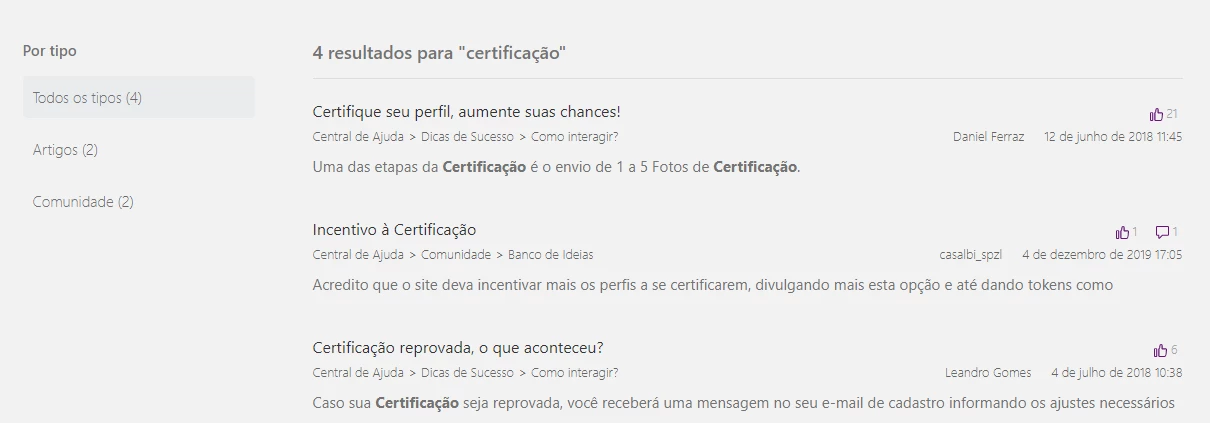
Preciso de um filtro no meu resultado que considere apenas os Artigos, não quero que apareça como resultado a Comunidade. Alguém pode me ajudar?

<section id="main-content" class="search-results-column">
<!--h1 mostra a frase com a quantidade de resultados -->
<h1 class="search-results-subheading">
{{#is current_filter.identifier 'unified'}}
{{t 'results' query=query count=results_count}}
{{else}}
{{#unless current_subfilter.identifier}}
{{t 'results' query=query count=results_count}}
{{else}}
{{t 'results_with_scope' query=query count=results_count scope_name=current_subfilter.name}}
{{/unless}}
{{/is}}
</h1>
{{#if results}}
<ul class="search-results-list">
{{#each results}}

<li class="search-result-list-item result-{{type}}">

<h2 class="search-result-title">
<a href="{{url}}" class="results-list-item-link">{{title}}</a>
</h2>

<div class="search-result-icons">
{{#if vote_sum}}
<span class="search-result-votes">
<span class="visibility-hidden">
{{t 'votes_sum' count=vote_sum}}
</span>
<span aria-hidden="true">
<svg xmlns="http://www.w3.org/2000/svg" width="12" height="12" focusable="false" viewBox="0 0 12 12" class="search-result-votes-icon">
<g fill="none" stroke="currentColor">
<path stroke-linejoin="round" d="M10.77 4.5a.73.73 0 01.73.73C11.43 7 11.21 11.5 10 11.5H5a.5.5 0 01-.5-.5V4.5s1-.5 1-3a1 1 0 012 0v3z"/>
<rect width="2" height="7" x=".5" y="4.5" rx=".5" ry=".5"/>
</g>
</svg>
{{vote_sum}}
</span>
</span>
{{/if}}
{{#if comment_count}}
<span class="search-result-meta-count">
<span class="visibility-hidden">
{{t 'comments_count' count=comment_count}}
</span>
<span aria-hidden="true">
<svg xmlns="http://www.w3.org/2000/svg" width="12" height="12" focusable="false" viewBox="0 0 12 12" class="search-result-meta-count-icon">
<path fill="none" stroke="currentColor" d="M1 .5h10c.3 0 .5.2.5.5v7c0 .3-.2.5-.5.5H6l-2.6 2.6c-.3.3-.9.1-.9-.4V8.5H1C.7 8.5.5 8.3.5 8V1C.5.7.7.5 1 .5z"/>
</svg>
{{comment_count}}
</span>
</span>
{{/if}}
</div>
<article>
<ul class="meta-group">
<li>
<ol class="breadcrumbs search-result-breadcrumbs">
{{#each path_steps}}
<li title="{{name}}"><a href="{{url}}">{{name}}</a></li>
{{/each}}
</ol>
</li>
<li class="meta-data">{{author.name}}</li>
<li class="meta-data">{{date created_at}}</li>
</ul>
<div class="search-results-description">{{text}}</div>
</article>
</li>
{{/each}}
</ul>
{{else}}
<p>
{{t 'no_results_unified'}}
{{#link 'help_center'}}
{{t 'browse_help_center'}}
{{/link}}
</p>
{{/if}}
</section>


  • September 10, 2020