List all articles for each section(s) on the same category page | The place for Zendesk users to come together and share
Skip to main content

List all articles for each section(s) on the same category page

  • February 16, 2016
  • 49 replies
  • 24 views

Show first post

49 replies

  • August 1, 2019

Hi!

I'm also trying to display all sections on the category page, but I'm using another solution. I'm also displaying the articles with the API but I have problem with internal articles. I can se the internal articles even  as an end user when the articles are displayed by the API request. Have anyone else had the sam problem?


Best regards


Vladan11
  • August 1, 2019

hmm, they shouldn't be there for end-users. Are you using Preview mode? 

If yes, can you try with a real end-user account? 


  • August 2, 2019

Hi! I've tried as an end user in both preview mode and when the account is activated. When I display the articles by using the API I don't know how to determine whether they are internal or not. I've tried with "{{#if internal}}", but it was false for all the articles, even the internal ones.


  • August 2, 2019

I think I solved it, I can use "user_segment_id" to check if the article can be viewed by everyone or not.


Best regards


Nicole17
  • Employee
  • August 2, 2019

Thanks for coming back and letting us know that you got that sorted out and for sharing the solution, Hedda!


  • September 10, 2019

Hi! Thanks for this code and post.

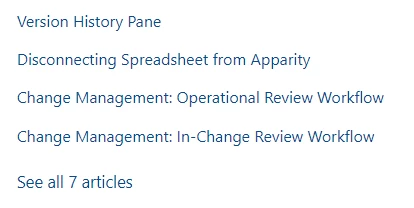
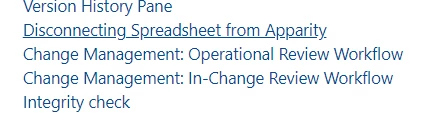
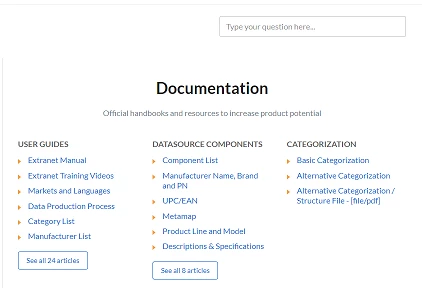
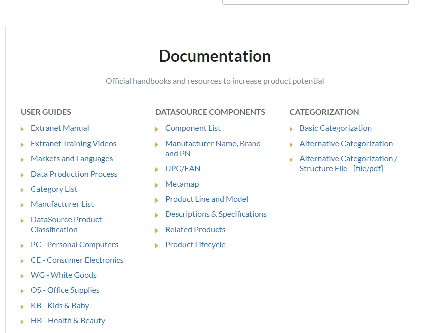
I was wondering how to maintain the spacing I have in between articles before clicking on 'See All 7 Articles'. Once I click on the link, all hidden article titles appear but they appear with very little space in between. 

Before clicking:

After clicking:


  • September 11, 2019

It doesn't work to me. When I click to "See all articles", nothing happens. 

Is it because I got a different chunk of code to show the articles? Instead, this chunk of code in question shows articles in a new tab. 

My support:

https://support.magicstore.cloud/hc/it/

And category page which I'm talking about:

https://support.magicstore.cloud/hc/it/categories/115000039291-MagicStore

Can you give it an eye or help me in any other way please? 

Thank you. 


  • September 11, 2019

P.s.: I also formulate a different question: 

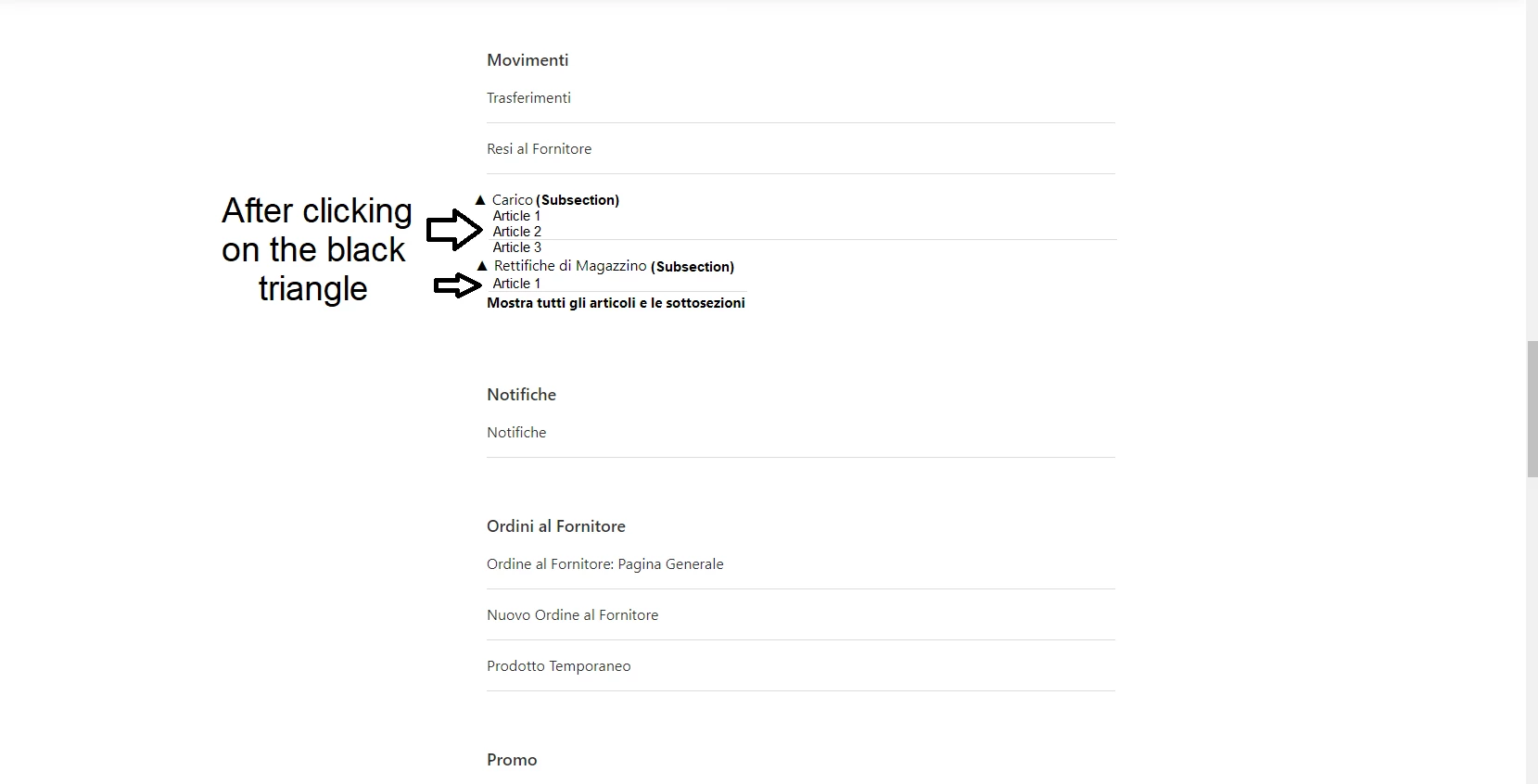
I'd like that, after clicking on the triangle, would be shown the articles in the subsection. I attach a quick example: 

The page in question:

https://support.magicstore.cloud/hc/it/categories/115000039291-MagicStore


Trapta11
  • October 3, 2019

Hi @Nerea Garcia Ramila, Can you please share the URL of your HC so that I can share how to add space between the articles?

Thanks


Trapta11
  • October 3, 2019

Hi @Andrea Nugnes, can you share the screenshot of the error it is showing to you when you are adding the code and it is not working for you?

Thanks


  • November 19, 2019

I still do not see any solutions of how to show all articles on category page without clicking on button.


  • June 30, 2020

Hi I'm not a coder but I've managed to implement this suggestion and it works great.

The only thing is if we have articles flagged as internal (visible to agents and managers only) the little lock icons disappear when you expand the list.

The code on the .hbs page for that is:
{{#if internal}}
<span class="icon-lock" title="{{t 'internal'}}"></span>
{{/if}}

but I'm not sure how to get that working with the example above. I'm assuming it would be somewhere around this part:

$(_allarticles).each(function(idx, itm){
if(itm.draft==true){
} else {
_arthtml = _arthtml + '<li class="article-list-item'+(itm.promoted==true?' article-promoted':'')+'"><span data-title="Promoted article" style="'+(itm.promoted==false?'display:none':'')+'">★</span><a href="'+itm.html_url+'">'+itm.title+'</a></li>';
}
});

Can anyone help me?


Nicole17
  • Employee
  • July 17, 2020

Hi Brooke - 

I'm sorry you haven't gotten an answer yet. If you haven't found resolution on it elsewhere, you could try posting it as a new question in the Guide Q&A topic to give it more visibility. 


  • October 6, 2020

To further modify the script so that all CSS is retained including promoted links (like Randy Scheck wanted) I modified the following line:

_arthtml = _arthtml + '<li class="'+(itm.promoted==true?'article-list-item':'article-list-item')+'">
<span class="icon-star" data-title="Promoted article" style="'+(itm.promoted==false?'display:none':'')+'">&nbsp;</span>
<a class="article-list-link" href="'+itm.html_url+'">'+itm.title+'</a></li>';


  • October 7, 2020

Hi all, someone knows how to show all articles on the category page without clicking on the "See-All-Articles" for this article's solution.

If anyone knows how to do this, please share it. I think it will be very useful for everyone, especially considering that in the Zendesk theme app v.2 {{section_tree_with_articles}} and {{categor_tree_with_articles}} does not work.


  • October 7, 2020

@Danila Slezko Check out the awesome tip on how to do that from @Ifra Saqlain


  • October 7, 2020

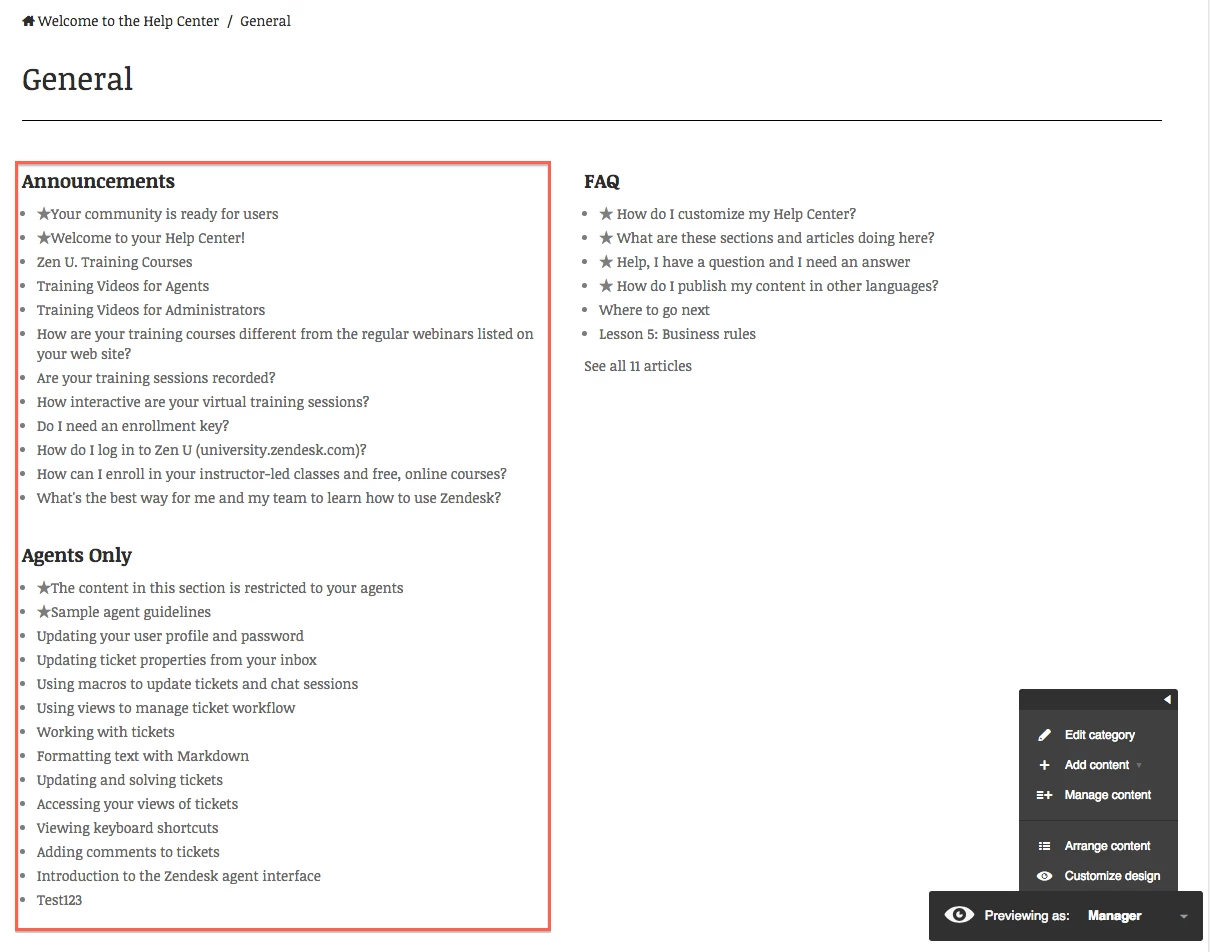
Hi 990965883. I'm a little confused. You provided the link "awesome tip" on the current article. I already applied the solution from the current article in my Zendesk theme, and it works great (images below). But my question was about displaying all articles from a section on a category page without clicking on the button "see all articles." The same question was from @Angeli Ho above. 


  • October 8, 2020

I am sorry I didn't see it was this article 🙈

You'll need adjust this script from above a little bit.
Instead of doing the API call on user click, you'll want to fetch on load, and cycle through all sections, and get its articles.

I don't have an exact sample script for that, but here's how that could work

- Execute script on page load
- Find section IDs of current category
- Loop through those sections and get the articles for that section and add article links to the DOM


  • October 8, 2020

Hi @Kay, thank you for your help. Yes, I understand it and try to modify the script. I'm not so cool in the JS, so that is why I ask to share a solution about it. In any case, If someone already did it,  please share.


  • February 10, 2021

Hi! My website currently lists articles under section but we recently added subsections to our website. Is there any way we can display articles in subsection as a dropdown or in some other format in our category page via code edits. Something like this:

Category Name

Section name

Subsection name

  • articles in subsection

Brett Bowser
  • Community Manager
  • February 16, 2021

Hey Anusha,

It may be worth taking a look at the following documentation to see if that points you in the right direction:

I hope this helps!


Noel15
  • September 16, 2022

I am still confused. I am looking for a way show show all the articles under a section on the category page when the category page first loads (don't have to click anything on the page). It seems there is an article here: https://support.zendesk.com/hc/en-us/community/posts/4409506679962#community_comment_360000010847 the references how to show less than 6 (the default amount) but just showing more does not seem possible. It looks like Jeremy Tellier earlier in the thread alluded to the same question and that he solved it but the solution was unclear. Can anyone tell me how to do this? (The code on this thread originally seems to be focused on showing all the articles once you click but not all by default.)


Tipene
  • Employee
  • September 19, 2022

Hey @noel15,

Here's a similar thread which you might find helpful: 

https://support.zendesk.com/hc/en-us/community/posts/4865868866586-Show-all-articles-on-Category-page-for-Zendesk-Guide-Help-Centre

Let me know if you have any questions!

Tipene


Noel15
  • September 20, 2022

@tipene Yes! This is great thank you.