Aplicativo não busca conversas paralelas | The place for Zendesk users to come together and share
Skip to main content
Solved

Aplicativo não busca conversas paralelas

  • October 3, 2025
  • 4 replies
  • 2 views

thaynara.batista


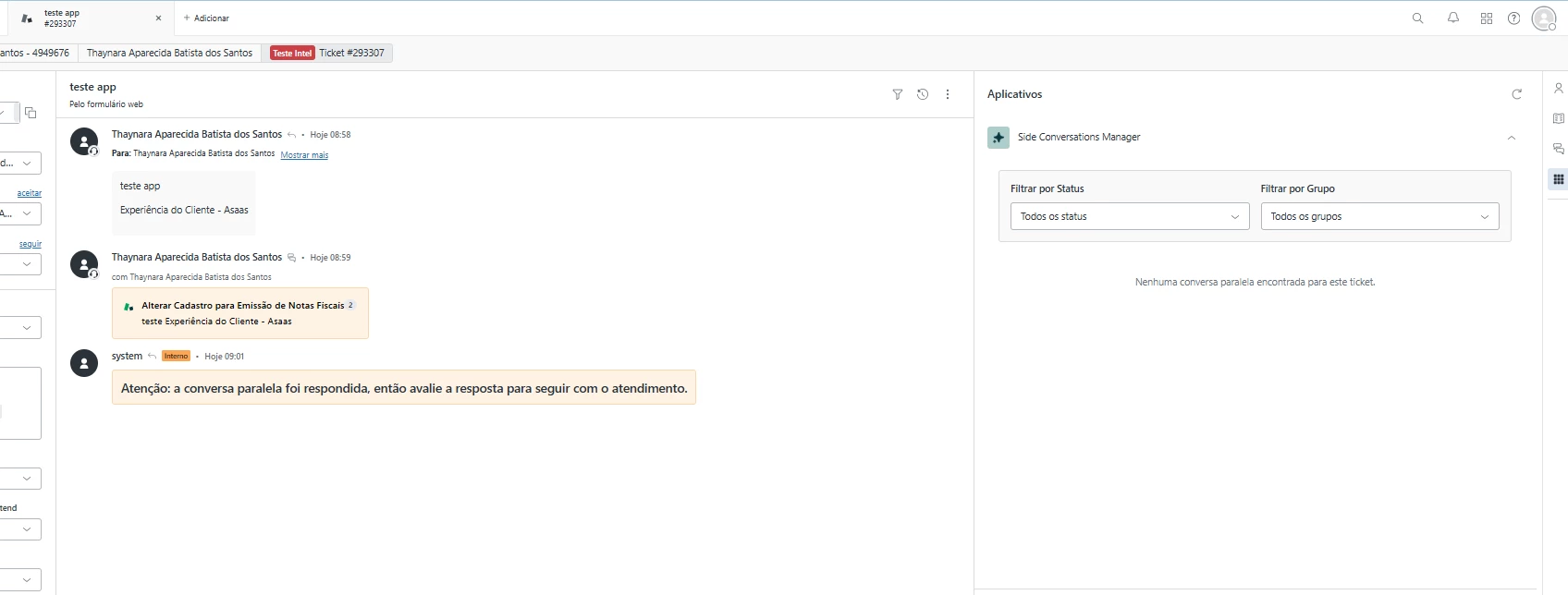
Hoje o aplicativo não consegue buscar os tickets de conversa paralela: 
Estou tentando criar um app que busque e exiba todas as conversas paralelas vinculadas ao ticket, traga o tempo em minutos em cada status desse ticket da conversa paralela, a nota da pesquisa de csat, tenha o link de direcionamento para os tickets paralelos desse ticket original. Essa listagem com as conversas paralelas devem exibir id do ticket, assunto, grupo, status, data de criação, tempo por status do ticket em minutos, link de direcionamento, nota csat do ticket paralelo, opção de adicionar comentarios no ticket selecionado
Best answer by Jennifer20

Hi @thaynara.batista - I recommend you specify the type of side conversations (in this case ticket side conversations) and mention in your prompt to create a side conversation ticket via ‘Create Side Conversation’ REST API with those field requirements. You can also point out the link to our existing dev doc on the `Create Side Conversation` Endpoint and the dropdown should include any mandatory fields for side convos: https://developer.zendesk.com/api-reference/ticketing/side_conversation/side_conversation/#create-side-conversation

4 replies

Jennifer20
  • Product Manager
  • October 13, 2025

@thaynara.batista - I had to translate this to English to understand your feedback :) Hmm that's odd because Ticketing REST APIs is one of the dev docs we train AI with, so it should theoretically be able to loo up and list side conversations on a given ticket. 

Adding @sarmad13 who is the tech lead on our App Builder team – can you please look into why this is happening? Thanks! 


Jennifer20
  • Product Manager
  • Answer
  • October 15, 2025

Hi @thaynara.batista - I recommend you specify the type of side conversations (in this case ticket side conversations) and mention in your prompt to create a side conversation ticket via ‘Create Side Conversation’ REST API with those field requirements. You can also point out the link to our existing dev doc on the `Create Side Conversation` Endpoint and the dropdown should include any mandatory fields for side convos: https://developer.zendesk.com/api-reference/ticketing/side_conversation/side_conversation/#create-side-conversation


Michael87
  • Employee
  • October 15, 2025

@thaynara.batista I have built a similar app.  I'm going to provide you my prompt (in English, my apologies).   You can use my prompt as-is (or as-translated) or add or remove features.  If you want to continue with your own prompts, the key is to tell it to search for the property via:side_conversation and the relationship that's encoded in the external_id.

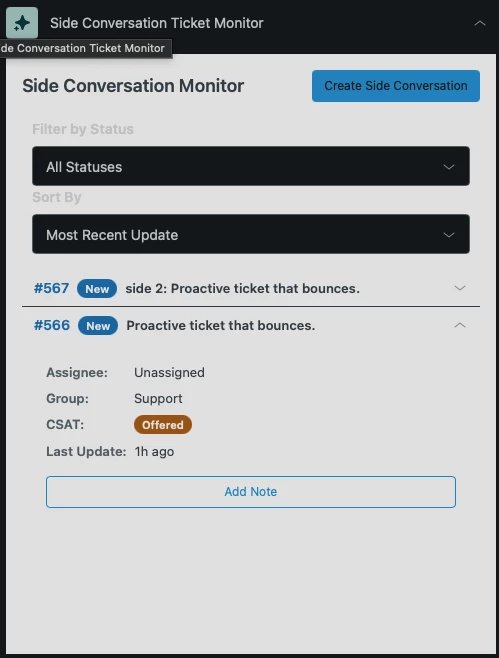
Here's the main page of my monitor app and below this is the prompt.
 

We are creating a side conversation ticket monitor. For the current ticket, search for all tickets that were created after the current ticket was created that also have the property "via:side_conversation". filter the results to get only the ones where the last part of the external_id matches the current ticket id. When searching, Zendesk will require an ISO-8601 datetime, so please convert the date before searching.


For example, if the current ticket is 565 and a newer side_conversation ticket has the external_id "zen:side_conversation:588105d9-a94a-11f0-8295-42b1efcc63c7:ticket:565", that would be a match. The side conversation external ID always matches the parent ticket in the last section after the : separator.


With this list of tickets, display the ticket ID as a link with a ZAF route_to() function, the subject, the status, the assignee, group, the CSAT score, minutes since the last status change, time to next SLA breach, and the intent and sentiment from the ticket tags. This is a lot of data, so use a multi-line responsive design to allow it to look good at small widths and accordion folds to make the list more compact.


Add a button to ask for an internal note and add it to both the current ticket (with a prefix saying it was added to the side conversation) and to the side_conversation ticket.


If the current ticket is a side conversation, indicate that and show the parent conversation and have a button to add an internal note to the parent, with an internal note to the current ticket detailing it.


Please also add a side conversation ticket creation button that creates a side conversation from the current ticket using the https://developer.zendesk.com/api-reference/ticketing/side_conversation/side_conversation/#create-side-conversation API.  When the button is pressed, slide out a drawer to create a new side conversation ticket.  It should allow the agent to select a form, then select a group.  Use the groups API to get the list of groups and then use the group_id as the in the create side conversation API (where it is mandatory).  This needs to be in the To array of the create side conversation array in the format listed in the documentation, so pay close attention to that.


Once the group is selected, allow the agent to edit the side conversation form fields.  Validate mandatory fields and give the agent the ability to copy values from the current ticket (if they are presnt) to the side conversation.  Ask them to confirm when they press submit and also have a cancel button.  Do not add fields that are either already selected (like Group or form) or that will be set by the system (assignee and status).


Jessica32
  • October 16, 2025

@michael87 thanks for your help, it helped a lot!

Just a tip I found when building the app, searching for side conversation tickets this way made the app slow, so I added it to my prompt to save the current ticket id as current_ticket_id and then use the Search API as /search?query=type:ticket external_id:*:ticket:current_ticket_id, which made the app more accurate and faster.