Refresh expired bearer token automatically | The place for Zendesk users to come together and share
Skip to main content
Question

Refresh expired bearer token automatically

  • November 3, 2022
  • 13 replies
  • 1 view

Hello,

I am working with Webhooks in Zendesk (Admin centre > Apps and Integrations > Webhooks), where I am sending trigger updates to the Webhook endpoint. These Webhook endpoints are authenticated through a Bearer token and the bearer token is valid for 30 minutes alone. After 30 minutes, I will have to generate a new token from the client application and apply it in the Zendesk Webhooks section.

In applications like ServiceNow, it is possible to regenerate access tokens through 'Refresh Token' automatically once it is expired. Is there any similar option that exists in Zendesk? If not, any plan to implement it in future?


13 replies

Jupete
  • Employee
  • November 4, 2022
Hi there, thanks for writing in! 
We don't see in our docs that the bearer token (Webhook security and authentication) for webhook will expire. However, have you tried checking your API limits and your webhook activity log wherein from there your webhook logging can be captured?
 
Otherwise, we recommend you create a conversation with us so we can investigate it further. Thank you!  

  • Author
  • November 4, 2022

Hello Jupete,

Thanks for your response. My webhook is from ServiceNow, triggers created in Zendesk are updated to ServiceNow through the Webhook endpoint set in the Zendesk page.

For authenticating the ServiceNow Webhook endpoint in Zendesk, we use the bearer token and this is valid only for 30min. For security purpose, ServiceNow cannot generate a never-expiring token but they will share a 'Refresh Token' (with client_id, client_secret info) which can be used to generate access tokens any number of times.

Now, in Zendesk there is no option to enter refresh_token, client_id, client_secret to generate access tokens automatically when it expires. Or do we have such an option in Zendesk?

Thanks for your help!


Jupete
  • Employee
  • November 4, 2022

H Aravindaraj, 

As we checked, it looks like we don't have that option in Zendesk. Even the native OAuth feature doesn't use refresh tokens. And the access token doesn't expire. You may also revisit the webhook authentication here - Webhook security and authentication .

Best,


Marwan
  • January 11, 2023

Hi @aravindaraj,

Authentication seems to be a hassle to work with across various systems and platforms.

Allow me to suggest a solution that not only resolves the authentication issues, but also provides a host of additional features to make integrating ZenDesk and ServiceNow much easier and feature rich.

Exalate is a fully decentralised integration solution that will allow you to integrate ZenDesk with ServiceNow without the need for direct authentication as Exalate on ZenDesk will communicate to Exalate on ServiceNow it allows you to have full control on the info/data send and how this info/data is received and displayed. Plus allowing for data manipulation and setting up control flow.

Have a look and let me know if it fits you needs.


Kind regards,


  • March 21, 2023

Hi All,

I am trying to create a webhook with bearertoken, but it is not working, The same wehbook with basic authentication is working properly, but if i switch to bearer token, then it gives 401 error

{
    "error": "invalid_token",
    "error_description": "The access token provided is expired, revoked, malformed or invalid for other reasons."
}

I tried adding the token in all the possible format:

  • aygaoWwEs4qTpNRkn71WacsxgHSzP1zpxogEEZ8g007
  • abc@mymailbox.com/token:aygaoWwEs4qTpNRkn71WacsxgHSzP1zpxogEEZ8g007
  • abc@mymailbox.com/aygaoWwEs4qTpNRkn71WacsxgHSzP1zpxogEEZ8g007
  •  

what am i doing wrong


Sabra
  • Employee
  • May 8, 2023

Hey @amit13! Based on the token example you provided, it appears that you are using an API token, not a bearer token. Bearer tokens are opaque strings, and they're the predominant type of access token used with OAuth 2.0. You can find more information in our Developer Docs for the available Webhook Authentication methods.


Sue19
  • August 15, 2023

Hi @sabra

Wondering if you can help.

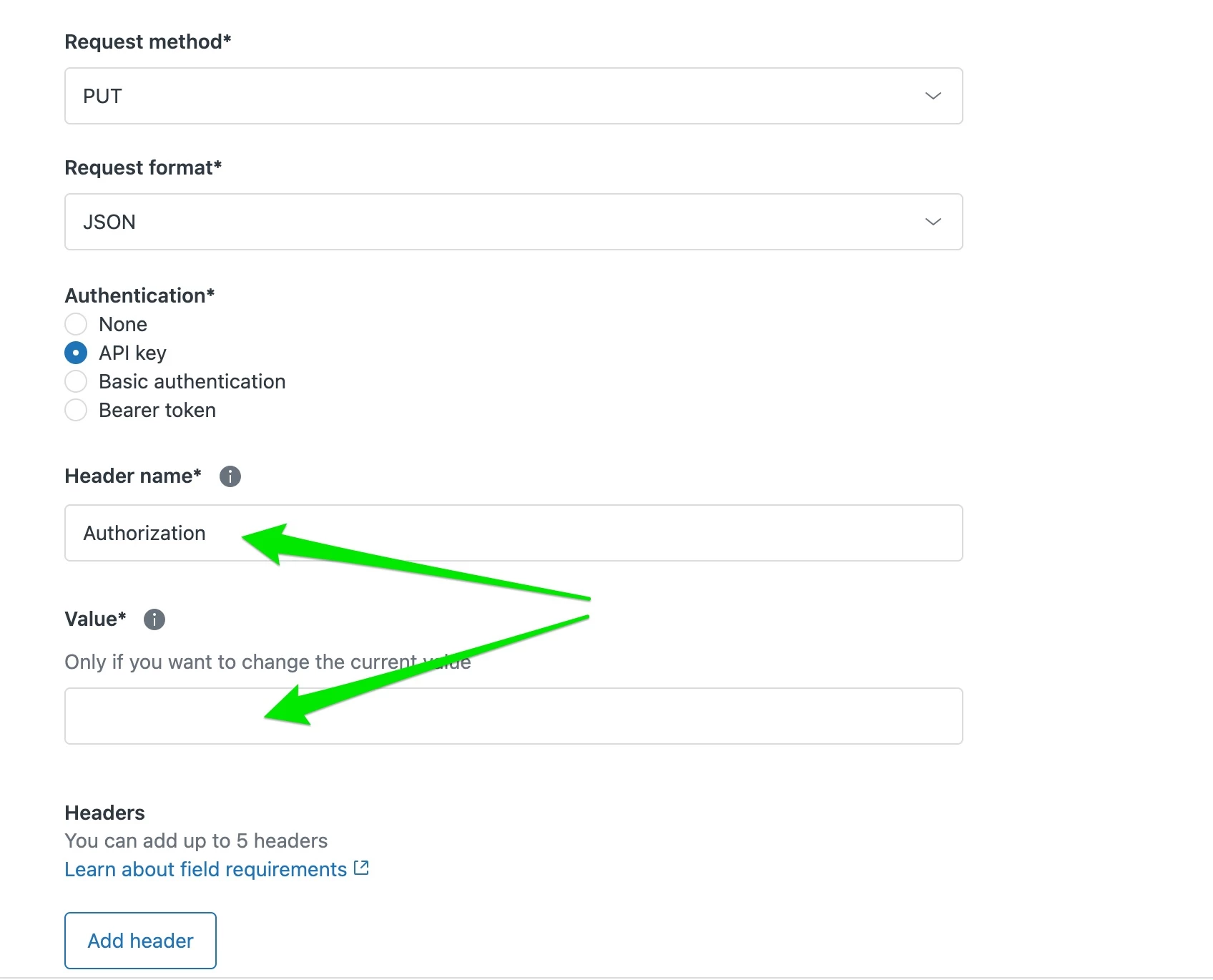
I want to create a webhook using the API Key for authentication.

However, the Webhook then asks for a Header name and Value

This is where I'm getting confused. I have tried using:

Header name: Authorization
Value: Bearer <my_api_key>

But I receive an "invalid token" error. I have verified that my API token is active and current. See below error and screengrab.

Do you know what needs to be entered into these fields to make the Webhook work?

Many thanks

Error:

{
    "error": "invalid_token",
    "error_description": "The access token provided is expired, revoked, malformed or invalid for other reasons."
}

Screengrab (Not sure what to enter into these fields)


  • Employee
  • August 16, 2023

Hello Sue,
 
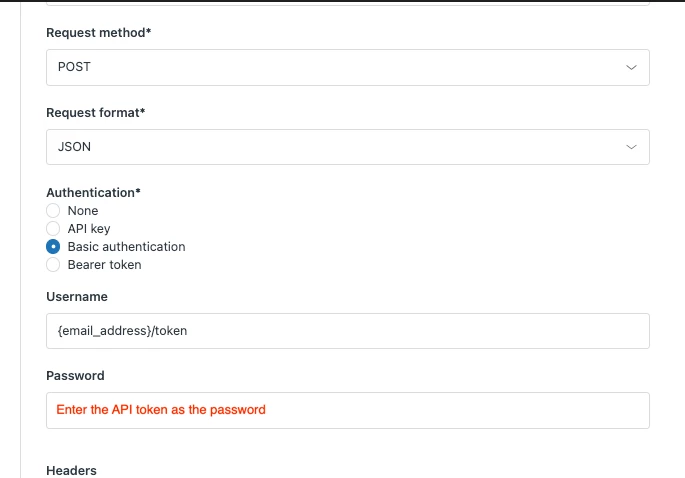
For Webhook authentication, you need to use the Basic authentication method for API token in the following format:
 
You can also visit this article for more information on how API token is used for authentication.


Sindhoor
  • September 25, 2023

I have the same problem as @Aravindaraj J where NetSuite only issues OAuth 2.0 tokens with a refresh token, but Zendesk is only letting me enter a bearer token and has nothing that facilitates the refreshing part for webhooks


  • January 23, 2024

Hello Zendesk Community,

Is it still the same case now as @aravindaraj and @sindhoor mentioned ? We have a listening endpoint for Zendesk webhook events and at this moment we recommended to use only OAuth2.0. Are we still not allowed to get the refresh tokens as part of webhooks ?


Greg29
  • Employee
  • January 25, 2024

Hi Madhanprabhu! That is correct, we still do not have this functionality available. The only available auth methods currently are Basic, Bearer token, and API tokens.


Daniel161
  • June 2, 2024

Hi @greg29, any updates on this? This is such an important feature as you can see as stated by the other developers here. I need this as well to make my webhook work with obtaining a refresh token. Please provide an update or a workaround. Thank you.


Greg29
  • Employee
  • June 3, 2024

Not at this time, Daniel. If I see any news in this area, I'll come back here and drop an update.