
Server side app not loading in iframe | The place for Zendesk users to come together and share
Skip to main content
Question

Server side app not loading in iframe

  • July 1, 2022
  • 3 replies
  • 0 views

Shivprasad

Hi,

below is my manifest.json

{
  "name": "X-ray",
  "author": {
    "name": "Shiv",
    "email": "shiv@abc.com",
    "url": "http://abc.com"
  },
  "defaultLocale": "en",
  "private": true,
  "location": {
    "support": {
      "ticket_sidebar": {
        "url": "http://localhost:8000/zendesk/home",
        "flexible": true
      }
    }
  },
  "version": "1.0.0",
  "frameworkVersion": "2.0"
}


and my app is loaded and displayed perfectly when i replace

"url": "http://localhost:8000/zendesk/home",  with "url": "assets/iframe.html",
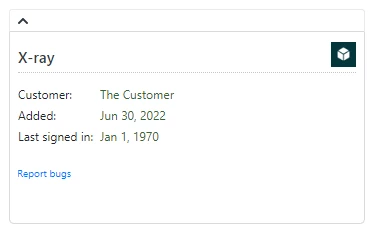
However when I set "url": "http://localhost:8000/zendesk/home"

I get
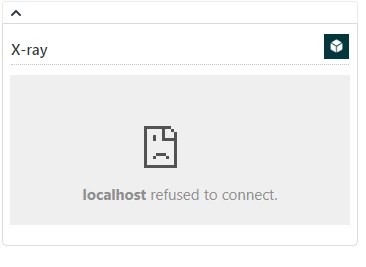
When i try http://localhost:8000/zendesk/home?origin=https%3A%2F%2Fd3v-abc.zendesk.com&app_guid=18ea030c-6f1d-430e-9991-71aea511ef73 in another browser window, it works.

I have followed below steps in google chrome Version 102.0.5005.115 (Official Build) (64-bit)
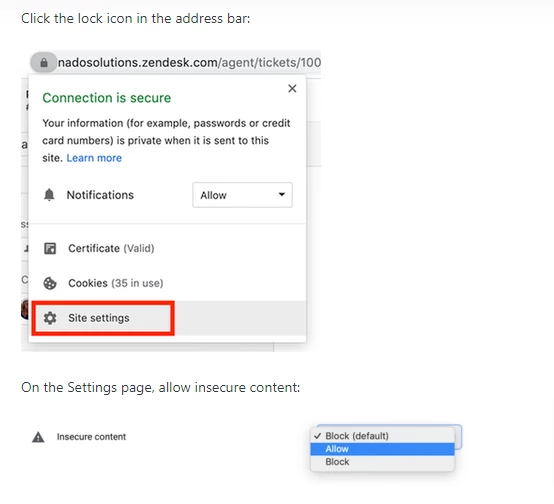
 

I am using ubuntu installed on windows wsl 

Still no success. Am i missing any settings?

Thanks

Shiv


3 replies

Shivprasad
  • Author
  • July 5, 2022

Has anyone able to test server side app on localhost ?


Oleg13
  • July 5, 2022

You can check it out in my repo - I have a working local host served environment. It spins up a server and manifest contains localhost address, which allows you to benefit from real hot reload.
You can either use my boilerplate or get some inspiration:

https://github.com/OlegGulevskyy/zendesk-vite-boilerplate


Shivprasad
  • Author
  • July 6, 2022

I have figured it out.it was because of 

django.middleware.clickjacking.XFrameOptionsMiddleware
 
In my django setup. i removed it and it worked