


App Builder Recipe: Asset Exporter
What are we building?
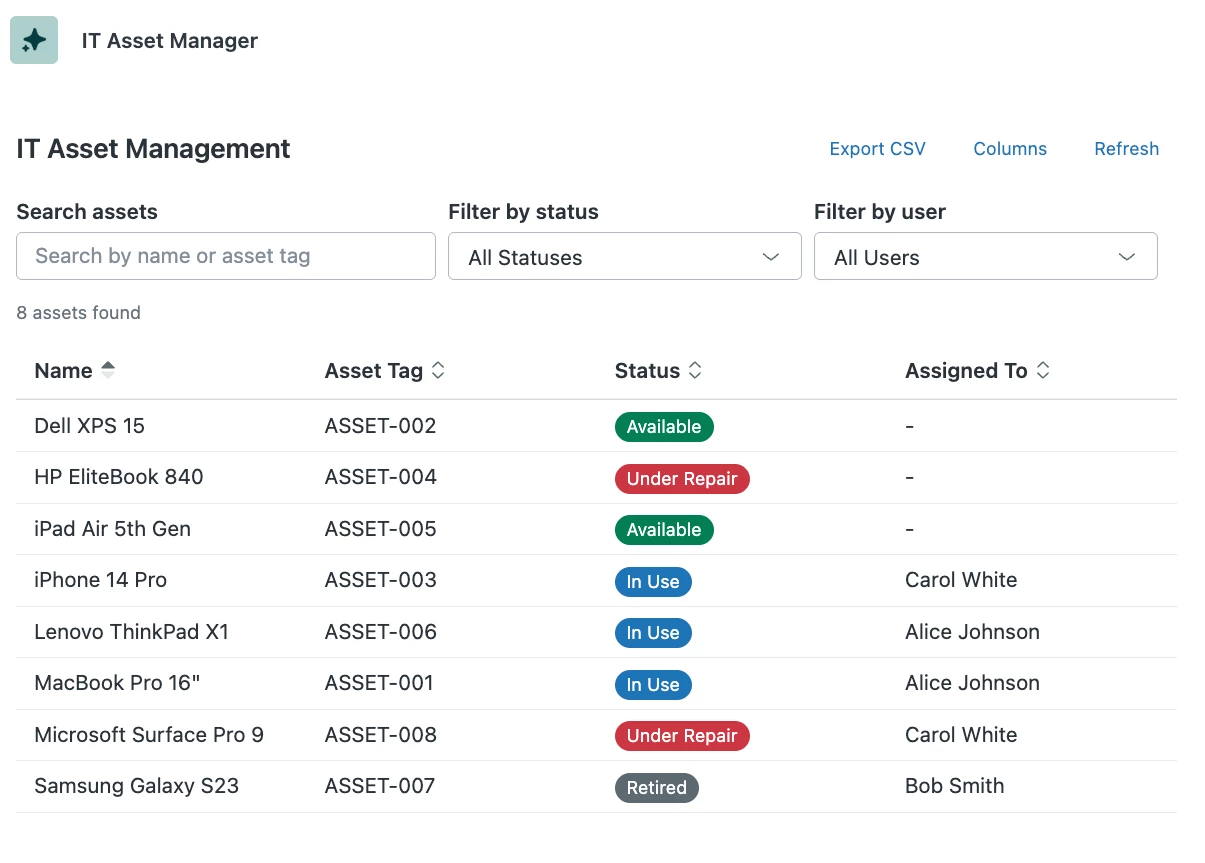
This app shows your assets and allows for a .CSV export file. Performance may be dependent upon how large your asset inventory is, so be mindful of that when building.
Why are we building this?
Currently, assets can only be pulled out of Zendesk through an API. For users who are uncomfortable using an API this can be a challenge.
Screenshot:
Prompt:
List all of my assets (use GET /api/v2/it_asset_management/assets)
Include pagination options for large inventories.
List them in a table with configurable and sortable columns.
Ability to click on an asset and see expanded view of more fields and related events and tickets.
have an "Export" button on the main table that allows for a CSV export of the main table.
assets will return a user ID in user_ID, and a status id in status_id.
Use v2/it_asset_management/statuses to map status_id to status name.
Use v2/users/show_many?ids= to map user_id to user name
If a user_id doesn’t return an object, render as “Deleted User” in app