
Connection error chat SDK - iOS/Flutter | The place for Zendesk users to come together and share
Skip to main content
December 21, 2020
Question

Connection error chat SDK - iOS/Flutter

  • December 21, 2020
  • 15 replies
  • 49 views

Hi!

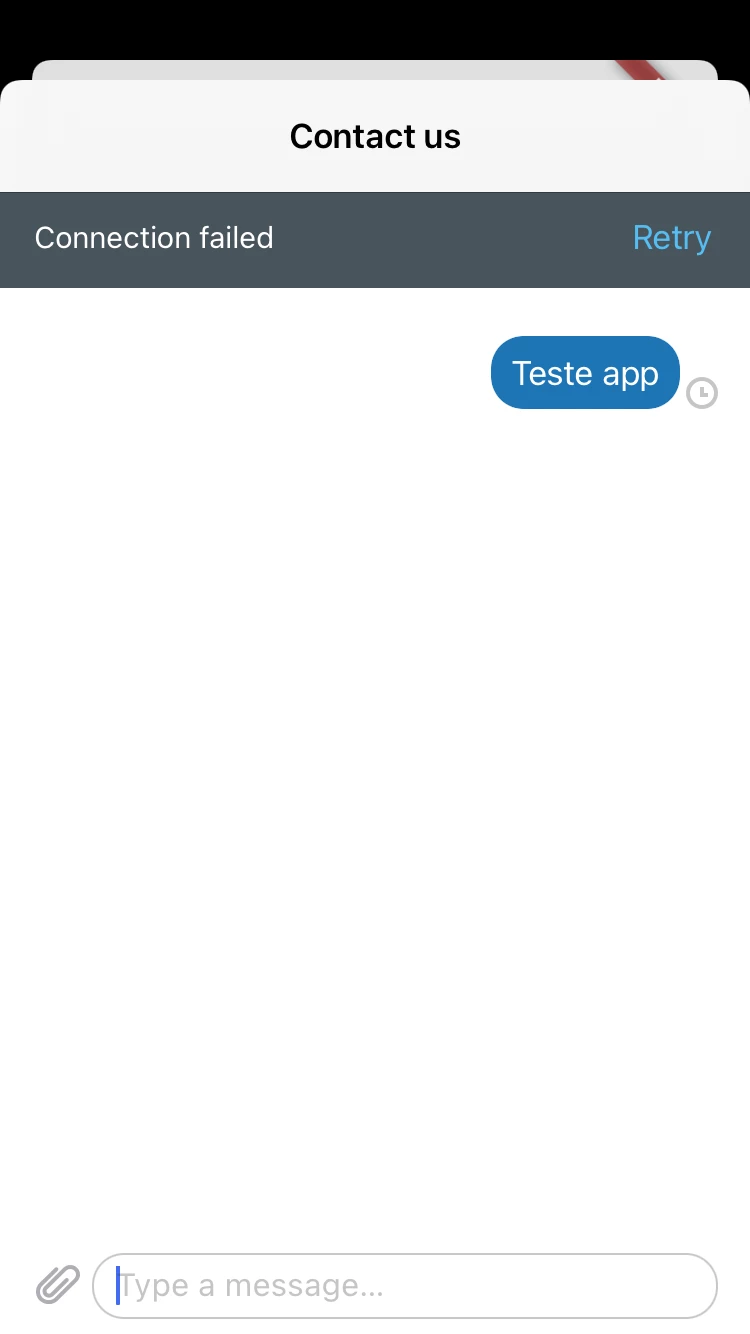
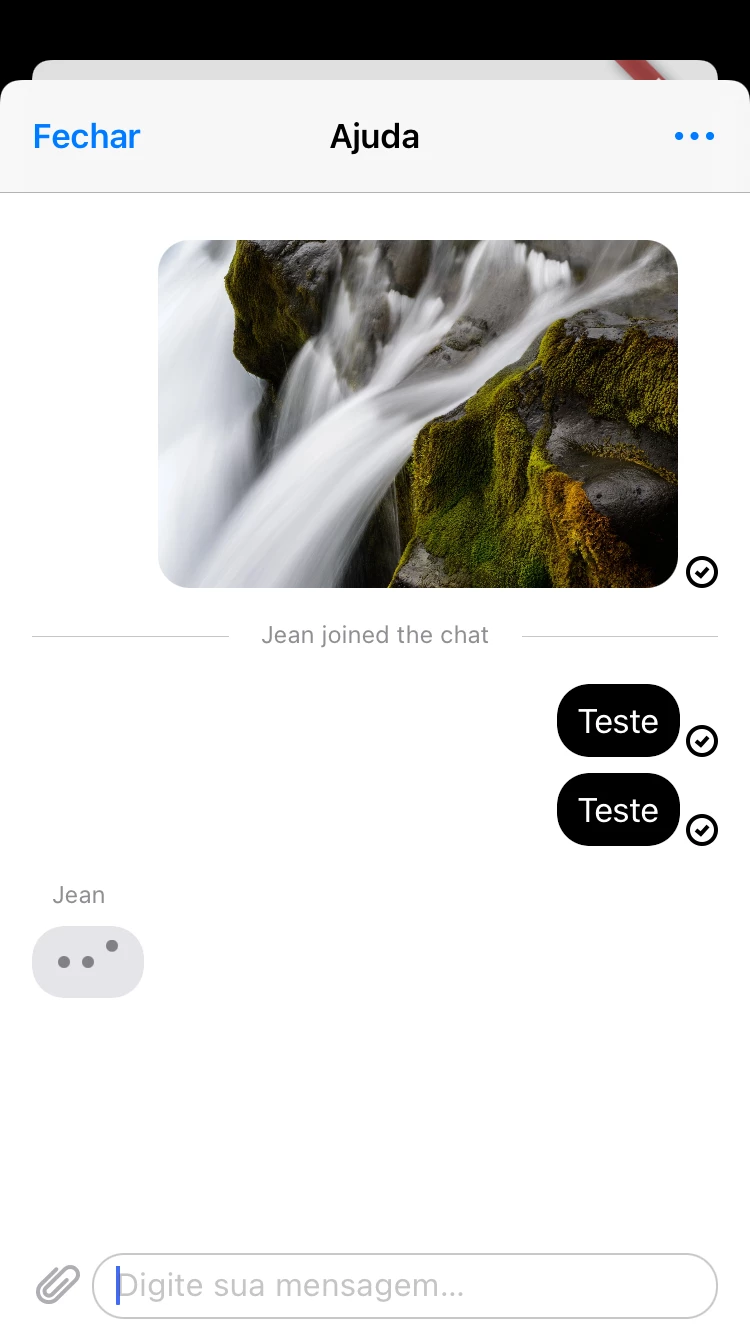
I am developing an integration with the chat SDK but messages are never sent. The curious thing is that when I send a media file, be it a document or photos, the media file is sent and then immediately the other messages that were in the queue are also sent.

Nothing appers in the log and sometimes the error "Connection Failed" with a button Try again appears.

This error appear only on iOS.

I've checked the appId and the AccountKey, they're correct.

I have internet connection

I'm sending screenshots showing the issue.


Xcode version: Version 12.0.1 (12A7300)
Swift 4.

My code:

        Chat.initialize(accountKey: "KEY_ACCOUNT", appId: "MY_APP_ID")


    func buildUI() throws -> UIViewController {

        CommonTheme.currentTheme.primaryColor = .black

        let chatConfiguration = ChatConfiguration()

        chatConfiguration.isAgentAvailabilityEnabled = true

        chatConfiguration.isPreChatFormEnabled = false


        let chatAPIConfiguration = ChatAPIConfiguration()

        chatAPIConfiguration.department = "Tech"

        chatAPIConfiguration.visitorInfo = VisitorInfo(name: "Robson Cardozo", email: "myemail@email.com", phoneNumber: "+5562000000")


        Chat.instance?.configuration = chatAPIConfiguration


        // Build view controller

        let chatEngine = try ChatEngine.engine()

        return try Messaging.instance.buildUI(engines: [chatEngine], configs: [chatConfiguration])

    }


    private func startChat(result: FlutterResult, controller: FlutterViewController) throws {

        let viewController = try buildUI()

        let button = UIBarButtonItem(title: "Fechar", style: .done, target: self, action: #selector(dismiss))

        viewController.navigationItem.leftBarButtonItem = button

        viewController.navigationItem.title = "Ajuda"


        let chatController = UINavigationController(rootViewController: viewController)


        controller.present(chatController, animated: true)


    }


When i send a text message:
When i send a media.
 

15 replies

Greg K
Employee
January 19, 2021

Hi @Robson Junior! It looks like you're utilizing a Flutter plugin, which we do not make ourselves. I would recommend reaching out to the dev team responsible for that to see if they're seeing any similar issues, as this is not something that I can replicate in a sample app

February 16, 2021

Hey @Greg - Community Manager I am facing the same problem with implementing the native unfied sdk

Greg K
Employee
February 22, 2021

Hi Mohamed...are you using Flutter as well? Are you able to reproduce this in the above sample app?

February 24, 2021

Hi @Greg - Community Manager, same issue here (I am using native iOS implementation)

Xcode: Version 12.0.1
Swift 4 (but I tried with Swift 5).

Can you help us?

[EDIT] I'm using this doc> https://developer.zendesk.com/embeddables/docs/chat-sdk-v-2-for-ios/getting_started#starting-a-chat

[EDIT] My code:


import UIKit
import ChatSDK
import ChatProvidersSDK
import MessagingSDK
import CommonUISDK

@main
class AppDelegate: UIResponder, UIApplicationDelegate {
    func application(_ application: UIApplication, didFinishLaunchingWithOptions launchOptions: [UIApplication.LaunchOptionsKey: Any]?) -> Bool {
        Chat.initialize(accountKey: "<my key>", appId: "<my id>")
        return true
    }

    // MARK: UISceneSession Lifecycle

    func application(_ application: UIApplication, configurationForConnecting connectingSceneSession: UISceneSession, options: UIScene.ConnectionOptions) -> UISceneConfiguration {
        // Called when a new scene session is being created.
        // Use this method to select a configuration to create the new scene with.
        return UISceneConfiguration(name: "Default Configuration", sessionRole: connectingSceneSession.role)
    }

    func application(_ application: UIApplication, didDiscardSceneSessions sceneSessions: Set<UISceneSession>) {
        // Called when the user discards a scene session.
        // If any sessions were discarded while the application was not running, this will be called shortly after application:didFinishLaunchingWithOptions.
        // Use this method to release any resources that were specific to the discarded scenes, as they will not return.
    }
}


import UIKit
import SwiftUI
import MessagingSDK
import ChatProvidersSDK
import ChatSDK
import CommonUISDK


class ViewController: UIViewController {
override func viewDidLoad() {
super.viewDidLoad()
}

@IBAction func showMessage(sender: UIButton) {
let viewController = try! buildUI()
present(viewController, animated: true, completion: nil)
}

func buildUI() throws -> UIViewController {
let chatAPIConfiguration = ChatAPIConfiguration()
chatAPIConfiguration.department = "Tech"
chatAPIConfiguration.visitorInfo = VisitorInfo(name: "Renata Oliveira", email: "<user email>", phoneNumber: "<user phone>")
Chat.instance?.configuration = chatAPIConfiguration
let messagingConfiguration = MessagingConfiguration()
messagingConfiguration.name = "Atendimento"
let chatConfiguration = ChatConfiguration()
chatConfiguration.isAgentAvailabilityEnabled = true
chatConfiguration.isPreChatFormEnabled = false
let chatEngine = try ChatEngine.engine()
return try! Messaging.instance.buildUI(engines: [chatEngine], configs: [messagingConfiguration, chatConfiguration])
}
}
Greg K
Employee
February 25, 2021

Hi Renata! Just to make sure that I understand, you're seeing this error and the message is not being sent? Or is the message sent successfully, but you still see the error?

February 26, 2021

Hello @Greg - Community Manager, I saw the error when I sent text message first (status pending).
When I sent a image or other file first, all the queued messages are sent with success.

March 2, 2021

Hey @Greg - Community Manager, can you help us?

Greg K
Employee
March 17, 2021

Hi Renata, apologies for the delay. It looks like our engineering team may have found the root of this issue and they are currently investigating this. When we have an update, I will drop a line in here.

March 17, 2021

@Greg - Community Manager Hey Greg, thank you, I will wait for you.

Greg K
Employee
March 23, 2021

Hi again! I heard back from our engineering team and this is what they shared with us:

There is a mismatch between the file extension and the actual mime-type of the uploaded file. Because of this, our system rejected the file.

The file name: image_name.PNG
The actual mime-type: image/jpeg (our system expects image/png instead)

Note that while many other systems will accept this kind of mismatch (including the default macOS/Windows image viewer), our system will not consider this a valid file and will reject it for safety reason.

That team has opened two investigations as a result...one to provide better error handling in this situation and another to determine if this was something that we would allow in the future. For now, just ensure that the mime-type matches the file and you'll be in good shape!