
ZAF Top Bar App: Upload token generated but attachment does not appear on created ticket
Hi everyone,
I'm building a custom Zendesk Top Bar App using the Zendesk Apps Framework (ZAF) for our Zendesk.
The app creates tickets successfully and includes a custom attachment component. The UI shows the file as attached, but the attachment never appears on the created Zendesk ticket.
Current Behaviour
The attachment component works as expected in the app:
- File can be selected
- Drag and drop works
- Image preview works
- File displays as "Attached"
- Ticket is created successfully
Example:
![Attachment UI]
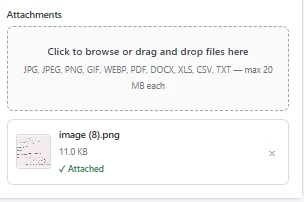
However, after the ticket is created:
- No attachment appears on the ticket
- No downloadable file is available
- The ticket comment only contains the text content
What We're Currently Doing
- User selects a file.
- File is read as binary.
- File is uploaded to Zendesk using:
POST /api/v2/uploads.json?filename={filename}- Upload token is extracted from:
response.upload.tokenTicket is then created using:
{
  "ticket": {
    "comment": {
      "body": "Test",
      "uploads": ["upload_token"]
    }
  }
}
Questions
-
Are there any known issues using
fetch()orclient.request()with Zendesk's Uploads API from a ZAF Top Bar App? -
What is the recommended approach for uploading and attaching files from a ZAF app?
-
Is a backend service required for reliable attachment uploads, or should this work entirely within the ZAF app?
-
What is the best way to verify that the upload token returned by
/uploads.jsonis actually being associated with the ticket comment? -
Has anyone implemented this successfully in a Top Bar App and can share an example or architecture?