Zendesk API to get User Roles and Access | The place for Zendesk users to come together and share
Skip to main content
March 15, 2021
Question

Zendesk API to get User Roles and Access

  • March 15, 2021
  • 13 replies
  • 160 views

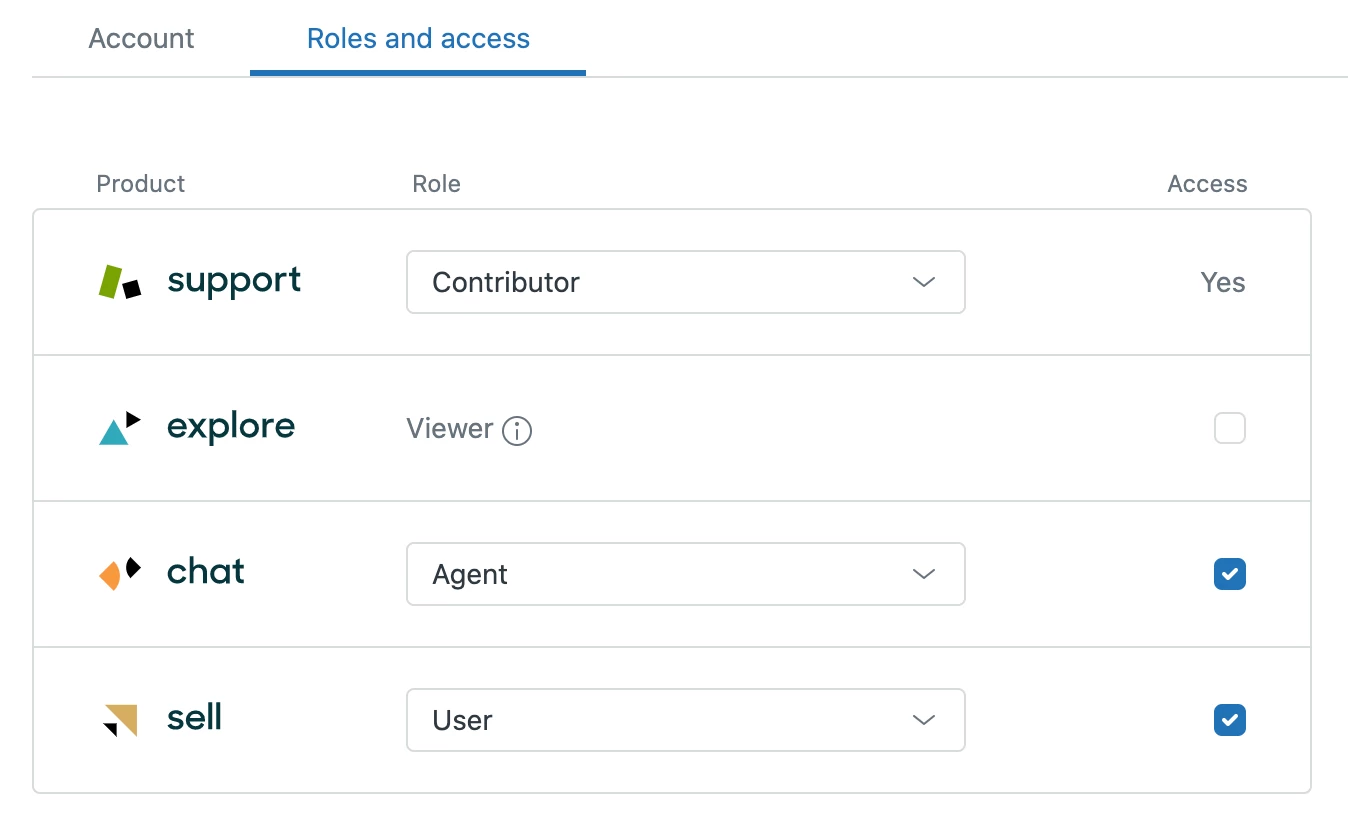
Is there any API available to see the list of an agent's product access/roles and also add / remove product from this list?

13 replies

Greg K
Employee
March 17, 2021

Hi Rikita! Depending on what you're looking for, you may find it in the Users API or if you're on an Enterprise plan and have custom roles, the Custom Agent Roles API.

Ryon
October 4, 2022

Hi,

I think the question is not around setting a Support role, but adjusting Access to to the various products. Changing access in the UI has the browser hitting this endpoint:

https://{subdomain}/api/admin/private/staff/{userID}/entitlements

This API isn't published in the API docs. Is there any roadmap for supporting this?

Employee
October 4, 2022
Hi Ryon, 
 
Unfortunately entitlements are not publicly accessible via the API at this time. However, it is on our product road map in the future but we do not have eta for when this feature will be released. 
Schuan
August 16, 2023

It would be nice if this API endpoint https://{subdomain}/api/admin/private/staff/{userID}/entitlements could be officially supported by Zendesk and a published API Doc.

As of now, I am able to activate only TALK via API via PUT Method. For chat, we need POST method but it says "You may have mistyped the address or the page may have moved." for the same endpoint which works fine for PUT methods. 

If Zendesk could add these lines below as default to a user's entitlement here https://{subdomain}/api/admin/private/staff/{userID}/entitlements it would fix it and we could use the PUT methods.

 "entitlements": {
    "chat": {
      "user_id": {userID},
      "name": "agent",
      "is_active": false
    }

September 14, 2023

FWIW I was able to activate Chat via PUT with the following JSON (we're using a custom role for Support). It works even if the Chat object does not exist on the user and you don't need to supply the user_id parameter since it's in the URL.

{
  "entitlements": {
    "chat": {
      "name": "agent",
      "is_active": true
    },
    "explore": {
      "name": "admin",
      "is_active": true
    },
    "guide": {
      "name": "admin",
      "is_active": true
    },
    "support": {
      "name": "custom_16653721760667",
      "is_active": true
    },
    "talk": {
      "name": "agent",
      "is_active": false
    }
  }
}
January 18, 2024

@greg29

Is there an update to this? Being able to update many users roles and access in one go via the API will be a really good addition.

Manuel33
April 17, 2025

Are there any updates on this API? As mentioned earlier, this would be a great feature to have.

Greg K
Employee
April 17, 2025

Hi all,


No additional updates since the last time I responded with the closest options. I would recommend sharing your thoughts in our product feedback forum to get some traction around this idea.

Nir12
Newcomer
July 17, 2025

Adding my voice to this feature request.

Our team relies heavily on Zendesk Chat, but the inability to manage an agent's Chat access via the API creates a significant operational bottleneck.

When an agent leaves, our automated offboarding process is halted. I am forced to manually go into the admin panel, access the user's profile, and individually disable their access to the Chat product. This should be a simple API call.

While we can fully automate role changes for the Support product, this manual step for Chat prevents us from efficiently freeing up paid licenses (seats) and requires daily, time-consuming intervention. An API endpoint for this is essential for proper user and license lifecycle management.

Jonathan22
July 29, 2025

FYI; I just used this to bulk shut off access to Guide for 300+ users. I fed a text file of user IDs through a for loop that ran this. No doubt this could be adapted for the other products.


Replace (zd-domain) and (user-id) appropriately, and make sure you include an authorization header/login.

curl -H "Content-Type: application/json" \
  -X PUT https://(zd-domain)/api/admin/private/staff/(user-id)/entitlements \
  -d "{\"entitlements\": {\"guide\": {\"name\": \"viewer\", \"is_active\": false}}}"
