


A closer look at Zendesk task lists
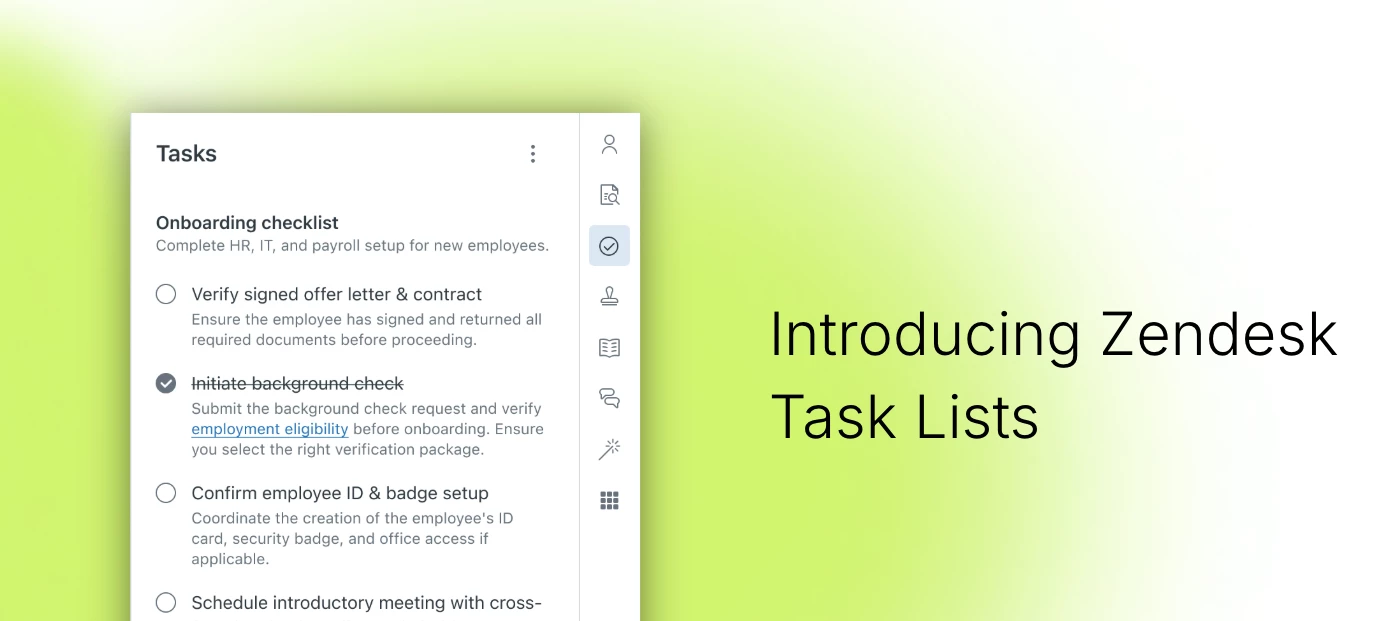
A Closer Look at Zendesk Task Lists
Like most software companies, at Zendesk we’re releasing new products and features at a pace that would have seemed unhinged not too long ago. If you blinked, you probably missed the release of Zendesk Task lists in April 2026.
We have some big things coming in this space very soon, so it’s important to share where we're at now with native Task Lists. Let's dive in!
First, What are Zendesk Task lists?
Task lists are a set of to-do items that can be added to a Zendesk ticket, giving agents a clear checklist to work through as they resolve a request.
They help teams manage the work behind the work: the follow-ups, handoffs, reminders, and “just one more thing” moments that can quietly derail even the best-run workflows if nobody’s keeping track.
Instead of leaving that work in someone’s head, inbox, or on a post-it note that will inevitably become decorative, Task lists break it into smaller, trackable, traceable steps. They make it easier to view:
- what still needs to happen
- what’s done
- what’s stuck
- and what’s about to become a problem if left unattended
When used as a required set of steps, Task lists can also help ensure the necessary work is completed in the right order before a ticket is resolved. Helpful for folks even with process muscle memory, particularly helpful for new teammates still drinking from that firehose.
Why are Task lists useful?
1. They reduce ambiguity. A lot of work slows down not because people don’t want to do it, but because the next step is hiding somewhere in the fog. Task lists make the next step visible.
2. They improve consistency. When a process needs to happen the same way every time, a task list helps make that less of a heroic effort and more of a repeatable one.
3. They increase visibility. When work is visible, it’s easier to spot blockers, prioritize effort, and avoid those “wait, who was doing that?” moments.
4. They help teams scale. As teams grow, informal coordination starts to creak a little. Task lists add lightweight structure so work can stay organized without turning every process into a mini project plan.
How they work
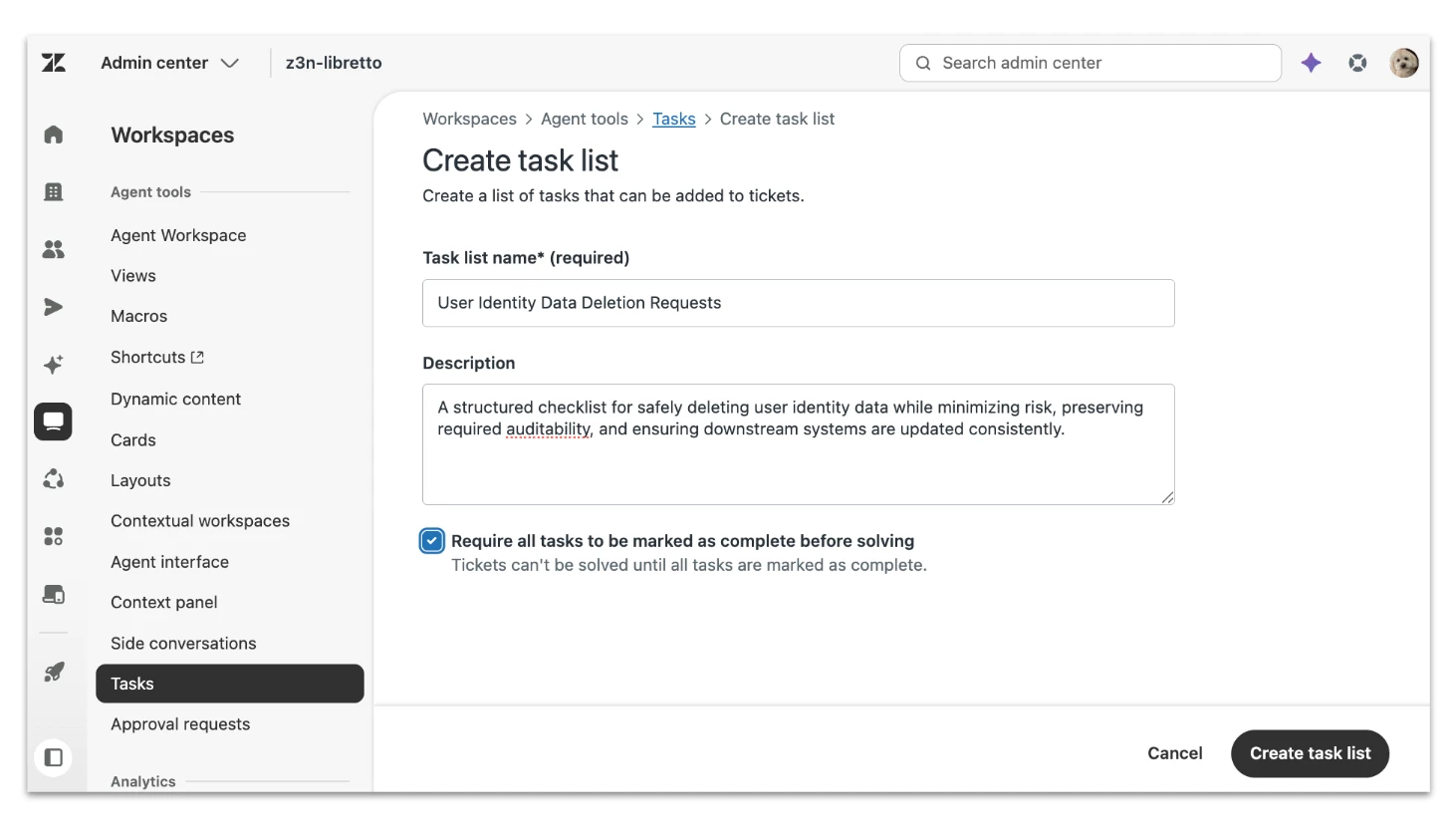
Step 1: Admins create a task list template on the Tasks page in admin center. Give it a name and description, indicate whether it’s required to resolve the ticket.
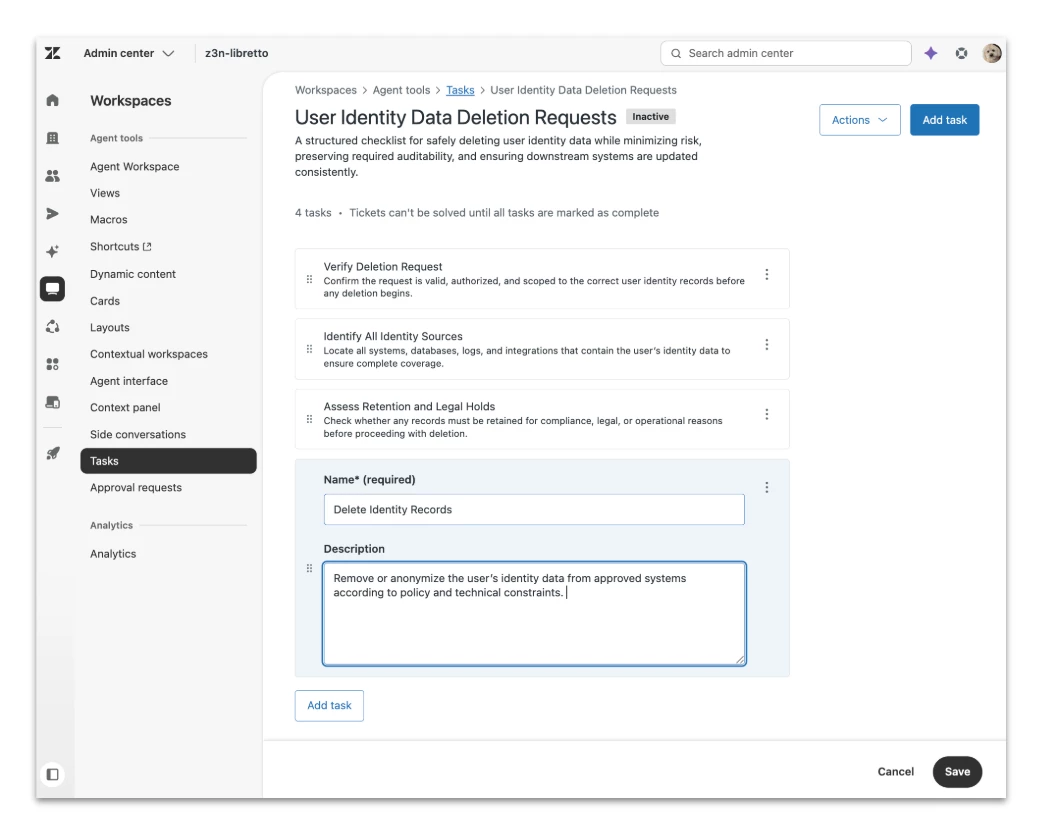
Step 2: Admins add up to 20 tasks. Each task can also include its own name and description. Some task lists might only have one item and that's okay too.
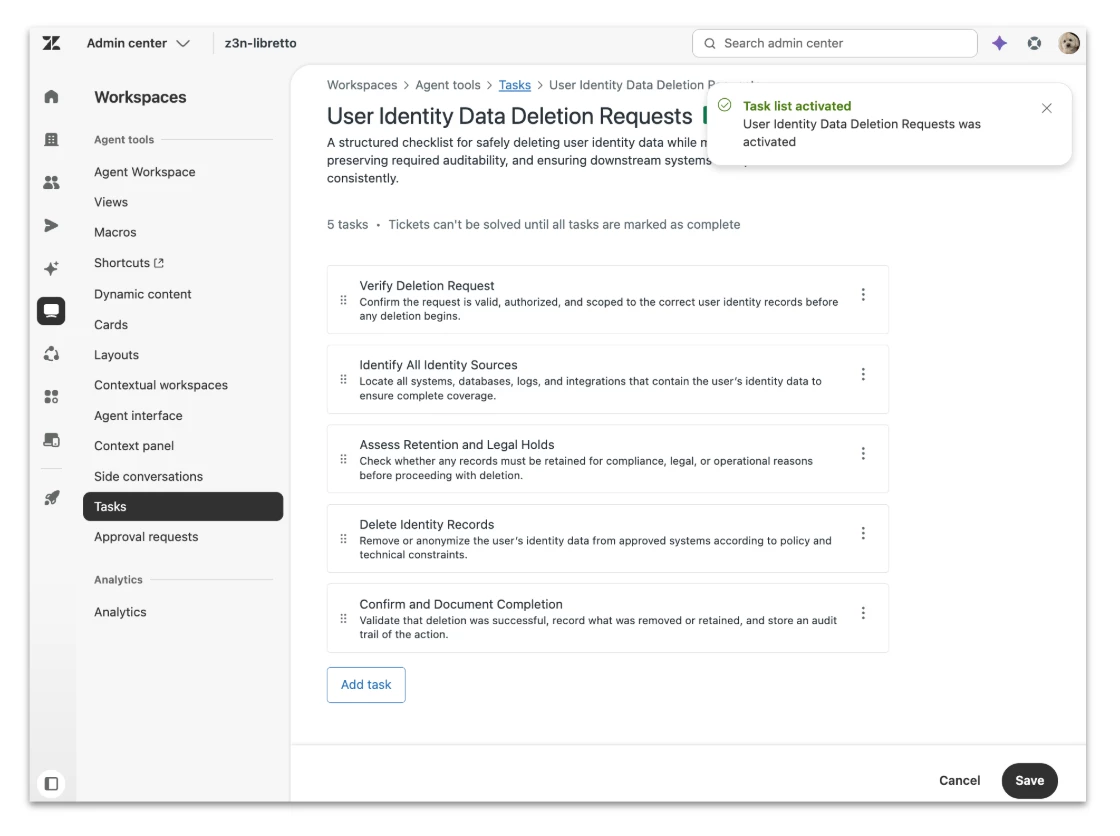
Step 3: Admins make the task list active. Once the template is ready, it can be activated and made available for use.
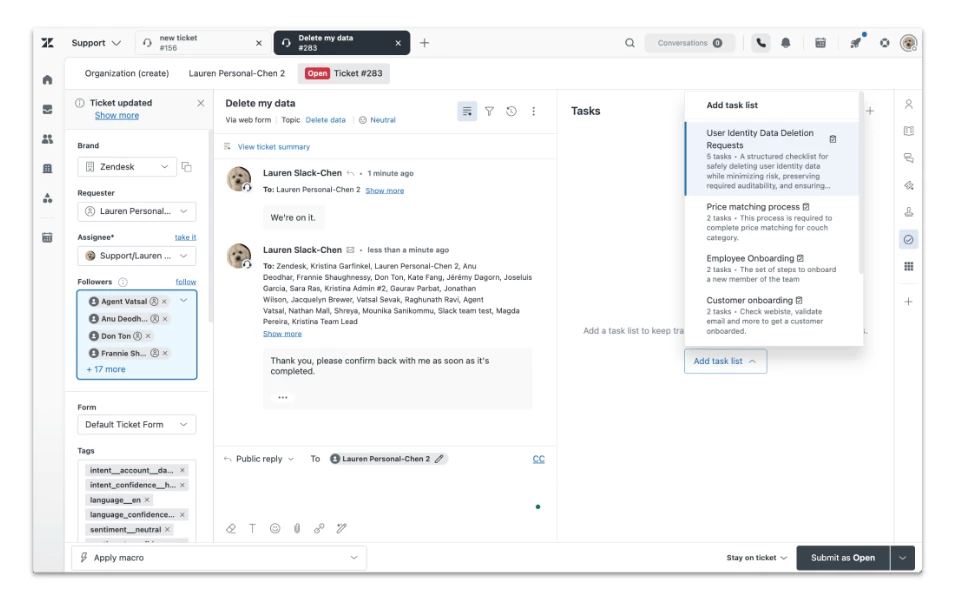
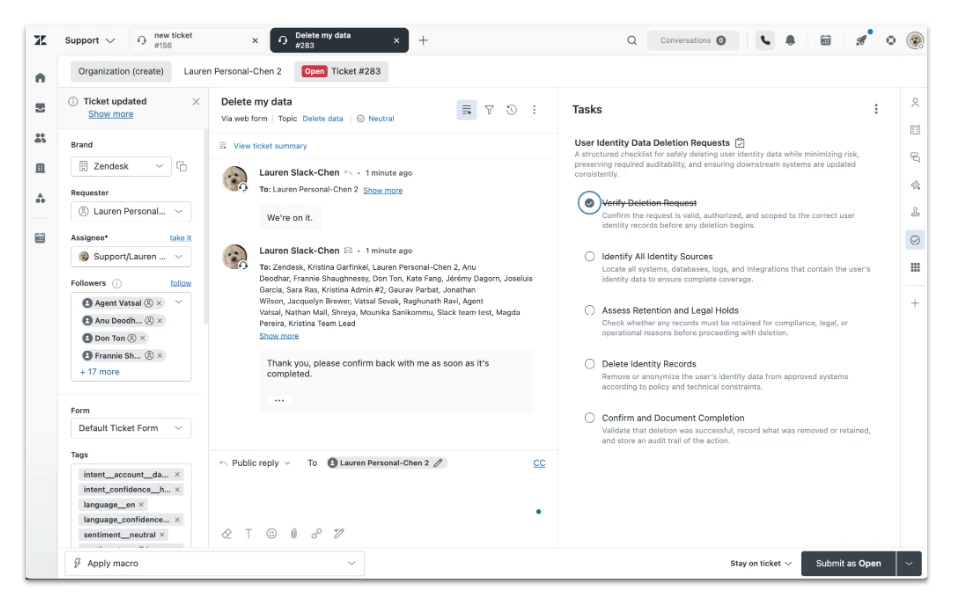
Step 4: Task lists appear in the context panel as a first-party application. Agents can access available task list templates directly from the application and manually add them to a ticket when needed.
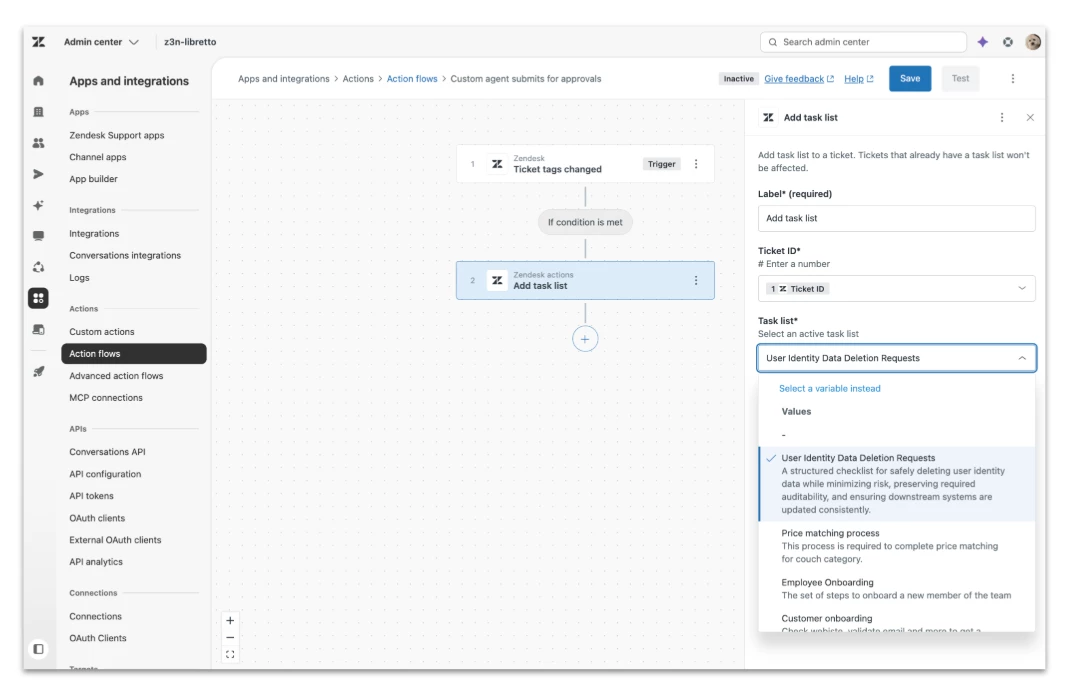
Task lists can also be added automatically to a ticket. To do this, admins set up a workflow in Action Flows that includes the “Add a task list” action. More on how to do this in a follow-up!
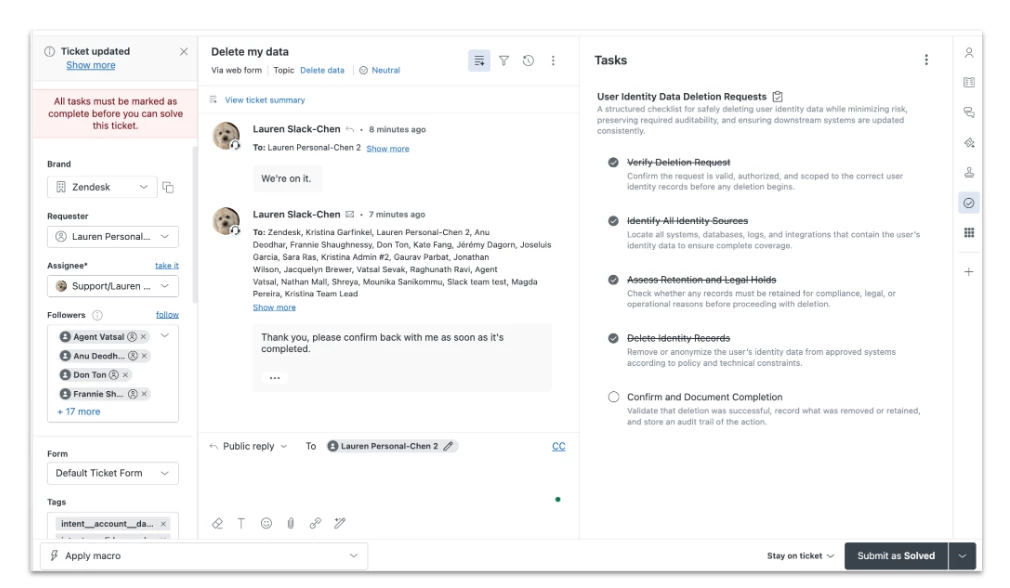
Step 5: With required Task Lists, Agents must complete all tasks in order to resolve the ticket. (note, a task list doesn't have to be required, it can also be optional and used as a point of reference).
What kinds of task lists are Zendesk customers creating?
Task lists are especially useful in workflows where there are multiple steps, dependencies, or owners. For example:
- Employee onboarding and offboarding
- Refunds and exchanges
- User access and permissions
- Price matching
- Financial service payouts and transfers
- Process validation hurdles (even a single task) all managers want employees to do on certain tickets that require strict compliance and an audit trail.
Task lists may seem simple, but simple tools often punch above their weight.
When work is visible, teams can move faster. When next steps are clear, work gets done with less friction. And when the process is easier to follow, both employees and customers benefit.
That’s the promise of Task lists: less chaos, more clarity, and a better handle on the work behind the work. Stay tuned for more, the major roadmap items are coming very soon.
Related articles
Creating task lists to help agents solve tickets
Editing and managing task lists
Using task lists within tickets