
Subject Line Config | The place for Zendesk users to come together and share
Skip to main content
February 9, 2024
Question

Subject Line Config

  • February 9, 2024
  • 2 replies
  • 35 views

Howdy! 

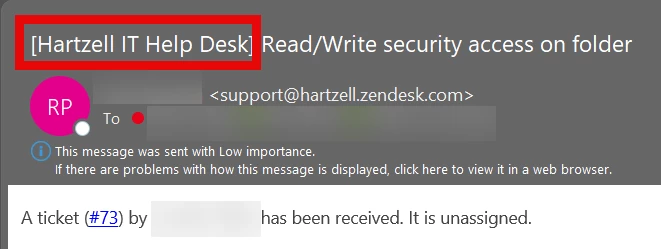
Wondering if I could get some assistance on editing the subject line when my helpdesk receives a notification when a ticket is submitted. 

See screen shot below -  Need to remove the [IT Help Desk] part that has the red box around it. 
2 replies

Amie11
Newcomer
February 11, 2024

Hey @geoff12

You can certainly do this by editing the email notification inside your triggers. 

- Admin centre > Objects & Rules > Business rules > Triggers > Open the Notify requester of received request trigger - or any trigger relating to notifying the requester

Scroll down to the email notification and you'll probably find a {{ticket.brand}} placeholder inside the email subject. If you remove that placehold it will remove the branding for you. Or whatever placeholder is there pulling it in. 

Best

Amie

Amie Brennan
Geoff12Author
February 12, 2024

@ Amie Brennan - high five!! Thank you so much!