Trigger based on domain | The place for Zendesk users to come together and share
Skip to main content
Question

Trigger based on domain

  • April 14, 2026
  • 6 replies
  • 63 views

Mads11

Hi.

I want to set up a trigger:

If a specific domain send an email to our support mail address, then it needs to be routed to a specific Zendesk group.


However i cant find a condition based on domain. I have added the domain to the organization.

Is this possible?

This is is Zendesk Support.

6 replies

Carsten11
  • Newcomer
  • April 14, 2026

@Mads11 You can route based on the organisation if that makes sense in your setup? If not I would add a custom field to the org or user with the email address or domain and have a trigger run based on “If field contains “domain.com” then assign to group”.


Sakar
  • Newcomer
  • April 15, 2026

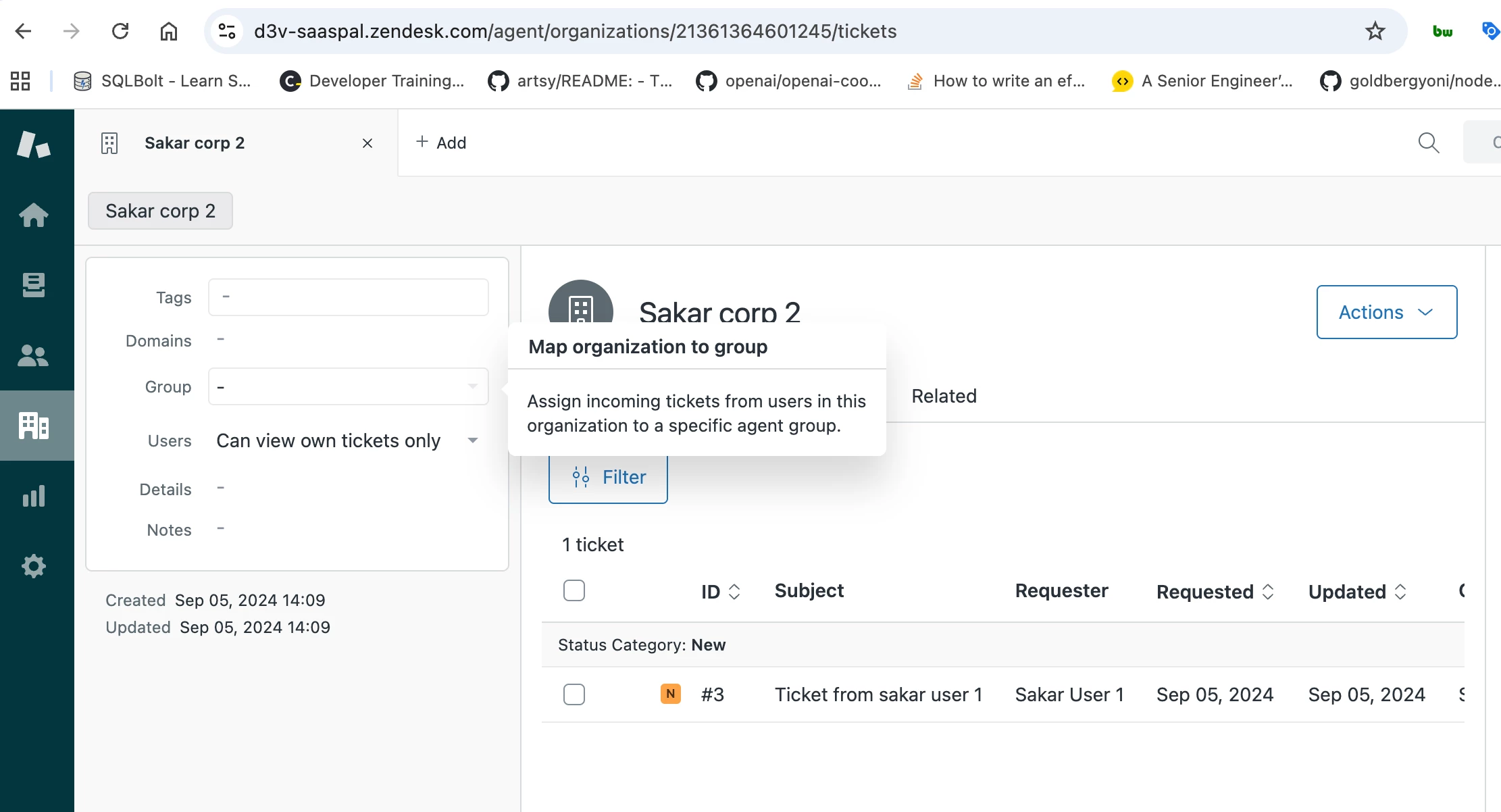
Create the Organization (Domain Mapping) 

  • Navigate to Organizations in the left sidebar.
  • Click Add organization.
  • In the Email domains field, add the domain (e.g., acme.com). You can add multiple spaces-separated domains.
  • Select a Group within the organization settings to auto-assign all tickets from this domain, bypassing the need for a separate trigger. 
     

Hope this helps :)
Regards,
Sakar U Khatiwada
saaspal.us


Cedric14
  • Newcomer
  • April 15, 2026

Hi ​@Carsten11 , yeah that’s a good shout 👍

@Mads11 

Just to explain why the org thing actually works:

Zendesk links users to an organization based on their email domain (if that domain is added to the org). So if someone writes in from @domain.com, Zendesk already knows “this requester belongs to Org X”.

That means you can just do:

Requester: Organization = X → assign to group

So you’re not really matching the domain directly, you’re using the org as the middle layer, which Zendesk does support in triggers.


Mads11
  • Author
  • Newcomer
  • April 16, 2026
  • Select a Group within the organization settings to auto-assign all tickets from this domain, bypassing the need for a separate trigger. 
     

Where do you find organization settings? I don’t have that setting withn’ the org.

Our plan is professional, so i don’t know if that’s an enterprise thing?


Sakar
  • Newcomer
  • April 17, 2026

From the left in Support if you click organziation and organization details you see the Group on the left

If that does not work you can create a trigger on the condition if Ticket is Created and Organization is Something then Group would be something you want 


Carsten11
  • Newcomer
  • April 17, 2026

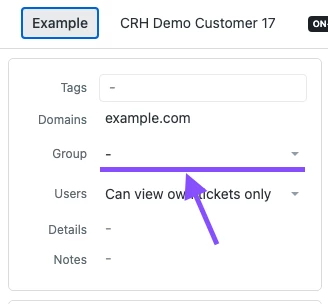
When you look at the organisation in Zendesk you have a few options in the left side:

You can also read more here: Mapping a org to a group