Asset limit reached message in Support, but not in Admin | The place for Zendesk users to come together and share
Skip to main content
Question

Asset limit reached message in Support, but not in Admin

  • May 11, 2026
  • 3 replies
  • 23 views

At the end of last week Agents started seeing an “Asset limit reached” message in Support, however in Admin assets show as available.

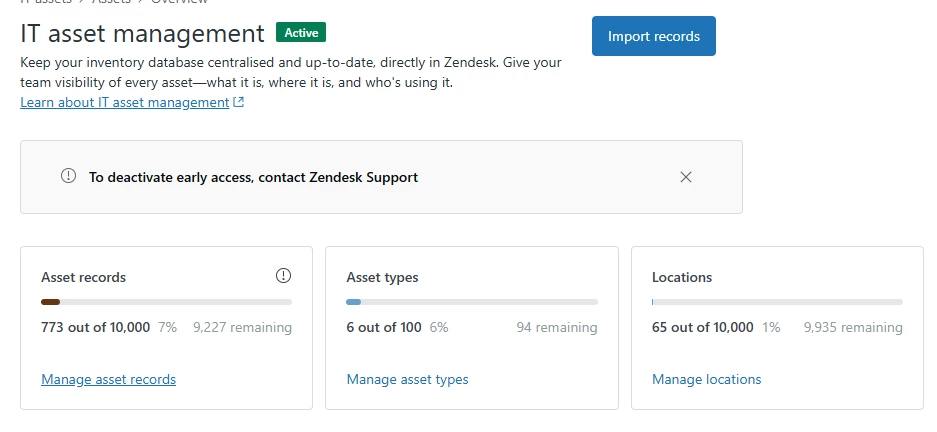
Message in Support
Assets in Admin

I’ve not been able to see a reason for this, and it means Agents can’t add or edit assets in Support.

3 replies

Hi ​@jashley thank you for reporting this issue. 


This should have been resolved by now. Could you please confirm whether you are still experiencing the issue?


  • Author
  • May 12, 2026

Yep, all resolved - thanks!

Just another question, is it correct that only users with a Support role of Admin can add or edit assets?

Previously, during the BETA, users with a Support role of Agent could do this, but now they can’t. Are there plans to allow more granular control of ITAM access?


@jashley  Asset management permissions can be granted to an agent by customizing their existing role or creating a new custom role with ITAM permissions enabled.

Please note that managing asset permissions (including the ability to restrict who can view, edit, add, or delete records) is an admin-only feature available exclusively on Zendesk Enterprise and Enterprise Plus plans. On these plans, you can configure these granular, role-based permissions directly in the Admin Center.